
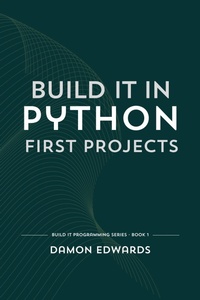
Build It in Python: First Projects (Build It Programming, #1)
Description
Alles über E-Books | Antworten auf Fragen rund um E-Books, Kopierschutz und Dateiformate finden Sie in unserem Info- & Hilfebereich.
Build small programs from the start and keep building.
The material is structured as a sequence of projects that increase in scope and complexity. Code is written, run, and modified at every step. Each addition stays in use and carries forward.
Projects include a guessing game, a password generator, a weather command line tool using live data, a file organizer, and a small set of automation scripts. Core ideas repeat across projects so the workflow becomes familiar through use.
Setup is minimal. Python, a terminal, and a text editor are enough. The focus stays on writing and running code rather than configuring tools.
The progression is incremental. Early exercises are small and controlled. Later ones combine multiple parts into complete programs.
Intended for beginners and for anyone who has learned basic syntax but has not built complete programs.
Part of the Build It in Python series. Later volumes move into application structure, production concerns, and larger systems.

More details
System requirements
File format: ePUB
Copy protection: Adobe-DRM (Digital Rights Management)
System requirements:
- Computer (Windows; MacOS X; Linux): Install the free reader Adobe Digital Editions prior to download (see eBook Help).
- Tablet/smartphone (Android; iOS): Install the free app Adobe Digital Editions or the app PocketBook before downloading (see eBook Help).
- E-reader: Bookeen, Kobo, Pocketbook, Sony, Tolino and many more (not Kindle).
The file format ePub works well for novels and non-fiction books – i.e., „flowing” text without complex layout. On an e-reader or smartphone, line and page breaks automatically adjust to fit the small displays.
This eBook uses Adobe-DRM, a „hard” copy protection. If the necessary requirements are not met, unfortunately you will not be able to open the eBook. You will therefore need to prepare your reading hardware before downloading.
Please note: We strongly recommend that you authorise using your personal Adobe ID after installation of any reading software.
For more information, see our ebook Help page.