

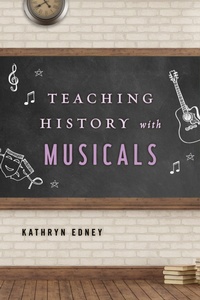
Teaching History with Musicals
1st Edition
Published on 26. January 2017
152 pages
979-8-216-23107-3 (ISBN)
Description

Popular media has become a common means by which students understand both the present and the past. Consequently, more teachers are using various forms of popular culture as pedagogical tools in the history classroom. With their resurgent popularity-on both the large and small screens-musicals can be used to engage students as an entertaining source of historical understanding. In order to facilitate the use of musicals as learning tools, however, teachers of history need a dependable resource.
Teaching History with Musicals is a guide for teaching U.S. and world history. In addition to covering key themes and concepts, this volume provides an era-by-era overview of significant issues and related films, a tutorial in using film in historical methodology, user guides for ten key musical films, and sample exercises and assignments for direct classroom use. Covering eras from American settlement to the present, this books draws on both classic and contemporary musical motion pictures, including 1776, Pocahontas, The Jazz Singer, Cabaret, Footloose, Hairspray, and Rent.
This resource enables teachers to effectively use films to examine key social and cultural issues, concepts, and influences in their historical context. Teaching History with Musicals will be an invaluable asset to any teacher of history in middle- and secondary school settings, as well as at the undergraduate level.
Teaching History with Musicals is a guide for teaching U.S. and world history. In addition to covering key themes and concepts, this volume provides an era-by-era overview of significant issues and related films, a tutorial in using film in historical methodology, user guides for ten key musical films, and sample exercises and assignments for direct classroom use. Covering eras from American settlement to the present, this books draws on both classic and contemporary musical motion pictures, including 1776, Pocahontas, The Jazz Singer, Cabaret, Footloose, Hairspray, and Rent.
This resource enables teachers to effectively use films to examine key social and cultural issues, concepts, and influences in their historical context. Teaching History with Musicals will be an invaluable asset to any teacher of history in middle- and secondary school settings, as well as at the undergraduate level.
More details
Series
Edition
1. Auflage
Language
English
Place of publication
United States
Publishing group
Bloomsbury Publishing Plc
ISBN-13
979-8-216-23107-3 (9798216231073)
Copyright in bibliographic data and cover images is held by Nielsen Book Services Limited or by the publishers or by their respective licensors: all rights reserved.
Schweitzer Classification
Other editions
Additional editions
Kathryn Edney
Teaching History with Musicals
Book
01/2017
Rowman & Littlefield Publishers
€57.50
Shipment within 10-20 days
Person
Kathryn Edney is assistant professor of history at Regis College, where she teaches courses in U.S. history, historiography, and culture and society. Her writing has appeared in Brecht, Broadway and United States Theater (2007); Sounds of the Future: Essays on Music in Science Fiction Film (2010); Movies, Music, and More: Advancing Popular Culture in the Writing Classroom (2011);and The Journal of Popular Culture.
