

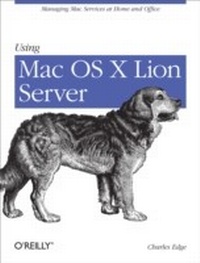
Using Mac OS X Lion Server
Managing Mac Services at Home and Office
1st Edition
Published on 20. March 2012
220 pages
978-1-4493-3464-2 (ISBN)
Description

If youre considering a Mac OS X server for your small business, school, nonprofit, or home network, this easy-to-follow guide will help you get up and running in no time. Youll learn how to share files, mail, and calendar information on your desktops, iPads, iPhones, and other devices, whether youre new to Mac OS X servers or need to update your skills for the Lion edition.Discover how to configure your network to include multiple operating systemsincluding Mac, iOS, and Windowsand set up servers for wikis, websites, and podcasts with relative ease.Plan your installation to make sure you have the right server hardwareControl data access with permissions, and use Apples Time Machine to back up your networkShare contacts, schedules, and instant messaging with groupwareManage wikis, blogs, and websites with Lions web serviceBuild an email server and protect it against spam and malwareHandle preferences for the networks Apple computers and iOS devicesDeploy new Apple computers to the network with disk imaging
More details
Other editions
Additional editions
Book
04/2012
1st Edition
O'Reilly
€28.50
Shipment within 10-20 days
Content
- Intro
- Table of Contents
- Preface
- Audience
- Organization and Structure
- Conventions Used in This Book
- Using Code Examples
- Safari® Books Online
- How to Contact Us
- Acknowledgements
- Chapter 1. Planning
- The Minimum
- Server Allocation
- Service Allocation
- Choosing the Right Hardware
- Storage
- System Resources
- Backup
- Power
- Planning Your Server's Network Configuration
- Determining the IP Address, Subnet Mask, and Gateway
- Configuring DHCP
- Finding the Subnet Mask and Gateway
- What's In a Name?: DNS
- Link Aggregation
- Using Multiple IP Addresses
- Accessing the Server from Outside the Network
- Port Forwarding
- Accessing the Server Using DNS
- Configuring DNS
- Setting up Dynamic DNS
- Configuring iCloud for Back to My Mac
- Conclusion
- Chapter 2. Installation
- Base OS Installation
- Making a Lion Recovery Disk
- Configuring the Network
- Verifying Hostnames
- Configuring Energy Saver
- Installing the Server Software
- Completing Installation Tasks
- Checking the Hostname (Again)
- Setting up SSL
- Setting Date and Time
- Creating Users
- Creating Groups
- Adding Users to Groups
- Setting Up Open Directory
- Open Directory Replicas
- Binding to Open Directory
- Switching Between Directory Domains
- Using Workgroup Manager
- Conclusion
- Chapter 3. Sharing and Backing Up Files
- Managing File and Folder Access with Permissions
- POSIX
- ACLs
- Enabling Sharing
- Connecting from Clients
- Configuring AFP Connections from Mac OS X
- Connecting from Windows
- Configuring WebDAV Connections from iOS
- Logging in Remotely
- Backing Up
- Backing Up the Server
- Backing Up Open Directory
- Backing Up Server Configurations
- Backing Up Client Workstations
- Setting Up Time Machine Server
- Setting Up Time Machine Server Clients
- Backing Up with Other Solutions
- Conclusion
- Chapter 4. Sharing Address Books, Calendars, and iChat
- Sharing Address Books
- The Directory
- Personal Address Books
- Configuring Address Book to Connect
- Sharing Calendars
- Publishing Calendars
- Configuring iCal Server
- Locations and Resources
- Configuring iCal Clients
- Delegated Calendars
- In the Web Portal
- Configuring the Client in iOS
- Setting Up a Private iChat Server
- Configuring iChat Server
- Federation
- Saving a Copy of Each Chat
- Setting Up the Clients
- Conclusion
- Chapter 5. Wikis, Webs, and Blogs
- Setting Up a Website
- Accessing the Web Portal
- Uploading Your Own Site
- Setting Up More Sites
- Setting Up a Wiki
- Deciding on a Structure
- Creating a Wiki
- Collaborating with Others
- Customizing the Wiki
- Blogs
- Creating a User Blog
- Editing the Blog
- Accessing Content
- Site Redirection
- Conclusion
- Chapter 6. Building a Mail Server
- Before You Install
- Registering a Domain Name
- Configuring DNS
- Reverse DNS
- Making Sure the IP Isn't Blacklisted
- Installing the Mail Service
- Enabling Services
- Configuring Options
- Configuring Users
- Installing Clients
- Setting up iOS Clients
- Configuring Lion Mail Clients
- Leveraging Push Notifications
- Protecting Mail: Message Hygiene
- Spam Filtering via MX Records
- Clam Up Viruses and Send Assassins After Spam
- Configuring WebMail
- Using WebMail
- Conclusion
- Chapter 7. Building Your Own Podcasting Server
- Before You Begin
- Building Podcast Producer
- Podcasting
- Making Your First Podcast with Podcast Publisher
- Accessing Content
- Viewing Content
- Restricting Access to Podcasts
- Connecting with iTunes
- Customizing Workflows
- Creating Workflows with Podcast Composer
- Securing Workflows
- Podcast Capture
- Remote Recording
- Conclusion
- Chapter 8. Managing Apple Computers and iOS Devices
- Profile Manager
- Setting Up Profiles
- Restricting Login Times
- Pushing Out Printers
- Pushing Out New Dock Items
- Setting Up Mail, Contacts and Calendars
- Distributing Profiles
- Managed Preferences
- Software Update Services
- Installing Software Update Server
- Choosing Which Updates to Release
- Configuring Clients
- Conclusion
- Chapter 9. Network Services
- When to Use Apple's Network Services
- Setting Up a VPN Server
- Configuring the Network
- Setting Up the L2TP Clients
- Connecting iOS-Based Devices
- Connecting Mac OS X-Based Devices
- Sharing IP Addresses Using NAT
- Hosting Your Own DNS
- Configuring Wireless Access with RADIUS
- Setting Up the AirPort
- Setting Up AirPort Clients
- Managing the Adaptive Firewall
- Conclusion
- Chapter 10. Deploying Mac OS X Computers
- The Basics of Imaging Mac OS X
- Imaging with Disk Utility
- Using NetBoot
- Building a NetBoot Set
- Hosting a NetBoot Set
- Using a NetBoot Client
- Using NetInstall
- Building a NetInstall Image
- Deploying Computers with NetRestore
- Conclusion
