

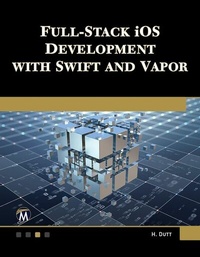
Full Stack iOS Development with Swift and Vapor
1st Edition
Published on 3. September 2024
252 pages
978-1-5015-1920-8 (ISBN)
Description

This comprehensive book combines the strengths of Swift, the Vapor framework, and iOS development to create dynamic, full-stack applications. Perfect for aspiring developers, students, and seasoned iOS professionals, this book equips you with the skills needed to master both server-side and client-side development. Key topics include understanding the fundamentals and history of full-stack development and the concept of a minimum viable product; installing and configuring essential tools and SDKs for Vapor and iOS development; mastering data persistence by integrating PostgreSQL with the Vapor framework; and implementing data storage solutions in iOS apps using Core Data and SQLite. Companion files (sample code and figures) are available for downloading by writing to the publisher.
FEATURES
• Includes real-world projects and exercises to apply your newly acquired skills in practical scenarios
• Emphasizes best practices, security considerations, and performance optimization techniques
• Features comprehensive exploration of both backend and frontend development
• Companion files (sample code and figures) are available for downloading by writing to the publisher
FEATURES
• Includes real-world projects and exercises to apply your newly acquired skills in practical scenarios
• Emphasizes best practices, security considerations, and performance optimization techniques
• Features comprehensive exploration of both backend and frontend development
• Companion files (sample code and figures) are available for downloading by writing to the publisher
More details
Language
English
Place of publication
New York
United States
Target group
Professional and scholarly
US School Grade: College Graduate Student
File size
20,06 MB
ISBN-13
978-1-5015-1920-8 (9781501519208)
Copyright in bibliographic data and cover images is held by Nielsen Book Services Limited or by the publishers or by their respective licensors: all rights reserved.
Schweitzer Classification
Other editions
Additional editions
E-Book
09/2024
1st Edition
Mercury Learning and Information
€49.95
Available for download
Book
08/2024
1st Edition
De Gruyter
€49.95
Article not available at the moment
Content
- Cover
- Halftitle
- Title
- Copyright
- Dedication
- Contents
- Preface
- Acknowledgments
- About the Author
- Chapter 1: Full-Stack Development Overview
- Introduction
- Structure
- Introduction to Full-Stack Development
- Brief History
- Full-Stack: What Does It Mean?
- Minimum Viable Product (MVP)
- Airbnb
- Foursquare
- Problems with Full-Stack Development
- Advantages of Full-Stack Development
- Swift on Server and Vapor
- Swift Packages for Back-End Development
- SwiftNIO
- AsyncHTTPClient
- Swift AWS Lambda Runtime
- Soto-AWS SDK Swift
- Conclusion
- Chapter 2: Setting Up the Environment
- Introduction
- Structure
- Installation of Xcode
- Installation of the Vapor Toolbox
- Hello World Project (Vapor)
- Build and Run Project
- Folder Structure
- Public Folder
- Sources
- Run
- Tests
- Swift Package Manager
- Hello World Project (iOS)
- Project Structure
- Add Hello World Label
- Run Xcode Project
- Conclusion
- Chapter 3: Routing, MVC, and JSON in Vapor
- Introduction
- Structure
- Objectives
- Routes
- Router Methods
- Basic Routes
- Nested Routes
- Route Parameters
- Anything Routes and Catch-All Routes
- Query Strings
- Route Groups
- Model-View-Controller (MVC)
- Working with JSON
- Posting JSON and Postman App
- Conclusion
- Chapter 4: Async and HTML Rendering in Vapor
- Introduction
- Structure
- Objectives
- Async
- Async Await
- Migrating to Async/Await
- Logging
- Environment
- Errors
- Abort
- Abort Error
- Debuggable Error
- Stack Traces
- Swift Backtrace
- Error Traces
- ErrorMiddleware
- Leaf
- Conclusion
- Chapter 5: PostgreSQL Integration in Vapor
- Introduction
- Structure
- Objectives
- Data Persistence with Vapor
- Installing and Setting Up PostgreSQL
- Fluent ORM
- Adding Fluent to a New Project
- Adding Fluent to an Existing Project
- CRUD Operations
- Migrations
- Postico
- Create and Save Model
- Create Model
- Save Model
- Conclusion
- Chapter 6: Building User Interfaces for iOS
- Introduction
- Structure
- Auto Layout with Storyboards
- Swift UI
- Working with Text
- Working with Images
- Working with Stacks
- Conclusion
- Chapter 7: Data Persistence with Core Data and SQLite in iOS
- Introduction
- Structure
- Core Data
- Core Data Stack
- Include Core Data in a New Project
- Include Core Data in an Existing Project
- CRUD Operations
- Codegen
- Category/Extension
- Core Data Migrations
- Lightweight Data Migration
- Networking
- Protocol Support
- Conclusion
- Chapter 8: Full-Stack Implementation
- Introduction
- Structure
- Objectives
- Project Outline
- Setup Remote Database
- Server App
- Models
- Migrations
- Controllers
- Config and Routes
- iOS App
- Models
- Networking
- User Interface
- Test Run
- Conclusion
- Chapter 9: Advanced Full-Stack Concepts
- Introduction
- Structure
- Objectives
- Middleware
- Creating Middleware
- WebSockets
- Messages
- Sending
- Receiving
- Closing
- APNS
- Security
- Authentication
- Basic Authentication
- Bearer Authentication
- Composition
- Session
- JWT
- KeyChain
- Adding a Password to Keychain
- Conclusion
- Chapter 10: Deploying iOS and Vapor Applications
- Introduction
- Structure
- Objectives
- Vapor App Deployment
- Heroku
- Docker
- Set up Docker
- Build and Run
- Production Deployment
- iOS App Deployment
- Code Signing
- Create App Store Connect Record for the App
- Add New App
- Archive and Upload the App
- Configure the App's Metadata in App Store Connect
- Submit App for Review
- Conclusion
- Index
