

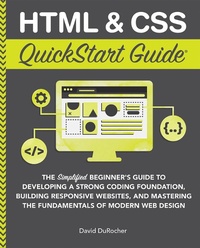
HTML & CSS QuickStart Guide
Description

Master HTML and CSS fundamentals to create beautiful websites.
**Includes FREE Digital Bonuses! Github Repository, HTML & CSS Cheat Sheets, and More!**
Learn Why QuickStart Guides are Loved by Over 1 Million Readers Around the World
The same book currently in used in college-level courses while remaining approachable for beginners!
Anyone, at any stage of their lives, can learn to code. HTML and CSS are the perfect starting point on that journey?easy to learn, easy to implement, HTML & CSS open the door to a world of coding possibilities.
The Easiest Way to Learn HTML & CSS in a Comprehensive, Step-by-Step Guide
Every one of the over 4 billion webpages online today use HTML markup language to display its content. HTML is everywhere.
Experienced developers know that a mastery of HTML and CSS fundamentals is not only an essential web design skill, but also the solid foundation of a robust coding skillset.
In HTML & CSS QuickStart Guide author, instructor, and 10+ year Fortune 500 tech company veteran David DuRocher breaks down HTML5 and CSS3 fundamentals manageable, practical, and engaging segments designed for first-time developers.
Written by a Web Design Expert with Over 15 Years of Experience
David's unique and engaging approach to teaching HTML and CSS principles means that readers are ready to start designing from the very first chapter without enduring an avalanche of boring jargon or dry technobabble.
No matter whether you are a student, jobseeker looking to improve your resume, freelancer, designer, experienced developer, or just someone who wants to create their own website from scratch, everything you need to know is right here in this book!
HTML & CSS QuickStart Guide Is Perfect For:
- Jobseekers looking to increase the value of their resume
- WordPress, Shopify, and Squarespace users who want to tweak templates and make them their own
- Anyone who wants to create attractive, responsive, and modern websites with no prior experience needed
HTML & CSS QuickStart Guide Covers:
- HTML and CSS for Beginners ? all of the core HTML and CSS fundamentals you need to know in one place
- HTML tags, CSS elements, CSS styling, and exactly how to fit the pieces together
- Futureproofing ? how to design sites that look great on any browser, any device
With HTML & CSS QuickStart Guide, You'll Easily Understand These Crucial Concepts:
- Modern Web Design Fundamentals ? How to use the powerful combination of HTML5 and CSS3 to build functional and responsive web pages
- Site Structure and Responsive Design Principles ? How to format HTML and CSS markup to produce attractive web sites and web pages.
- Breathing Life Into Your Projects ? How to incorporate forms, multimedia elements, special characters and more into your web projects
- Correct Markup Best Practices ? Learn to produce clean, professional HTML documents using industry-standard tools such as GitHub
- HTML and CSS for Beginners ? HTML and CSS elements, formatting, padding, gradients, menus, testing, debugging, and more? all supported with abundant visual examples and a practical hands-on project!
*LIFETIME ACCESS TO FREE HTML & CSS DIGITAL BONUSES*
HTML & CSS QuickStart Guide comes with lifetime access to FREE digital resources you can access from inside the book! Each of these bonuses is crafted with our expert author to help you become a better programmer including:
- Github Repository Access & Hands-on Exercises
- Web Design Resource Library
- HTML & CSS Cheat Sheets and more!
More details
Other editions
Additional editions
Person
Content
Chapter 1: The Basics and the Bigger Picture
Chapter 2: HTML Deep Dive
Chapter 3: CSS Deep Dive
Chapter 4: HTML Structure
Chapter 5: Basic HTML Elements
Chapter 6: CSS Structure
Chapter 7: Using CSS to Size and Space Elements
Chapter 8: Text Formatting
Chapter 9: Layout/Format
Chapter 10: HTML Junk Drawer
Chapter 11: HTML Forms
Chapter 12: Cool Tricks
Chapter 13: Media Queries
Chapter 14: Bootstrap
Chapter 15: Workflow
Chapter 16: Git
Chapter 17: What's Next?
Conclusion
Appendix I: Web Hosting
Appendix II: FTP
Appendix III: Sizing Units
Appendix IV: Open Graph/Metadata
Appendix V: Coffee Shop Solutions
About the Author
About QuickStart Guides
Glossary
References
Index
