

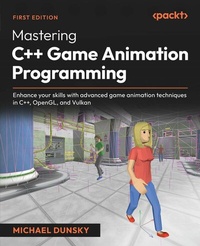
Mastering C++ Game Animation Programming
Description

- Explore compute shaders, visual selection, UI creation, visual programming, configuration file handling, collision detection, behavior controls, and more
- Create your own virtual world with naturally acting inhabitants
- Purchase of the print or Kindle book includes a free PDF eBook
Book DescriptionWith two decades of programming experience across multiple languages and platforms, expert game developer and console porting programmer Michael Dunsky guides you through the intricacies of character animation programming. This book tackles the common challenges developers face in creating sophisticated, efficient, and visually appealing character animations. You'll learn how to leverage the Open Asset Import Library for easy 3D model loading and optimize your 3D engine by offloading computations from the CPU to the GPU. The book covers visual selection, extended camera handling, and separating your application into edit and simulation modes. You'll also master configuration storage to progressively build your virtual world piece by piece. As you develop your engine-like application, you'll implement collision detection, inverse kinematics, and expert techniques to bring your characters to life with realistic visuals and fluid movement. For more advanced animation and character behavior controls, you'll design truly immersive and responsive NPCs, load real game maps, and use navigation algorithms, enabling the instances to roam freely in complex environments. By the end of this book, you'll be skilled at designing interactive virtual worlds inhabited by lifelike NPCs that exhibit natural, context-aware behaviors.What you will learn - Master the basics of the Open Asset Import Library
- Animate thousands of game characters
- Extend ImGui with more advanced control types
- Implement simple configuration file handling
- Explore collision detection between 3D models and world objects
- Combine inverse kinematics and collision detection
- Work with state machines, behavior trees, and interactive NPC behaviors
- Implement navigation for NPC movement in unknown terrains
Who this book is forThis book is for experienced C++ developers, game programmers, and character animators who already have basic knowledge of character animation but are curious to learn more. The book assumes advanced C++ knowledge and is ideal for those eager to delve into advanced animation techniques and create interactive virtual worlds.
All prices
More details
Other editions
Additional editions
Person
Michael Dunsky is an electronics engineer, console porting programmer, and game developer with more than 20 years of programming experience. He started with BASIC at the young age of 14 and expanded his portfolio over the years to include assembly language, C, C++, Java, Python, VHDL, OpenGL, GLSL, and Vulkan. During his career, he also gained extensive knowledge of Linux, virtual machines, server operation, and infra-structure automation. Michael holds a Master of Science degree in Computer Sci-ence from the FernUniversität in Hagen with a focus on computer graphics, parallel programming, and software systems.
Content
- Cover
- Title page
- Copyright and credits
- Contributors
- Table of Contents
- Preface
- Part 1: Populating the World with the Game Character Models
- Chapter 1: Working with Open Asset Import Library
- Technical requirements
- Getting the source code and the basic tools
- Getting the code using Git
- Getting the code as a ZIP file
- Installing the required tools and libraries for Windows
- Installing Visual Studio 2022 on Windows
- Enabling long path names on Windows
- Downloading Open Asset Import Library
- Configuring the build
- Installing the Vulkan SDK on Windows
- Compiling and starting the example code
- Installing the required tools and libraries for Linux
- Downloading Open Asset Import Library
- Installing a C++ compiler and the required libraries on Linux
- Compiling the examples via the command line on Linux
- Installing Eclipse on Linux
- Code organization in this book
- Animating game characters - a primer
- About nodes, bones, skeletal animation, and skinning
- Preparing the data for efficient usage
- Updating character data
- What is Open Asset Import Library?
- Loading a model file
- Loading embedded textures
- Parsing the node hierarchy
- Adding vertex buffers for the meshes
- Importing animations
- Checking the code for all the details
- Extending the UI with an Open File dialog
- Integrating the file dialog into CMakeLists.txt
- Using the ImGui file dialog
- Adding a filter to show only supported file types
- Adding a single filter
- Adding a group of filters
- Adding a regular expression-style filter
- Loading the model file
- Drawing the model to the screen
- Adding and removing model instances dynamically
- Reusing the bones for the sake of simplicity
- Storing instance-specific settings
- Dynamic model and instance management
- Drawing all instances
- Summary
- Practical sessions
- Additional resources
- Chapter 2: Moving Animation Calculations from CPU to GPU
- Technical requirements
- What are compute shaders and why should we love them?
- The famous raster interrupt
- The rise of multi-core machines
- Hidden multi-core champions
- Welcome to the wonderful world of compute shaders
- Profiling animation performance
- Locating the hotspots in the code
- Analyzing the current data representation
- Adjusting the data model
- Adding missing data for the compute shader
- Relocating data to another shader
- Doing the last preparations
- Moving the node computations to the GPU
- Adding more shader storage buffers
- Calculating the node transforms in a shader
- Creating the final node matrices
- Finalizing the compute relocation
- Testing the implementation by scaling up
- How to debug a compute shader
- Summary
- Practical sessions
- Additional resources
- Chapter 3: Adding a Visual Selection
- Technical requirements
- Implementing a "move to instance" function
- Adding coordinate arrows
- Creating a button to center the selected instance
- Adding a highlight to the selected instance
- Preparing the renderer to support highlights
- Adjusting logic to shaders and the UI
- Selecting a model instance with point and click
- Pros and cons of shooting virtual rays
- Advantages of drawing the instance index into a texture
- Adjusting the framebuffer
- Creating a selection shader
- Reading a pixel from a texture
- Adding mouse button handling
- Assigning an index to each instance
- Selecting the instance at mouse positions
- Implementing a null object to allow deselection
- What is a null object?
- Creating and using the AssimpModel null object
- Adjusting the user interface
- Summary
- Practical sessions
- Additional resources
- Part 2: Transforming the Model Viewer into an Animation Editor
- Chapter 4: Enhancing Application Handling
- Technical requirements
- Switching between edit and view modes
- Deciding what should be switched in view mode
- Adding the state variable plus code
- Toggling between the two modes and changing the title
- An outlook for future changes
- Reverting changes before applying
- The basic idea
- Adding code and User Interface elements
- Drawbacks of the current solution
- Implementing undo and redo functionality
- What do we need to create undo and redo?
- Creating a setting storage class
- Hooking up the storage class to the renderer
- Defining hotkeys for undo and redo
- Adding an ImGui menu to allow direct access
- Limits and enhancements of our undo/redo implementation
- Summary
- Practical sessions
- Additional resources
- Chapter 5: Saving and Loading the Configuration
- Technical requirements
- Textual or binary file formats - pros and Cons
- Saving and loading binary data
- Saving and loading textual data
- Choosing a text format to save our data
- The INI file format
- The JSON file format
- The YAML file format
- Exploring the structure of a YAML file
- The YAML node
- The YAML map
- The YAML sequence
- Combinations of maps and sequences
- Adding a YAML parser
- Getting yaml-cpp
- Integrating yaml-cpp into the CMake build
- Adding the parser class
- Using the node type of yaml-cpp
- Accessing sequences and maps
- Handling exceptions thrown by yaml-cpp
- Saving and loading the configuration file
- Deciding what to store in the configuration file
- Overloading the output operator of the emitter
- Creating and writing the configuration file
- Adding a file dialog to the user interface
- Loading the configuration file back and parsing the nodes
- Cleaning up and recreating the scene from the saved values
- Strict or relaxed configuration file loading
- Common errors leading to corrupted files
- Loading a default configuration file at startup
- Summary
- Practical sessions
- Additional resource
- Chapter 6: Extending Camera Handling
- Technical requirements
- Adding multiple cameras
- From a single camera to an array of cameras
- Extracting the camera settings
- Adjusting the renderer
- Defining a free camera as the default camera
- Adding and deleting cameras
- Adjusting camera configuration load and save
- Bumping the configuration file version
- Creating different camera types
- Implementing first- and third-person cameras
- Retrieving the bone matrix for the first-person view
- Computing first-person camera parameters
- Moving the camera in a third-person view
- Disabling manual camera movement
- Limits of current first-/third-person cameras
- Adding stationary cameras
- Creating a stationary follow camera
- Switching between cameras and configurations
- Configuring keyboard shortcuts for camera selection
- Adding orthogonal projection
- User interface controls for the projection settings
- Summary
- Practical sessions
- Additional resources
- Part 3: Tuning Character Animations
- Chapter 7: Enhancing Animation Controls
- Technical requirements
- Blending between animations with style
- The power of lookup tables
- Creating the lookup tables
- Uploading the data tables to the GPU
- Adjusting the renderer code and the compute shader
- Adding new states to the code
- Using bit fields and plain enums
- Extending model and instance settings
- Adding the idle/walk/run logic
- Using acceleration and deceleration
- Linking states and animations
- Mapping idle/walk/run animations
- Mapping actions to animation clips
- Defining allowed state changes
- Using a finite state machine to control the animation flow
- Saving and loading the states
- Storing the new data types
- Reading back the model settings in the renderer
- Summary
- Practical sessions
- Additional resources
- Chapter 8: An Introduction to Collision Detection
- Technical requirements
- The complexities of collision detection
- Avoiding the naive way
- Using spatial partitioning to reduce complexity
- Grid
- Quadtree
- Octree
- Binary space partitioning
- K-d tree
- Bounding volume hierarchy
- Simplifying the instances for faster collision checks
- Axis-aligned bounding box
- Oriented bounding box
- Bounding circles and spheres
- Capsule
- Convex hull
- Bounding volume hierarchy
- Adding a quadtree to store nearby model instances
- Adjusting the bounding box code
- Rewriting the quadtree code to fit our needs
- Calculating the instance bounding boxes
- Adding a three-dimensional bounding cube class
- Creating the AABB lookup tables
- Using the AABB in the model and renderer
- Creating a window to show the quadtree plus contents
- Retrieving the colliding instances and reacting to collisions
- Drawing the AABB debug lines
- Implementing bounding spheres
- Creating the data for the bounding spheres
- Drawing bounding spheres
- Using the bounding spheres for collision detection
- Summary
- Practical sessions
- Additional resources
- Chapter 9: Adding Behavior and Interaction
- Technical requirements
- Structures to control instance behavior
- Adding a visual node editor
- Integrating imnodes by using CMake
- Using imnodes to create UI elements
- Creating the imnodes context
- Setting default values for imnodes
- Creating the node editor
- Adding a simple node
- Creating imnodes attributes and ImGui elements in a node
- Maintaining links between nodes
- Creating graph node classes
- Exploring the base class for graph nodes
- Creating the wait node
- Using callbacks to propagate changes
- Creating a behavior struct and a storage class for the instances
- Adding a node factory
- Extending the node editor
- Saving and loading a node tree
- Extending the code to support behavior changes
- Creating a node tree copy for every instance
- Connecting SingleInstanceBehavior and the renderer
- Adding events
- Limitations of the current implementation
- Adding interaction between instances
- Creating interaction control properties
- Extending the handling code
- Drawing debug information
- Summary
- Practical sessions
- Additional resources
- Chapter 10: Advanced Animation Blending
- Technical requirements
- How to animate facial expressions
- Adding face animations to code and GPU shaders
- Loading morph meshes
- Storing all morph meshes in a single buffer
- Adding face morph settings to the code
- Filling the per-instance buffer data in the renderer
- Extending the shader to draw face animations
- Finalizing the face animation code
- Adding UI elements to control face animations
- Saving and loading the new instance settings
- Using face animations in node trees
- Adjusting the code for the new FaceAnim node
- Adding the FaceAnim node
- Enabling instance and renderer to react to face animation changes
- Limitations of morph target animations
- Implementing additive blending
- How additive blending works
- Extending the code to support additive animations
- Creating mappings for the new head animations
- Adding a head animation node
- Saving and loading the head animation settings
- Summary
- Practical sessions
- Additional resources
- Part 4: Enhancing Your Virtual World
- Chapter 11: Loading a Game Map
- Technical requirements
- Differences between map and model data
- Level data does not move around
- Using a separate collision detection for level data
- Level data may contain additional data
- Spatial division
- Lightmaps
- Navigation mesh
- Hierarchical level-of-detail
- Level data may be partial or incomplete
- Choosing a file format for a map
- Using levels in file formats supported by Assimp
- Extending existing formats or creating a custom format
- Importing a game map
- Adding a C++ class to hold the level data
- Adding callbacks and renderer code
- Extending the UI with level property controls
- Saving and loading the level configuration
- Converting the quadtree to an octree
- Creating an interactive octree view
- Adding interactivity
- Collecting the lines
- Calculating the view and drawing the lines
- Building an AABB for the level data
- Using non-animated models as assets
- Sending the level data to the GPU
- Creating a new shader
- Drawing the level AABB
- Summary
- Practical sessions
- Additional resources
- Chapter 12: Advanced Collision Detection
- Technical requirements
- Enhancing collision detection for level data
- Adding a new octree type
- Filling the level data octree
- Detecting instance/level collisions
- Drawing debug lines
- Extending the node tree to support level geometry collisions
- Using gravity to keep the instances on the floor
- Finding ground triangles in level data
- Adding basic gravity
- Keeping the instances on the ground triangles
- Adding inverse kinematics
- The two types of kinematics
- Understanding the FABRIK basics
- Implementing the FABRIK inverse kinematics algorithm
- Defining the node chain for the instance's feet
- Adjusting the node positions
- Keeping the node transformations separate
- Adding the code for the animated instances
- Creating the new world positions
- Detecting feet-to-ground collisions
- Running the FABRIK solver
- Limitations of FABRIK
- Summary
- Practical sessions
- Additional resources
- Chapter 13: Adding Simple Navigation
- Technical requirements
- An overview of different ways to navigate
- Distance-based navigation
- Graph-based navigation
- DFS and BFS algorithms
- Dijkstra's algorithm
- A* algorithm
- Mesh-based navigation
- Navigation meshes
- Area awareness system
- Using machine learning to generate navigation data
- The A* path-finding algorithm
- Estimating the distance to the target
- Minimizing path costs
- Exploring the A*algorithm
- Implementing A*-based navigation
- Preparing the mesh triangles
- Adding the path-finding class
- Generating ground triangles
- Finding a path between two ground triangles
- Preparing the data
- Running the main loop
- Extracting the best node
- Backtracking the shortest path
- Adding navigation targets to the map
- Adjusting model and instance
- Adding gravity for non-animated instances
- Saving and loading the new model and instance data
- Navigating instances to a target
- Calculating the path to the target
- Rotating the instance to reach the target
- Adding debug lines for the path
- Summary
- Practical sessions
- Additional resources
- Chapter 14: Creating Immersive Interactive Worlds
- Technical requirements
- Adding sound effects and background music
- Using an audio library
- Simple DirectMedia Layer
- OpenAL
- PortAudio
- FMOD
- Playing sound effects
- The game character's footsteps
- Other character sounds
- Local sound sources
- Ambient sounds
- Weather effects
- Playing music
- Menu music
- Ambient music
- Adaptive music play
- Allowing custom music
- Hands-on: Implementing an audio manager
- Defining the high-level interface
- Using SDL for the low-level layer
- Controlling music replay
- Adding a callback for continuous music playback
- Playing sound effects
- Using the footstep sound effects in the renderer
- Extending the audio manager class
- Using the music player in the UI
- Alternative sound manager implementations
- Enhancing visuals
- Bringing colors to the world by using physically based rendering
- Adding transparency
- Looking up at a beautiful sky
- Playing with light and shadows
- Swimming in realistic water
- Adding stunning post-processing effects
- Upgrading to ray tracing
- Diving into virtual reality
- Hands-on: Adding a skybox to the virtual world
- Exploring the technical details
- Implementing the skybox
- Drawing the skybox
- Extending immersion with daytime and weather
- Adding a day/night cycle
- Allowing forward time travel
- Playing in real time
- Worshipping the weather god
- Listening to the oracle of seasons
- Hands-on: Adding day and night
- Implementing light control
- Adding a UI control
- Summary
- Practical sessions
- Additional resources
- Other Books You May Enjoy
- Index
Preface
Have you ever caught yourself watching your player character and the enemies in a first- or third-person game running and jumping around, firing and dodging, as you're pressing buttons and shooting at targets, and asked yourself:
Wait... how do all the characters stay on the ground? How do they know where the walls are? And how does the button know that it was pressed by me and not by my teammate?
To answer these questions, you would need to start up a modern 3D engine such as Unreal Engine, Unity, or Godot. You would play around with models and animations, levels, assets, menus, and other objects. By working your way through tutorials and videos, you would learn how to build a world similar to the game you love and be happy with what you have achieved.
But what if your hunger for the low-level details, for the implementation of several features, remains? Even after moving from visual programming to the underlying programming languages of the 3D engine, you are still not satisfied. The complexity of the code is way too heavy to learn just the basics from it. So, you are again on the road, searching for answers to those questions...
Does that sound familiar to you? Many game programmers start off with this kind of curiosity, a will to look "under the hood" of the things they see, and an urge to understand how models are animated and animations are blended. This might be how facial animations work or a simple "nodding" of the head is done, or how to make characters walk and run on the ground polygons of the level but not clip through walls.
This book aims to answer your questions about the implementation details of 3D game character animations. You will start off with nothing more than a basic OpenGL or Vulkan renderer to draw triangles to the screen - and then you will be guided all the way up the hill, from loading a single character model from a file to multiple instances of different models roaming around a game map, detecting and avoiding walls and other instances in the virtual world, following predefined paths, and being able to interact with another instance.
With the knowledge gained from this book, you will see the animations in games with a different pair of eyes, smiling a lot because you know how they're made.
Who this book is for
If you are already familiar with C++ and character animations but want to learn more about the implementation details and advanced character animation topics, similar to the animations found in 3D games, this book is for you.
What this book covers
Chapter 1, Working with Open Asset Import Library, gives an overview of the data structures of Open Asset Import Library (or assimp) and explains how to load a character model from a file. The fileloading process will be enhanced by adding an ImGui-based Open File dialog. In addition, code to add and remove model and instances at runtime will be covered.
Chapter 2, Moving Animation Calculations from CPU to GPU, introduces compute shaders to offload calculations to the graphics processor and store lookup data in GPU memory. By using the massively parallel architecture of the GPU, computing the node positions of all instances will be accelerated, and the CPU will be free again for other tasks.
Chapter 3, Adding a Visual Selection, explains how to support the user of the application in the task of character instance selection. As well as highlighting the currently selected instance on the screen, the ability to select any instance by using the mouse will be added.
Chapter 4, Enhancing Application Handling, introduces a separation of the application into a view mode and an edit mode with partially different configurations. Also, undo and redo operations will be implemented.
Chapter 5, Saving and Loading the Configuration, covers storing the current configuration of the application plus the loaded models and created instances in a YAML file, as well as loading the configuration from a file back into the application.
Chapter 6, Extending Camera Handling, shows how different camera types and configurations can be added. The new camera settings include orthogonal projection and first-person and third-person views.
Chapter 7, Enhancing Animation Controls, covers basic animation blending, action states, and linking the action states with the animation clips. By the end of the chapter, you will be able to control the instances using the keyboard and mouse, including additional actions such as jumping, rolling, or waving.
Chapter 8, An Introduction to Collision Detection, explains the path to instance/instance collision detection and the reaction to collisions, based on a quadtree, axis-aligned bounding boxes, and bounding spheres.
Chapter 9, Adding Behavior and Interaction, adds a node-based graphical editor to control instance behavior by creating and connecting simple nodes. The nodes will be extended to cover a configurable interaction between instances.
Chapter 10, Advanced Animation Blending, introduces face animations to express emotions and additive animation blending to move the head independently of the rest of the character model's body.
Chapter 11, Loading a Game Map, explains the differences between the dynamic character model instances and static level geometry, and how to load and process level data to achieve a good performance.
Chapter 12, Advanced Collision Detection, extends collision detection to the level geometry added in Chapter 11. Simple gravity will be added to keep the model instances on the level floor, and you will see how to avoid instance collisions with walls.
Chapter 13, Adding Simple Navigation, covers path-finding and navigation inside the loaded game map. A well-known path-finding algorithm will be used to let the instances roam around freely in the level.
Chapter 14, Creating Immersive Interactive Worlds, gives tips and resources on how to add more cool features to the character model editor, advancing the code step by step to a simple game engine.
To get the most out of this book
To get the most out of this book, you should have at least intermediate-level experience in C++ and knowledge about vector/matrix mathematics, as well as understanding the basics of skeletal animation. Any special or advanced features will be explained, and sources to learn more about these features are included in the chapters of their first usage. But you should be able to debug simple C++ problems by yourself (i.e., by using logging statements, or by attaching a debugger to the application).
The code is written for OpenGL 4.6 Core and Vulkan 1.1+. Both graphics APIs are widely supported in modern GPUs. The oldest graphics cards known to work with these API versions are the Intel HD 4000 series, made about 10 years ago.
Software covered in the book
OS requirements
OpenGL 4.6 and Vulkan 1.1+
Windows or Linux
C++17 and above (upto C++26)
The example code presented in the book should compile on any desktop computer or laptop running a recent version of Windows and Linux. The code has been tested with the following combinations:
- Windows 10 with Visual Studio 2022
- Windows 10 with Eclipse 2024-09, using GCC from MSYS2
- Ubuntu 24.04 LTS with Eclipse 2024-09, using GCC or Clang
- Ubuntu 24.04 LTS, compiling on the command line, using GCC or Clang
If you are using the digital version of this book, we advise you to type the code yourself or access the code from the book's GitHub repository (a link is available in the next section). Doing so will help you avoid any potential errors related to the copying and pasting of code.
The full source code for the examples is available from the book's GitHub repository (a link is available in the next section). The chapters in the book contain only excerpts from the code, covering the important parts.
Download the example code files
You can download the example code files for this book from GitHub at https://github.com/PacktPublishing/Mastering-Cpp-Game-Animation-Programming. If there's an update to the code, it will be updated in the GitHub repository.
We also have other code bundles from our rich catalog of books and videos available at https:// github.com/PacktPublishing. Check them out!
Download the color images
We also provide a PDF file that has color images of the screenshots/diagrams used in this book. You can download it here: https://packt.link/gbp/9781835881927.
Conventions used
There are a number of text conventions used throughout this book:
CodeInText: Indicates code words in text, database table names, folder names, filenames, file extensions, pathnames, dummy URLs, user...
