

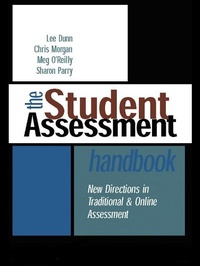
The Student Assessment Handbook
New Directions in Traditional and Online Assessment
Published on 16. December 2003
320 pages
978-1-134-31014-2 (ISBN)
Description

A guide to current practice in assessment, particularly for those professionals coming to terms with new pressures on their traditional teaching practices. Increased use of IT, flexible assessment methods and quality assurance all affect assessment, and the need to diversify and adapt traditional assessment practices to suit new modes of learning is clearer than ever.
The Student Assessment Handbook looks at the effectiveness of traditional methods in the present day and provides guidelines on how these methods may be developed to suit today's teaching environments. It is a practical resource with case studies, reflection boxes and diagnostic tools to help the reader apply the principles to everyday teaching.
The book provides advice on a wide range of topics including:
* assessing to promote particular kinds of learning outcomes
* using meaningful assessment techniques to assess large groups
* the implications of flexible learning on timing and pacing of assessment
* the pros and cons of online assessment
* tackling Web plagiarism and the authentication of student work
* mentoring assessment standards
* assessing generic skills and quality assurance.
The Student Assessment Handbook looks at the effectiveness of traditional methods in the present day and provides guidelines on how these methods may be developed to suit today's teaching environments. It is a practical resource with case studies, reflection boxes and diagnostic tools to help the reader apply the principles to everyday teaching.
The book provides advice on a wide range of topics including:
* assessing to promote particular kinds of learning outcomes
* using meaningful assessment techniques to assess large groups
* the implications of flexible learning on timing and pacing of assessment
* the pros and cons of online assessment
* tackling Web plagiarism and the authentication of student work
* mentoring assessment standards
* assessing generic skills and quality assurance.
Reviews / Votes
'Good examples, case studies, activities and so on ... help readers keep in focus.' - BJET 35(6)More details
Language
English
Place of publication
London
United Kingdom
Publishing group
Taylor & Francis Ltd
Target group
Professional and scholarly
Illustrations
8 s/w Tabellen
8 Tables, black and white
File size
1,20 MB
ISBN-13
978-1-134-31014-2 (9781134310142)
Copyright in bibliographic data and cover images is held by Nielsen Book Services Limited or by the publishers or by their respective licensors: all rights reserved.
Schweitzer Classification
Other editions
Additional editions
Lee Dunn | Chris Morgan | Meg O'Reilly
The Student Assessment Handbook
New Directions in Traditional and Online Assessment
Book
05/2016
1st Edition
Routledge
€193.45
Shipment within 10-20 days
Lee Dunn | Chris Morgan | Meg O'Reilly
The Student Assessment Handbook
New Directions in Traditional and Online Assessment
Book
10/2003
1st Edition
Routledge
€88.19
Shipment within 15-20 days
Persons
Lee Dunn, Chris Morgan, Meg O'Reilly and Sharon Parry all work at the Southern Cross University, Australia, where Chris Morgan is Educational Designer at the Teaching and Learning Centre.
Content
Part A: Issues and themes in assessment 1. The link between assessment and learning 2. Roles and purposes of assessment 3. The grading game: norm- and criterion-referenced assessment 4. Valid assessment 5. Assessing in flexible modes 6. Assessing with new technology 7. Assessing with new technology 8. Assessing in diverse contexts 8. Assessing larger cohorts 9. Academic fraud and plagiarism 10. Maintaining standards in a consumer market 11. Accountability and the quality agenda: evaluative purposes of assessment Part B: Assessing key learning outcomes 12. Communicating 13. Assessing and managing information 14. Demonstrating knowledge and understanding 15. Demonstrating procedures and techniques 16. Designing, creating, performing 17. Thinking critically and making judgements 18 Problem solving 19. Managing and developing oneself Part C. Assessment in practice 20. Designing assessment tasks 21. Developing marking schemes 22. Communicating assessment tasks 23. Marking and grading 24. Evaluating assessment practices 25. Dealing with plagiarism
