

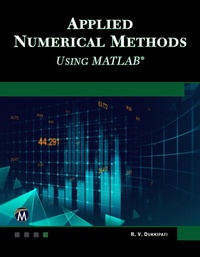
Applied Numerical Methods Using MATLAB
1st Edition
Published on 23. March 2023
950 pages
978-1-68392-867-6 (ISBN)
Description

The book is designed to cover all major aspects of applied numerical methods, including numerical computations, solution of algebraic and transcendental equations, finite differences and interpolation, curve fitting, correlation and regression, numerical differentiation and integration, matrices and linear system of equations, numerical solution of ordinary differential equations, and numerical solution of partial differential equations. MATLAB is incorporated throughout the text and most of the problems are executed in MATLAB code. It uses a numerical problem-solving orientation with numerous examples, figures, and end of chapter exercises. Presentations are limited to very basic topics to serve as an introduction to more advanced topics. Features: - Integrates MATLAB throughout the text
- Includes over 600 fully-solved problems with step-by-step solutions
- Limits presentations to basic concepts of solving numerical methods
- Includes over 600 fully-solved problems with step-by-step solutions
- Limits presentations to basic concepts of solving numerical methods
More details
Language
English
Place of publication
Herndon, VA
United States
Target group
Professional and scholarly
US School Grade: College Graduate Student
File size
59,03 MB
ISBN-13
978-1-68392-867-6 (9781683928676)
Copyright in bibliographic data and cover images is held by Nielsen Book Services Limited or by the publishers or by their respective licensors: all rights reserved.
Schweitzer Classification
Other editions
Additional editions
R. V. Dukkipati
Applied Numerical Methods Using MATLAB
Book
04/2023
1st Edition
Mercury Learning & Information
€99.95
Article not available at the moment
R. V. Dukkipati
Applied Numerical Methods Using MATLAB
E-Book
03/2023
1st Edition
Mercury Learning and Information
from
€99.95
Available for download
Person
Dukkipati R. V. :
R. V. Dukkipati is a Professor and Chair of Mechanical Engineering at Fairfield University, as well as a consultant in the field of road vehicle accident reconstruction. He is a member of the Connecticut Academy of Sciences and Engineering (CASE), and a Fellow of both the American Society of Mechanical Engineers (ASME) and the Canadian Society for Mechanical Engineers (CSME).
R. V. Dukkipati is a Professor and Chair of Mechanical Engineering at Fairfield University, as well as a consultant in the field of road vehicle accident reconstruction. He is a member of the Connecticut Academy of Sciences and Engineering (CASE), and a Fellow of both the American Society of Mechanical Engineers (ASME) and the Canadian Society for Mechanical Engineers (CSME).
Content
- Cover
- Half-Title
- Title
- Copyright
- Contents
- Preface
- Chapter 1: Numerical Computations
- 1.1 Taylor's Theorem
- 1.2 Number Representation
- 1.3 Error Considerations
- 1.3.1 Absolute and Relative Errors
- 1.3.2 Inherent Errors
- 1.3.3 Round-off Errors
- 1.3.4 Truncation Errors
- 1.3.5 Machine Epsilon
- 1.3.6 Error Propagation
- 1.4 Error Estimation
- 1.5 General Error Formula
- 1.5.1 Function Approximation
- 1.5.2 Stability and Condition
- 1.5.3 Uncertainty in Data or Noise
- 1.6 Sequences
- 1.6.1 Linear Convergence
- 1.6.2 Quadratic Convergence
- 1.6.3 Aitken's Acceleration Formula
- 1.7 Summary
- Exercises
- Chapter 2: Linear System of Equations
- 2.1 Introduction
- 2.2 Methods of Solution
- 2.3 The Inverse of a Matrix
- 2.4 Matrix Inversion Method
- 2.4.1 Augmented Matrix
- 2.5 Gauss Elimination Method
- 2.5.1 MATLAB Program for the Gauss Elimination Method
- 2.6 Gauss-Jordan Method
- 2.6.1 MATLAB Program for the Gauss Jordan Method
- 2.7 Cholesky's Triangularization Method
- 2.8 Crout's Method
- 2.8.1 MATLAB Program for Crout's Method
- 2.9 Thomas Algorithm for Tridiagonal System
- 2.9.1 MATLAB Program for the Thomas Method for Tridiagonal Systems
- 2.10 Jacobi's Iteration Method
- 2.10.1 MATLAB Program for the Jacobi Iteration Method
- 2.11 Gauss-Seidel Iteration Method
- 2.11.1 MATLAB Program for the Gauss Seidel Method
- 2.12 Symmetric Matrix Eigenvalue Problems
- 2.12.1 The Jacobi Method
- 2.12.2 MATLAB Function for the Jacobi Method
- 2.12.3 Householder Reduction to Tridiagonal Form
- 2.12.4 Gerschgorin's Circle Theorem
- 2.12.5 Sturm Sequence
- 2.12.6 QR Method
- 2.12.7 Power Method
- 2.12.8 Inverse Power Method
- 2.13 Summary
- Exercises
- Chapter 3: Solution of Algebraic and Transcendental Equations
- 3.1 Introduction
- 3.2 Bisection Method
- 3.2.1 Error Bounds
- 3.3 Method of False Position
- 3.3.1 MATLAB Program for the False Position Method
- 3.4 Newton-Raphson Method
- 3.4.1 Convergence of the Newton-Raphson Method
- 3.4.2 Rate of Convergence of the Newton-Raphson Method
- 3.4.3 MATLAB Program for the Newton Raphson Method
- 3.4.4 Modified Newton-Raphson Method
- 3.4.5 Rate of Convergence of Modified Newton-Raphson Method
- 3.5 Successive Approximation Method
- 3.5.1 Error Estimate in the Successive Approximation Method
- 3.6 Secant Method
- 3.6.1 Convergence of the Secant Method
- 3.6.2 MATLAB Program to Search for a Root of the Function f(x) in the Interval (a,b)
- 3.6.3 MATLAB Program for Secant Method
- 3.7 Muller's Method
- 3.7.1 MATLAB Program for Muller's Method
- 3.8 Chebyshev Method
- 3.9 Aitken's ?2 Method
- 3.10 Brent's Method
- 3.10.1 MATLAB Program for Brent's Method
- 3.11 Newton Method for a System of Nonlinear Equations
- 3.12 Comparison of Iterative Methods
- 3.13 MATLAB Built-in Function: fzero
- 3.14 Summary
- Exercises
- Chapter 4: Numerical Differentiation
- 4.1 Introduction
- 4.2 Derivatives Based on Newton's Forward Integration Formula
- 4.2.1 MATLAB Program for Derivatives Based on Newton's Forward Integration Formula-Equally Spaced Points
- 4.3 Derivatives Based on Newton's Backward Interpolation Formula
- 4.4 Derivatives Based on Stirling's Interpolation Formula
- 4.5 Maxima and Minima of a Tabulated Function
- 4.6 Cubic Spline Method
- 4.7 Richardson Extrapolation
- 4.8 Differentiation of Unequally Spaced Data
- 4.9 MATLAB Built-in Functions: diff and gradient
- 4.10 Summary
- Exercises
- Chapter 5: Finite Differences and Interpolation
- 5.1 Introduction
- 5.2 Finite Difference Operators
- 5.2.1 Forward Differences
- 5.2.2 Backward Differences
- 5.2.3 Central Differences
- 5.2.4 Error Propagation in a Difference Table
- 5.2.5 Properties of the Operator ?
- 5.2.6 Difference Operators
- 5.2.7 Relation Among the Operators
- 5.2.8 Representation of a Polynomial using Factorial Notation
- 5.3 Interpolation with Equal Intervals
- 5.3.1 Missing Values
- 5.3.2 Newton's Binomial Expansion Formula
- 5.3.3 Newton's Forward Interpolation Formula
- 5.3.4 MATLAB M-file: Newtonint
- 5.3.5 Newton's Backward Interpolation Formula
- 5.3.6 Error in the Interpolation Formula
- 5.4 Interpolation with Unequal Intervals
- 5.4.1 Lagrange's Interpolating Polynomial for Equal Intervals
- 5.4.2 function yint = Lagrangeint (x,y,xx)
- 5.4.3 Lagrange's Formula for Unequal Intervals
- 5.4.4 Hermite's Interpolation Formula
- 5.4.5 Inverse Interpolation
- 5.4.6 Lagrange's Formula for Inverse Interpolation
- 5.5 Central Difference Interpolation Formulae
- 5.5.1 Gauss's Forward Interpolation Formula
- 5.5.2 Gauss Backward Interpolation Formula
- 5.5.3 Bessel's Formula
- 5.5.4 Stirling's Formula
- 5.5.5 Laplace-Everett's Formula
- 5.5.6 Selection of an Interpolation Formula
- 5.6 Divided Differences
- 5.6.1 Newton's Divided Difference Interpolation Formula
- 5.7 Cubic Spline Interpolation
- 5.8 Generalized Spline Method
- 5.8.1 Splines
- 5.8.2 Linear Splines
- 5.8.3 Quadratic Splines
- 5.8.4 Cubic Splines
- 5.8.5 End Conditions
- 5.8.6 MATLAB Built-in Function: spline
- 5.8.7 Multidimensional Interpolation
- 5.8.8 MATLAB Built-in Function: interpl
- 5.9 Summary
- Exercises
- Chapter 6: Curve Fitting, Regression, and Correlation
- Approximating Curves
- Linear Regression
- 6.1 Linear Equation
- 6.2 Curve Fitting With a Linear Equation
- 6.3 Criteria for a Best Fit
- 6.4 Linear Least-Squares Regression
- 6.5 Linear Regression Analysis
- 6.5.1 MATLAB built-in function: polyfit
- 6.5.2 MATLAB built-in function: polyval
- 6.6 Interpretation of a and b
- Assumptions in the Regression Model
- 6.7 Standard Deviation of Random Errors
- 6.8 Coefficient of Determination
- 6.9 Linear Correlation
- Properties of the Linear Correlation Coefficient r
- Explained and Unexplained Variation
- 6.10 Linearization of Nonlinear Relationships
- 6.11 Polynomial Regression
- 6.11.1 Polynomial Fit
- 6.11.2 MATLAB Built-in Functions for Polynomial Fit
- 6.12 Quantification of Error of Linear Regression
- 6.13 Multiple Linear Regression
- 6.14 Weighted Least-Squares Method
- 6.15 Orthogonal Polynomials and Least-Squares Approximation
- 6.16 Least-Squares Method for Continuous Data
- 6.17 Approximation Using Orthogonal Polynomials
- 6.18 Gram-Schmidt Orthogonalization Process
- 6.19 Fitting a Function Having a Specified Power
- 6.20 Fitting a Cubic Spring Model
- 6.21 Additional Example Problems and Solutions
- 6.22 Summary
- Exercises
- Chapter 7: Numerical Integration
- 7.1 Introduction
- 7.1.1 Relative Error
- 7.2 Newton-Cotes Closed Quadrature Formula
- 7.3 Trapezoidal Rule
- 7.3.1 Error Estimate in Trapezoidal Rule
- 7.3.2 MATLAB Functions: trapz and cumtrapz
- 7.4 Simpson's 1/3 Rule
- 7.4.1 Error Estimate in Simpson's 1/3 Rule
- 7.4.2 MATLAB Program for Simpson's Integration: simpsonint
- 7.4.3 MATLAB Built-in Functions: quad and quad1
- 7.5 Simpson's 3/8 Rule
- 7.6 Boole's and Weddle's Rules
- 7.6.1 Boole's Rule
- 7.6.2 Weddle's Rule
- 7.7 Romberg's Integration
- 7.7.1 Richardson's Extrapolation
- 7.7.2 Romberg Integration Formula
- 7.7.3 MATLAB Program for Romberg Integration: Romberg
- 7.8 Gaussian Quadrature
- 7.8.1 Gaussian Integration Formulas
- 7.8.2 Orthogonal Polynomials
- 7.8.3 Gauss-Lagendre Quadrature
- 7.8.4 Gauss-Chebyshev Quadrature Method
- 7.8.5 Gauss-Laguerre Quadrature
- 7.8.6 Gauss-Hermite Quadrature
- 7.8.7 MATLAB Programs for Gaussian Quadrature: gaussnodes and gaussquad
- 7.9 Double Integration
- 7.9.1 Trapezoidal Method
- 7.9.2 Simpson's 1/3 Rule
- 7.9.3 MATLAB Built-in Function for Double Integration: dblquad
- 7.10 Summary
- Exercises
- Chapter 8: Numerical Solution of Ordinary Differential Equations
- 8.1 Introduction
- 8.2 One-Step Methods or Single-Step Methods
- 8.2.1 Picard's Method of Successive Approximation
- 8.2.2 The Taylor's Series Method
- 8.3 Step-by-Step Methods or Marching Methods
- 8.3.1 Euler's Method
- 8.3.2 MATLAB Program for Euler's Method: euler
- 8.3.3 Modified Euler's Method
- 8.3.4 MATLAB Program for the Modified Euler's Method: modeuler
- 8.3.5 Runge-Kutta Methods
- 8.3.6 Predictor-Corrector Methods
- 8.4 MATLAB Functions for Ordinary Differential Equations: ode45, ode23, ode113, ode15s, ode23s, ode23t, ode23tb
- 8.5 System of First-order Ordinary Differential Equations
- 8.6 Initial Value Problems
- 8.6.1 The Taylor Series Method
- 8.6.2 Picard's Method
- 8.6.3 Second-Order Runge-Kutta Method
- 8.6.4 Fourth-Order Runge-Kutta Method
- 8.6.5 Euler's Formula
- 8.6.6 Modified Euler's Formula
- 8.6.7 Burlirsch-Stoer Method (Mid-Point Method)
- 8.6.8 The Runge-Kutta-Fehlberg Method
- 8.6.9 The Runge-Kutta-Butcher Method
- 8.7 Two-Point Boundary Value Problems
- 8.7.1 Finite Difference Method
- 8.7.2 Second-Order Differential Equations
- 8.7.3 The Shooting Method
- 8.8 Second-Order Initial Value Problem (IVP)
- 8.9 Second-Order Boundary Value Problem (BVP)
- 8.10 MATLAB Built-in Functions
- 8.11 Summary
- Exercises
- Chapter 9: Direct Numerical Integration Methods
- 9.1 Introduction
- 9.2 Single Degree of Freedom System
- 9.2.1 Finite Difference Method
- 9.2.2 Central Difference Method
- 9.2.3 The Runge-Kutta Method
- 9.3 Multi-degree of Freedom Systems
- 9.4 Explicit Schemes
- 9.4.1 Central Difference Method
- 9.4.2 Two-Cycle Iteration with Trapezoidal Rule
- 9.4.3 Fourth-Order Runge-Kutta Method
- 9.5 Implicit Schemes
- 9.5.1 The Houbolt Method
- 9.5.2 Wilson Theta Method
- 9.5.3 The Newmark Beta Method
- 9.5.4 Park Stiffly Stable Method
- 9.6 Example Problems and Solutions Using MATLAB
- 9.7 Summary
- Exercises
- Additional Exercises
- Chapter 10: Matlab Basics
- 10.1 Introduction
- 10.1.1 Starting and Quitting MATLAB
- 10.1.2 Display Windows
- 10.1.3 Entering Commands
- 10.1.4 MATLAB Expo
- 10.1.5 Abort
- 10.1.6 The Semicolon (
- )
- 10.1.7 Typing %
- 10.1.8 The clc Command
- 10.1.9 Help
- 10.1.10 Statements and Variables
- 10.2 Arithmetic Operations
- 10.3 Display Formats
- 10.4 Elementary Math Built-In Functions
- 10.5 Variable Names
- 10.6 Predefined Variables
- 10.7 Commands For Managing Variables
- 10.8 General Commands
- 10.9 Arrays
- 10.9.1 Row Vector
- 10.9.2 Column Vector
- 10.9.3 Matrix
- 10.9.4 Addressing Arrays
- 10.9.5 Adding Elements to a Vector or a Matrix
- 10.9.6 Deleting Elements
- 10.9.7 Built-in Functions
- 10.10 Operations with Arrays
- 10.10.1 Addition and Subtraction of Matrices
- 10.10.2 Dot Product
- 10.10.3 Array Multiplication
- 10.10.4 Array Division
- 10.10.5 Identity Matrix
- 10.10.6 Inverse of a Matrix
- 10.10.7 Transpose
- 10.10.8 Determinant
- 10.10.9 Array Division
- 10.10.10 Left Division
- 10.10.11 Right Division
- 10.11 Element-By-Element Operations
- 10.11.1 Built-In Functions For Arrays
- 10.12 Random Numbers Generation
- 10.12.1 The Random Command
- 10.13 Polynomials
- 10.14 System of Linear Equations
- 10.14.1 Matrix Division
- 10.14.2 Matrix Inverse
- 10.15 Script Files
- 10.15.1 Creating and Saving a Script File
- 10.15.2 Running a Script File
- 10.15.3 Input to a Script File
- 10.15.4 Output Commands
- 10.16 Programming in Matlab
- 10.16.1 Relational and Logical Operators
- 10.16.2 Order of Precedence
- 10.16.3 Built-in Logical Functions
- 10.16.4 Conditional Statements
- 10.16.5 Nested if Statements
- 10.16.6 else AND elseif Clauses
- 10.16.7 MATLAB while Structures
- 10.17 Graphics
- 10.17.1 Basic 2-D Plots
- 10.17.2 Specialized 2-D Plots
- 10.17.3 3-D Plots
- 10.17.4 Saving and Printing Graphs
- 10.18 Input/Output In Matlab
- 10.18.1 The fopen Statement
- 10.19 Symbolic Mathematics
- 10.19.1 Symbolic Expressions
- 10.19.2 Solution to Differential Equations
- 10.19.3 Calculus
- 10.23 Summary
- References
- Exercises
- Chapter 11: Optimization
- 11.1 Introduction
- 11.2 Unconstrained Minimization of Functions
- 11.3 Minimization with Constraints Using Lagrange Multipliers
- 11.4 Numerical Optimization
- 11.4.1 Optimization Involving Single Variables
- 11.4.2 Local and Global Optima
- 11.4.3 Bracketing
- 11.4.4 Golden-Section Search
- 11.4.5 MATLAB Program for Bracketing Method
- 11.4.6 MATLAB Program for Golden-Section Search Method
- 11.5 Multidimensional Optimization
- 11.6 Gradient Methods
- 11.7 Newton's Method
- 11.7.1 MATLAB Program for Newton's Method
- 11.8 Methods Based on the Concept of Quadratic Convergence
- 11.8.1 Conjugate Directions for a Quadratic Function
- 11.9 Powell's Method
- 11.9.1 MATLAB Program for Powell's Optimization Method
- 11.10 Fletcher-Reeves Method
- 11.10.1 MATLAB Program for Fletcher-Reeves Optimization Method
- 11.11 The Hooks and Jeeves Method
- 11.12 Method of Successive Linear Approximation
- 11.13 Interior Penalty Function Method
- 11.14 MATLAB Built-in Functions
- 11.14.1 MATLAB Function: fminbnd
- 11.14.2 MATLAB Function: fminsearch
- 11.15 Additional Example Problems and Solutions
- 11.16 Summary
- References
- Exercises
- Chapter 12: Partial Differential Equations
- 12.1 Introduction
- 12.2 Classification of Linear Second-Order Partial Differential Equation
- 12.3 Types of Problems
- 12.4 Finite-Difference Approximation to Partial Derivatives
- 12.5 Physical Phenomena
- 12.5.1 Laplace's Equation
- 12.5.2 Heat Equation
- 12.5.3 Wave Equation
- 12.5.4 Equation Classification
- 12.6 Elliptic Equations
- 12.6.1 Central Difference Method
- 12.6.2 Boundary Conditions
- 12.6.3 Iterative Solution Methods
- 12.6.4 The Jacobi Method
- 12.6.5 Gauss-Seidel Method
- 12.6.6 Successive Over-Relaxation or S.O.R. Method
- 12.7 One-Dimensional Parabolic Equations
- 12.7.1 Explicit Forward Euler Method
- 12.7.2 Implicit Backward Euler Method
- 12.7.3 The Crank-Nicolson Implicit Method
- 12.7.4 function [t,x,U] =Heatone(T,a,m,n,beta,c,f,g)
- 12.7.5 function [x,y,U] = Heattwo(T,a,b,m,n,p,beta,f,g)
- 12.7.6 function [t,x,U] = Waveone(T,a,m,n,beta,f,g)
- 12.7.7 function [x,y,U] = Wavetwo (T,a,b,m,n,p,beta,f,g)
- 12.7.8 function [alpha,r,x,y,U] = Poisson (a,b,m,n,q,tol,f,g)
- 12.8 Two-Dimensional Parabolic Equations
- 12.9 One-Dimensional Hyperbolic Equations
- 12.9.1 D'Alembert's Solution
- 12.9.2 Explicit Central Difference Method
- 12.10 Two-Dimensional Hyperbolic Equations
- 12.10.1 Explicit Central Difference Method
- 12.11 MATLAB Built-in Function: pdepe
- 12.12 Summary
- Exercises
- Appendix A: Partial Fraction Expansions
- Case-I
- Partial Fraction Expansion when Q(s) has Distinct Roots
- Case-II
- Partial Fraction Expansion when Q(s) has Complex Conjugate Roots
- Case-III
- Partial Fraction Expansion when Q(s) has Repeated Roots
- Exercises
- Appendix B: Basic Engineering Mathematics
- B.1 Algebra
- B.1.1 Basic Laws
- B.1.2 Sums of Numbers
- B.1.3 Progressions
- B.1.4 Powers and Roots
- B.1.5 Binomial Theorem
- B.1.6 Absolute Values
- B.1.7 Logarithms
- B.2 Trigonometry
- B.2.1 Trigonometric Identities
- B.2.2 Cosine Law (Law of Cosines)
- B.2.3 Sine Law (Law of Sines)
- B.3 Differential Calculus
- B.3.1 List of Derivatives
- B.3.2 Expansion in Series
- B.4 Integral Calculus
- B.4.1 List of Most Common Integrals
- Appendix C: Cramer's Rule
- Exercises
- Appendix D: Matlab Built-In M-File Functions
- Appendix E: Matlab Programs
- Appendix F: Answers to Odd Numbered Exercises
- Bibliography
- Index
