

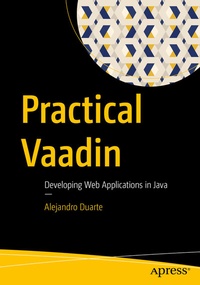
Practical Vaadin
Developing Web Applications in Java
Published on 4. August 2021
XX, 328 pages
978-1-4842-7179-7 (ISBN)
Description

Implement web applications in Java using the open-source Vaadin framework version 20 and later. This easy-to-follow book covers all the key concepts and steps to become competent with modern versions of Vaadin. The book covers everything from setting up the development environment to implementing advanced features such as Server Push and database connectivity. The book helps you become proficient in the Vaadin framework, prepare for Vaadin certifications, and shows you how to apply the power of the Java programming language in developing applications for the web.
Author Alejandro Duarte starts with an introduction to web development and its key technologies. He then describes and demonstrates how Vaadin simplifies web development by allowing you to implement web graphical user interfaces using the Java programming language without having to code in JavaScript or HTML. Once a solid foundation on the key web and Vaadin concepts is established, Duarte digs deeper into explaining layouts and user interface components such as combo boxes, dialogs, upload fields, and data grids. He also covers topics such as styling with CSS, data binding, client-side views implementation with TypeScript, and integration with Spring Boot and Jakarta EE.
What You Will Learn
Who This Book Is For
Developers with a basic or higher knowledge of Java programming who want to build on their Java skills to create web graphical user interfaces, Java developers who want to create web applications without having to code in JavaScript, and developers who are preparing to take and pass Vaadin certification exams
Author Alejandro Duarte starts with an introduction to web development and its key technologies. He then describes and demonstrates how Vaadin simplifies web development by allowing you to implement web graphical user interfaces using the Java programming language without having to code in JavaScript or HTML. Once a solid foundation on the key web and Vaadin concepts is established, Duarte digs deeper into explaining layouts and user interface components such as combo boxes, dialogs, upload fields, and data grids. He also covers topics such as styling with CSS, data binding, client-side views implementation with TypeScript, and integration with Spring Boot and Jakarta EE.
What You Will Learn
- Build web applications in Java using Servlet technology and Vaadin
- Combine layouts and user interface components to create views in Java
-
Connect values in UI components to Java objects in the server through data binding
- Customize display styles and add responsive capabilities using CSS
- Display tabular data using the Grid component
-
Implement client-side views using TypeScript
- Integrate Vaadin applications with Spring Boot and Jakarta EE
- Connect Vaadin applications to SQL databases
Who This Book Is For
Developers with a basic or higher knowledge of Java programming who want to build on their Java skills to create web graphical user interfaces, Java developers who want to create web applications without having to code in JavaScript, and developers who are preparing to take and pass Vaadin certification exams
More details
Series
Edition
1st ed.
Language
English
Place of publication
Berkeley
United States
Publishing group
APRESS
Target group
Professional and scholarly
Product notice
Reflowable
Illustrations
XX, 328 p. 143 illus.
File size
9,33 MB
ISBN-13
978-1-4842-7179-7 (9781484271797)
DOI
10.1007/978-1-4842-7179-7
Schweitzer Classification
Other editions
Additional editions
Book
08/2021
APress
€64.19
Shipment within 15-20 days
Person
Alejandro Duarte
is a Software Engineer currently working for Vaadin Ltd as their Developer Relations Manager. This is his third book on Vaadin. Alejandro started to code at age 13 using the BASIC programming language on a black screen with a blinking cursor serving as the IDE. He quickly moved to the C and C++ languages-which he still loves and enjoys-and then to Java during his Computer Science studies at the National University of Colombia from where he graduated. Alejandro moved to the UK and later to Finland to foster his career in the open-source software industry. He became one of the well-known faces in the Vaadin and Java communities, having published articles and videos with hundreds of thousands of views in official Vaadin channels and other content portals, and presented technical topics at international Java conferences and Java User Groups. Alejandro splits his free time between his passion for the electric guitar and the photography world.
Content
Part I. Getting Started.-
1. The World of Vaadin.- 2. Setting Up the Development Environment.-
Part II. The Fundamentals of Vaadin.-
3. Layouts.- 4. UI Components.- 5. Data Binding.- 6. The Grid Component.-
Part III. Advanced Features.-
7. Multi-view Navigation and Routing.- 8. Server Push.- 9. The Element API.- 10. Custom Styles and Responsiveness.- 11. Client-side Views with TypeScript.-
Part IV. Integrations and Database Connectivity.-
12. Spring Boot.- 13. Jakarta EE.
