

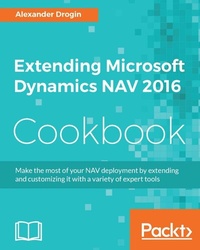
Extending Microsoft Dynamics NAV 2016 Cookbook
Extend Dynamics NAV 2016 to win the business world
Published on 8. July 2025
458 pages
978-1-78646-851-2 (ISBN)
Description

Make the most of your NAV deployment by extending and customizing it with a variety of expert tools
Key Features
[]Extend Dynamics in a cost-effective manner by using tools that are ready at your disposal
[]Solve common business problems with the valuable features and flexibility of Dynamics NAV
[]Follow practical and easy-to-grasp examples, illustrations, and coding to make the most out of Dynamics NAV in your organisation
Book DescriptionMicrosoft Dynamics NAV is an enterprise resource planning (ERP) software suite for organizations. The system offers specialized functionality for manufacturing, distribution, government, retail, and other industries. Its integrated development environment enables customizations with minimal disruption to business processes. The book starts explaining the new features of Dynamics NAV along with how to create and modify a simple module. Moving on, you will learn the importance of thinking beyond the boundaries of C/AL development and the possibilities opened by with it. Next, you will get to know how COM can be used to extend the functionalities of Dynamics NAV. You'll find out how to extend the Dynamics NAV 2016 version using .NET interoperability and will see the steps required to subscribe to .NET events in order to extend Dynamics NAV. Finally, you'll see the cmdlets available to manage extension packages. By the end of the book, you will have the knowledge needed to become more efficient in selecting the extending methods, developing and deploying them to the Dynamics NAV, and practicing the best practices.What you will learn
[]Develop a module in Dynamics NAV using C/AL
[]Build relationships with COM technologies
[]Develop and integrate COM with Dynamics NAV 2016
[]Call the framework members from C/AL
[]Develop an event in the .NET framework and see how to subscribe to it using C/AL
[]Automate the deployment into Dynamics NAV
[]Develop Windows Client Control add-Ins
[]Deploy your resource automatically from Visual Studio
[]Install and Configure Windows Client Control add-Ins
[]Integrate Dynamics NAV with Sharepoint
Who this book is forThis book is for Dynamics NAV developers and administrators who have a good knowledge level and understanding of Dynamics NAV application development and administration.
Key Features
[]Extend Dynamics in a cost-effective manner by using tools that are ready at your disposal
[]Solve common business problems with the valuable features and flexibility of Dynamics NAV
[]Follow practical and easy-to-grasp examples, illustrations, and coding to make the most out of Dynamics NAV in your organisation
Book DescriptionMicrosoft Dynamics NAV is an enterprise resource planning (ERP) software suite for organizations. The system offers specialized functionality for manufacturing, distribution, government, retail, and other industries. Its integrated development environment enables customizations with minimal disruption to business processes. The book starts explaining the new features of Dynamics NAV along with how to create and modify a simple module. Moving on, you will learn the importance of thinking beyond the boundaries of C/AL development and the possibilities opened by with it. Next, you will get to know how COM can be used to extend the functionalities of Dynamics NAV. You'll find out how to extend the Dynamics NAV 2016 version using .NET interoperability and will see the steps required to subscribe to .NET events in order to extend Dynamics NAV. Finally, you'll see the cmdlets available to manage extension packages. By the end of the book, you will have the knowledge needed to become more efficient in selecting the extending methods, developing and deploying them to the Dynamics NAV, and practicing the best practices.What you will learn
[]Develop a module in Dynamics NAV using C/AL
[]Build relationships with COM technologies
[]Develop and integrate COM with Dynamics NAV 2016
[]Call the framework members from C/AL
[]Develop an event in the .NET framework and see how to subscribe to it using C/AL
[]Automate the deployment into Dynamics NAV
[]Develop Windows Client Control add-Ins
[]Deploy your resource automatically from Visual Studio
[]Install and Configure Windows Client Control add-Ins
[]Integrate Dynamics NAV with Sharepoint
Who this book is forThis book is for Dynamics NAV developers and administrators who have a good knowledge level and understanding of Dynamics NAV application development and administration.
All prices
More details
Edition
Digital original
Language
English
Place of publication
Birmingham
United Kingdom
Target group
Professional and scholarly
US School Grade: College Graduate Student
Edition type
Digital original
File size
5,87 MB
ISBN-13
978-1-78646-851-2 (9781786468512)
Copyright in bibliographic data and cover images is held by Nielsen Book Services Limited or by the publishers or by their respective licensors: all rights reserved.
Schweitzer Classification
Other editions
Additional editions
Alexander Drogin
Extending Microsoft Dynamics NAV 2016 Cookbook
Extend Dynamics NAV 2016 to win the business world
Book
01/2017
Packt Publishing
€70.30
Shipment within 3-4 weeks
Person
Drogin Alexander :
Alexander Drogin started working with Navision Attain version 3.01 in 2002 as a software developer at a consulting company. After seven years of development, he shifted his focus to end-user support. In 2012, he joined the Microsoft Russia development team as a software engineer in testing, and worked on NAV test automation and sustained engineering tasks. He currently works as a NAV technical architect for a Microsoft partner in Malta.
Alexander Drogin started working with Navision Attain version 3.01 in 2002 as a software developer at a consulting company. After seven years of development, he shifted his focus to end-user support. In 2012, he joined the Microsoft Russia development team as a software engineer in testing, and worked on NAV test automation and sustained engineering tasks. He currently works as a NAV technical architect for a Microsoft partner in Malta.
Content
Table of Contents
Writing Basic C/AL Code
Advanced C/AL Development
Reporting and Data Analysis
.NET Interoperability in C/AL
Extending C/AL with COM Components
SharePoint Integration
Control Add-ins
Web Services
Events and Extension Packages
PowerShell
Writing Basic C/AL Code
Advanced C/AL Development
Reporting and Data Analysis
.NET Interoperability in C/AL
Extending C/AL with COM Components
SharePoint Integration
Control Add-ins
Web Services
Events and Extension Packages
PowerShell

