

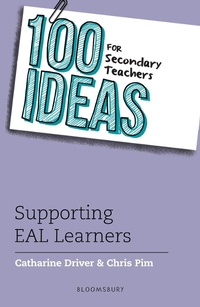
100 Ideas for Secondary Teachers: Supporting EAL Learners
1st Edition
Published on 19. April 2018
128 pages
978-1-4729-5412-1 (ISBN)
Description

No matter what you teach, there is a 100 Ideas title for you!
The 100 Ideas series offers teachers practical, easy-to-implement strategies and activities for the classroom. Each author is an expert in their field and is passionate about sharing best practice with their peers.
Each title includes at least ten additional extra-creative Bonus Ideas that won't fail to inspire and engage all learners.
_______________
From EAL experts Chris Pim and Catharine Driver come 100 ideas for providing secondary teachers with strategies and activities to support the induction, assessment and learning of students with English as an additional language (EAL) in tutor time, in specific subjects and at whole-school level.
There is so much pressure on teachers to deliver engaging and innovative lessons that both adhere to the demands of the curriculum and get the necessary results. Having to plan lessons, implement strategies and create effective resources for EAL students can be a challenge, and with over 15% of secondary school students exposed to a language other than English in their home (according to 2016 data from the Department for Education), it is a challenge affecting every teacher.
This book provides practical plans for giving EAL learners general support, but also includes ideas linked to specific subjects, especially key problem areas such as mathematics and science, to help EAL learners get the most out of lessons. 100 Ideas for Secondary Teachers: Supporting EAL Learners is a treasure trove of adaptable ideas to use for students who are beginners and advanced learners of EAL.
The 100 Ideas series offers teachers practical, easy-to-implement strategies and activities for the classroom. Each author is an expert in their field and is passionate about sharing best practice with their peers.
Each title includes at least ten additional extra-creative Bonus Ideas that won't fail to inspire and engage all learners.
_______________
From EAL experts Chris Pim and Catharine Driver come 100 ideas for providing secondary teachers with strategies and activities to support the induction, assessment and learning of students with English as an additional language (EAL) in tutor time, in specific subjects and at whole-school level.
There is so much pressure on teachers to deliver engaging and innovative lessons that both adhere to the demands of the curriculum and get the necessary results. Having to plan lessons, implement strategies and create effective resources for EAL students can be a challenge, and with over 15% of secondary school students exposed to a language other than English in their home (according to 2016 data from the Department for Education), it is a challenge affecting every teacher.
This book provides practical plans for giving EAL learners general support, but also includes ideas linked to specific subjects, especially key problem areas such as mathematics and science, to help EAL learners get the most out of lessons. 100 Ideas for Secondary Teachers: Supporting EAL Learners is a treasure trove of adaptable ideas to use for students who are beginners and advanced learners of EAL.
More details
Series
Edition
1. Auflage
Language
English
Place of publication
London
United Kingdom
Publishing group
Bloomsbury Publishing PLC (Digital)
Target group
Professional and scholarly
ISBN-13
978-1-4729-5412-1 (9781472954121)
Copyright in bibliographic data and cover images is held by Nielsen Book Services Limited or by the publishers or by their respective licensors: all rights reserved.
Schweitzer Classification
Other editions
Additional editions
Catharine Driver | Chris Pim
100 Ideas for Secondary Teachers: Supporting EAL Learners
Book
04/2018
Bloomsbury Education
€38.60
Shipment within 10-20 days
Persons
Chris Pim is a specialist teacher for Hampshire Ethnic Minority and Traveller Achievement Service (ETMAS), and an independent EAL and ICT consultant.
Catharine Driver is an independent consultant and trainer for English as an additional language (EAL). She has extensive experience of working in multilingual schools and local authority school improvement services across the UK. She has worked as senior adviser for the EAL Nexus project and is now a secondary school adviser at the National Literacy Trust.
Catharine Driver is an independent consultant and trainer for English as an additional language (EAL). She has extensive experience of working in multilingual schools and local authority school improvement services across the UK. She has worked as senior adviser for the EAL Nexus project and is now a secondary school adviser at the National Literacy Trust.
Content
- Cover
- Half Title
- series
- Title
- Copyright
- Contents
- Introduction
- Acronyms
- How to use this book
- Part 1: Induction and transition
- 1 School information and induction materials
- 2 Conduct an in-depth admissions interview
- 3 Gathering information and assessing prior learning
- 4 Survival language
- 5 Conduct a school language survey
- 6 Develop a peer buddy programme
- 7 Personal diaries and timetables
- 8 Using Google EarthT and Google MapsT to orientate new arrivals and teach about locality
- 9 Older new arrivals
- Part 2: Assessment, planning and target setting
- 10 Assessing proficiency with languages other than English
- 11 Finding and using bilingual help
- 12 EAL proficiency stages - snapshot assessment
- 13 EAL assessment frameworks - developmental assessment
- 14 EAL or SEND?
- 15 Identifying able or high-potential learners
- 16 Have flexible curriculum outcomes
- 17 Target setting
- 18 Language and literacy demands of the curriculum
- 19 Planning using Cummins' framework
- 20 Statutory assessment arrangements
- Part 3: Curriculum access
- 21 How to group EAL learners
- 22 Activating prior knowledge
- 23 L1 as a tool for learning
- 24 Bloom's taxonomy
- 25 Practise message abundancy
- 26 Using bilingual dictionaries
- 27 Comprehensible input
- 28 Making the most of translation tools
- 29 Set up technology for L1 use
- 30 Interactive whiteboards (IWBs) and visualisers
- 31 Using images and video
- 32 Finding and using internet-based sources
- 33 Viewing and producing infographics
- 34 Graphic organisers (and key visuals)
- 35 Maximising use of mobile devices - tablets and phones
- Part 4: Encouraging speaking and listening
- 36 Understanding the difference between BICS and CALP
- 37 Effective questioning techniques
- 38 Speaking frames
- 39 Defining and assigning group roles
- 40 Pronunciation and intonation
- 41 On collaboration
- 42 Barrier games
- 43 Use of audio
- 44 Opinion lines and washing lines
- 45 Quizzing and voting tools
- 46 Socratic talk - talk as a tool for thinking
- 47 Follow me starters
- Part 5: Reading and viewing
- 48 Multimodal texts
- 49 Use of bilingual texts
- 50 Choosing appropriate texts
- 51 Reading miscue analysis (also called running record)
- 52 Graded readers (from EFL/ESOL)
- 53 Graphic readers/comics
- 54 DARTs
- 55 Reading data - living graphs
- 56 Using technology to support reading
- 57 Note-taking
- Part 6: Supporting writing
- 58 Teaching sequence for writing
- 59 Using subject-specific models (text types)
- 60 Writing text type mats
- 61 Using writing frames and sentence starters
- 62 Develop graphic texts
- 63 Embedding grammar in context
- 64 Dictogloss
- 65 Blogs and tweets
- 66 Digital writing tools
- 67 Identity texts
- Part 7: Vocabulary
- 68 Vocabulary development introduction
- 69 Using word lists and glossaries
- 70 Alphabetical order (it's different in other languages!)
- 71 Vocabulary teaching
- 72 Vocabulary strategies and games
- 73 Word building and morphology (Latin and Greek)
- 74 Word clouds
- 75 Collocation - what is it?
- Part 8: EAL in subject areas
- 76 English
- 77 Mathematics
- 78 Science
- 79 History
- 80 Geography
- 81 Art and music
- 82 Physical education
- 83 Modern languages (including community languages)
- Part 9: Developing home and community partnerships
- 84 Produce a 'how schools work' video/album
- 85 Engaging parents and family learning
- 86 Supplementary schools and achievements beyond the school
- 87 Accessing resources within the local community
- 88 Learners who take extended visits
- 89 School-linking projects
- 90 Videoconferencing (VC)
- Part 10: Whole-school approaches
- 91 Develop an EAL policy
- 92 Managing whole-school EAL provision
- 93 Planning and timetabling withdrawal/intervention
- 94 Option support for vulnerable students
- 95 Training and coaching all staff
- 96 Using the curriculum to reflect the cultures of the school
- 97 Conducting a learning environment walk
- 98 Running the Young Interpreter Scheme®
- 99 Six of the best from the internet
- 100 Professional networking and CPD
- References and further reading
