

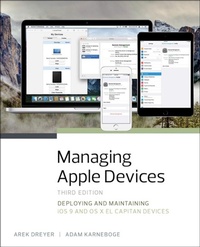
Managing Apple Devices
Deploying and Maintaining iOS 9 and OS X El Capitan Devices
3rd Edition
Published on 1. June 2016
736 pages
978-0-13-430205-8 (ISBN)
Description

Managing Apple Devices, 3rd Edition will enable you to create an effective plan for deploying and maintaining groups of Apple devices using iOS 9 and OS X El Capitan in your organisation. This all-in-one resource teaches a wide variety of Apple management technologies; explains the theory behind the tools; and provides practical, hand-on exercises to get you up and running with the tools. You will be introduced to Apple management technologies including Mobile Device Management, the Volume Purchase Program, and the Device Enrollment Program. For example, not only will you learn how to use Profile Manager-Apple's implementation of Mobile Device Management-but you will also learn about the ideas behind profile management and how to make configuration easier for both administrators and users while maintaining a highly secure environment.
The exercises contained within this guide are designed to let you explore and learn the tools provided by Apple for deploying and managing iOS 9 and OS X El Capitan systems. They start with verification of access to necessary services, move on to the configuration of those services, and finally test the results of those services on client devices.
Each lesson builds on previous topics and is designed to give technical coordinators and system administrators the skills, tools, and knowledge to deploy and maintain Apple devices by:
Providing knowledge of how Apple deployment technologies work
Showing how to use specific deployment tools
Explaining deployment procedures and best practices
Offering practical exercises step-by-step solutions available
The full text downloaded to your computer
With eBooks you can:
search for key concepts, words and phrases
make highlights and notes as you study
share your notes with friends
eBooks are downloaded to your computer and accessible either offline through the Bookshelf (available as a free download), available online and also via the iPad and Android apps.
Upon purchase, you'll gain instant access to this eBook.
Time limit
The eBooks products do not have an expiry date. You will continue to access your digital ebook products whilst you have your Bookshelf installed.
The exercises contained within this guide are designed to let you explore and learn the tools provided by Apple for deploying and managing iOS 9 and OS X El Capitan systems. They start with verification of access to necessary services, move on to the configuration of those services, and finally test the results of those services on client devices.
Each lesson builds on previous topics and is designed to give technical coordinators and system administrators the skills, tools, and knowledge to deploy and maintain Apple devices by:
Providing knowledge of how Apple deployment technologies work
Showing how to use specific deployment tools
Explaining deployment procedures and best practices
Offering practical exercises step-by-step solutions available
The full text downloaded to your computer
With eBooks you can:
search for key concepts, words and phrases
make highlights and notes as you study
share your notes with friends
eBooks are downloaded to your computer and accessible either offline through the Bookshelf (available as a free download), available online and also via the iPad and Android apps.
Upon purchase, you'll gain instant access to this eBook.
Time limit
The eBooks products do not have an expiry date. You will continue to access your digital ebook products whilst you have your Bookshelf installed.
More details
Edition
3rd edition
Language
English
Place of publication
Upper Saddle River
United States
Target group
Professional and scholarly
ISBN-13
978-0-13-430205-8 (9780134302058)
Copyright in bibliographic data and cover images is held by Nielsen Book Services Limited or by the publishers or by their respective licensors: all rights reserved.
Schweitzer Classification
Other editions
Additional editions
Arek Dreyer | Adam Karneboge
Managing Apple Devices
Deploying and Maintaining iOS 9 and OS X El Capitan Devices
Book
06/2016
3rd Edition
Peachpit Press Publications
€65.00
Article exhausted; check different version
Persons
Arek Dreyer has been an Apple Certified Trainer since 2002. President of Dreyer Network Consultants Inc. in Chicago, Arek delivers courses and provides training around the world. Arek provides consulting, troubleshooting, and integration services for customers who use iOS devices and Mac computers in complicated environments and is the coauthor of Apple Pro Training Series: OS X Server 5.0 Essentials.
Adam Karneboge has been an Apple Certified Trainer since 2003. CTO of HC S Technology Group, Adam instructs technical training courses and delivers consulting, troubleshooting, deployment, and integration services to business, enterprise, and education clients. Adam has been the technical editor for the majority of the OS X Support and OS X Server Essentials books published by Peachpit since OS X v10.7.
Adam Karneboge has been an Apple Certified Trainer since 2003. CTO of HC S Technology Group, Adam instructs technical training courses and delivers consulting, troubleshooting, deployment, and integration services to business, enterprise, and education clients. Adam has been the technical editor for the majority of the OS X Support and OS X Server Essentials books published by Peachpit since OS X v10.7.
Content
Lesson 1 About This Guide
Prerequisites
Learning Methodology
Lesson Structure
Exercise Setup
Lesson 2 Apple Management Concepts
Lesson 3 Infrastructure Considerations
Lesson 4 OS X Server 5 on El Capitan
Lesson 5 Caching Service
Lesson 6 Configuration and Profiles
Lesson 7 Mobile Device Management
Lesson 8 Out-of-the-Box Management via Apple Programs for Device Enrollment
Lesson 9 Activation Lock Management
Lesson 10 VPP-Managed Apps and Books
Lesson 11 In-House Apps and Books
Lesson 12 Apple Configurator 2: Planning and Setup
Lesson 13 Apple Configurator 2: Preparing, Configuring, and Managing iOS Devices
Lesson 14 Apple Configurator 2: App and Document Management
Lesson 15 User Data and Services
Lesson 16 Managing Access
Lesson 17 Develop a Management Plan
Index
Prerequisites
Learning Methodology
Lesson Structure
Exercise Setup
Lesson 2 Apple Management Concepts
Lesson 3 Infrastructure Considerations
Lesson 4 OS X Server 5 on El Capitan
Lesson 5 Caching Service
Lesson 6 Configuration and Profiles
Lesson 7 Mobile Device Management
Lesson 8 Out-of-the-Box Management via Apple Programs for Device Enrollment
Lesson 9 Activation Lock Management
Lesson 10 VPP-Managed Apps and Books
Lesson 11 In-House Apps and Books
Lesson 12 Apple Configurator 2: Planning and Setup
Lesson 13 Apple Configurator 2: Preparing, Configuring, and Managing iOS Devices
Lesson 14 Apple Configurator 2: App and Document Management
Lesson 15 User Data and Services
Lesson 16 Managing Access
Lesson 17 Develop a Management Plan
Index
