

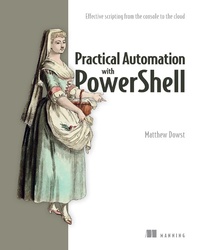
Practical Automation with PowerShell
Published on 9. May 2023
416 pages
978-1-63835-189-4 (ISBN)
Description

Take PowerShell beyond simple scripts and build time-saving automations for your team, your users, and the world.
In Practical Automation with PowerShell you will learn how to:
- Build PowerShell functions to automate common and complex tasks
- Create smart automations that are adaptable to new challenges
- Structure your code for sharing and reusability
- Store and secure your automations
- Execute automations with Azure Automation, Jenkins, Task Scheduler, and Cron
- Share your automations with your team and non-technical colleagues
- Store and retrieve data, credentials, and variables
- Use source control solutions to maintain and test code changes
- Provide front-end UI solutions for PowerShell automations
- Structure PowerShell code for sharing and reusability
- Store and secure your automations
- Execute automation with Azure Automation, Jenkins, Task Scheduler, and Cron
- Store and retrieve data, credentials, and variables
- Use source control solutions to maintain and test code changes
More details
Other editions
Additional editions
Matthew Dowst
Practical Automation with PowerShell
Book
04/2023
Manning Publications
€58.50
Shipment within 10-20 days
Person
Matthew Dowst has over 15 years of experience in IT management and consulting. For the past five years, he has worked as a Lead Architect of Managed Automations Solutions, developing new automations for enterprise customers.
Content
- Intro
- inside front cover
- Practical Automation with PowerShell
- Copyright
- dedication
- brief contents
- contents
- front matter
- preface
- acknowledgments
- about this book
- Who should read this book?
- How this book is organized: A roadmap
- About the code
- liveBook discussion forum
- about the author
- about the cover illustration
- Part 1.
- 1 PowerShell automation
- 1.1 What you'll learn in this book
- 1.2 Practical automation
- 1.2.1 Automation goal
- 1.2.2 Triggers
- 1.2.3 Actions
- 1.2.4 Maintainability
- 1.3 The automation process
- 1.3.1 Building blocks
- 1.3.2 Phases
- 1.3.3 Combining building blocks and phases
- 1.4 Choosing the right tool for the job
- 1.4.1 Automation decision tree
- 1.4.2 No need to reinvent the wheel
- 1.4.3 Supplemental tools
- 1.5 What you need to get started today
- Summary
- 2 Get started automating
- 2.1 Cleaning up old files (your first building blocks)
- 2.1.1 Your first function
- 2.1.2 Returning data from functions
- 2.1.3 Testing your functions
- 2.1.4 Problems to avoid when adding functions to scripts
- 2.1.5 Brevity versus efficiency
- 2.1.6 Careful what you automate
- 2.1.7 Putting it all together
- 2.2 The anatomy of PowerShell automation
- 2.2.1 When to add functions to a module
- 2.2.2 Creating a script module
- 2.2.3 Module creation tips
- Summary
- Part 2.
- 3 Scheduling automation scripts
- 3.1 Scheduled scripts
- 3.1.1 Know your dependencies and address them beforehand
- 3.1.2 Know where your script needs to execute
- 3.1.3 Know what context the script needs to execute under
- 3.2 Scheduling your scripts
- 3.2.1 Task Scheduler
- 3.2.2 Create scheduled tasks via PowerShell
- 3.2.3 Cron scheduler
- 3.2.4 Jenkins scheduler
- 3.3 Watcher scripts
- 3.3.1 Designing watcher scripts
- 3.3.2 Invoking action scripts
- 3.3.3 Graceful terminations
- 3.3.4 Folder watcher
- 3.3.5 Action scripts
- 3.4 Running watchers
- 3.4.1 Testing watcher execution
- 3.4.2 Scheduling watchers
- Summary
- 4 Handling sensitive data
- 4.1 Principles of automation security
- 4.1.1 Do not store sensitive information in scripts
- 4.1.2 Principle of least privilege
- 4.1.3 Consider the context
- 4.1.4 Create role-based service accounts
- 4.1.5 Use logging and alerting
- 4.1.6 Do not rely on security through obscurity
- 4.1.7 Secure your scripts
- 4.2 Credentials and secure strings in PowerShell
- 4.2.1 Secure strings
- 4.2.2 Credential objects
- 4.3 Storing credentials and secure strings in PowerShell
- 4.3.1 The SecretManagement module
- 4.3.2 Set up the SecretStore vault
- 4.3.3 Set up a KeePass vault
- 4.3.4 Choosing the right vault
- 4.3.5 Adding secrets to a vault
- 4.4 Using credentials and secure strings in your automations
- 4.4.1 SecretManagement module
- 4.4.2 Using Jenkins credentials
- 4.5 Know your risks
- Summary
- 5 PowerShell remote execution
- 5.1 PowerShell remoting
- 5.1.1 Remote context
- 5.1.2 Remote protocols
- 5.1.3 Persistent sessions
- 5.2 Script considerations for remote execution
- 5.2.1 Remote execution scripts
- 5.2.2 Remote execution control scripts
- 5.3 PowerShell remoting over WSMan
- 5.3.1 Enable WSMan PowerShell remoting
- 5.3.2 Permissions for WSMan PowerShell remoting
- 5.3.3 Execute commands with WSMan PowerShell remoting
- 5.3.4 Connect to the desired version of PowerShell
- 5.4 PowerShell remoting over SSH
- 5.4.1 Enable SSH PowerShell remoting
- 5.4.2 Authenticating with PowerShell and SSH
- 5.4.3 SSH environment considerations
- 5.4.4 Execute commands with SSH PowerShell remoting
- 5.5 Hypervisor-based remoting
- 5.6 Agent-based remoting
- 5.7 Setting yourself up for success with PowerShell remoting
- Summary
- 6 Making adaptable automations
- 6.1 Event handling
- 6.1.1 Using try/catch blocks for event handling
- 6.1.2 Creating custom event handles
- 6.2 Building data-driven functions
- 6.2.1 Determining your data structure
- 6.2.2 Storing your data
- 6.2.3 Updating your data structure
- 6.2.4 Creating classes
- 6.2.5 Building the function
- 6.3 Controlling scripts with configuration data
- 6.3.1 Organizing your data
- 6.3.2 Using your configuration data
- 6.3.3 Storing your configuration data
- 6.3.4 Do not put cmdlets into your configuration data
- Summary
- 7 Working with SQL
- 7.1 Setting your schema
- 7.1.1 Data types
- 7.2 Connecting to SQL
- 7.2.1 Permissions
- 7.3 Adding data to a table
- 7.3.1 String validation
- 7.3.2 Inserting data to a table
- 7.4 Getting data from a table
- 7.4.1 SQL where clause
- 7.5 Updating records
- 7.5.1 Passing pipeline data
- 7.6 Keeping data in sync
- 7.6.1 Getting server data
- 7.7 Setting a solid foundation
- Summary
- 8 Cloud-based automation
- 8.1 Chapter resources
- 8.2 Setting up Azure Automation
- 8.2.1 Azure Automation
- 8.2.2 Log Analytics
- 8.2.3 Creating Azure resources
- 8.2.4 Authentication from Automation runbooks
- 8.2.5 Resource keys
- 8.3 Creating a hybrid runbook worker
- 8.3.1 PowerShell modules on hybrid runbook workers
- 8.4 Creating a PowerShell runbook
- 8.4.1 Automation assets
- 8.4.2 Runbook Editor
- 8.4.3 Runbook output
- 8.4.4 Interactive Cmdlets
- 8.5 Security considerations
- Summary
- 9 Working outside of PowerShell
- 9.1 Using COM objects and .NET Framework
- 9.1.1 Importing Word objects
- 9.1.2 Creating a Word document
- 9.1.3 Writing to a Word document
- 9.1.4 Adding tables to a Word document
- 9.2 Building tables from a PowerShell object
- 9.2.1 Converting PowerShell objects to tables
- 9.2.2 Converting PowerShell arrays to tables
- 9.3 Getting web data
- 9.3.1 API keys
- 9.4 Using external applications
- 9.4.1 Calling an external executable
- 9.4.2 Monitoring execution
- 9.4.3 Getting the output
- 9.4.4 Creating Start-Process wrapper function
- 9.5 Putting it all together
- Summary
- 10 Automation coding best practices
- 10.1 Defining the full automation
- 10.1.1 Structuring your automation
- 10.2 Converting a manual task to an automated one
- 10.3 Updating structured data
- 10.4 Using external tools
- 10.4.1 Finding installed applications
- 10.4.2 Call operators
- 10.5 Defining parameters
- 10.6 Making resumable automations
- 10.6.1 Determining code logic and functions
- 10.7 Waiting for automations
- 10.8 Think of the next person
- 10.8.1 Do not overcomplicate it
- 10.8.2 Comment, comment, comment
- 10.8.3 Include help and examples on all scripts and functions
- 10.8.4 Have a backup plan
- 10.9 Do not forget about the presentation
- Summary
- Part 3.
- 11 End-user scripts and forms
- 11.1 Script frontends
- 11.1.1 SharePoint trial tenant
- 11.2 Creating a request form
- 11.2.1 Gathering data
- 11.2.2 Creating a SharePoint form
- 11.3 Processing requests
- 11.3.1 Permissions
- 11.3.2 Monitoring for new requests
- 11.3.3 Processing the request
- 11.4 Running PowerShell script on end-user devices
- 11.4.1 Custom Git install
- 11.4.2 Running as system versus the user
- 11.4.3 Using Active Setup with PowerShell
- Summary
- 12 Sharing scripts among a team
- 12.1 Sharing a script
- 12.1.1 Creating a gist
- 12.1.2 Editing a gist
- 12.1.3 Sharing a gist
- 12.1.4 Executing a gist
- 12.2 Creating a shared module
- 12.2.1 Uploading the module to a GitHub repository
- 12.2.2 Giving access to the shared module
- 12.2.3 Installing the shared module
- 12.3 Updating a shared module
- 12.3.1 Make the module self-update
- 12.3.2 Creating a pull request
- 12.3.3 Testing the self-update
- Summary
- 13 Testing your scripts
- 13.1 Introduction to Pester
- 13.2 Unit testing
- 13.2.1 BeforeAll
- 13.2.2 Creating tests
- 13.2.3 Mocks
- 13.3 Advanced unit testing
- 13.3.1 Web scraping
- 13.3.2 Testing your results
- 13.3.3 Mocking with parameters
- 13.3.4 Unit vs. integration tests
- 13.4 Integration testing
- 13.4.1 Integration testing with external data
- 13.5 Invoking Pester tests
- Summary
- 14 Maintaining your code
- 14.1 Revisiting old code
- 14.1.1 Test before changing
- 14.1.2 Updating the function
- 14.1.3 Post update test
- 14.2 Automating your testing
- 14.2.1 Creating a GitHub workflow
- 14.3 Avoiding breaking changes
- 14.3.1 Parameter changes
- 14.3.2 Output changes
- Summary
- Appendix. Development environment set up
- A.1 Development machine
- A.1.1 Clone the book repository
- A.2 Automation Server
- A.2.1 Set up Jenkins
- A.3 Linux environment
- index
