

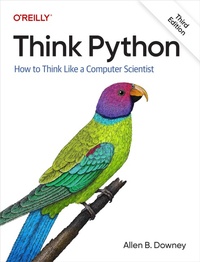
Think Python
How to Think Like a Computer Scientist
Published on 24. May 2024
328 pages
978-1-0981-5541-4 (ISBN)
Description

Python is an excellent way to get started in programming, and this clear, concise guide walks you through Python a step at a timebeginning with basic programming concepts before moving on to functions, data structures, and object-oriented design. This revised third edition reflects the growing role of large language models (LLMs) in programming and includes exercises on effective LLM prompts, testing code, and debugging skills.With this popular hands-on guide at your side, you'll get:A grounding in the syntax and semantics of the Python languageA clear definition of each programming concept, with emphasis on clear vocabularyHow to work with variables, statements, functions, and data structures in a logical progressionTechniques for reading and writing files and databasesA solid understanding of objects, methods, and object-oriented programmingDebugging strategies for syntax, runtime, and semantic errorsAn introduction to recursion, interface design, data structures, and basic algorithmsHow to use LLMsincluding effective prompts, testing code, and debuggingAnd more
More details
Other editions
Additional editions
Book
06/2024
3rd Edition
O'Reilly
€48.50
Shipment within 15-20 days
Content
- Cover
- Copyright
- Table of Contents
- Preface
- Who Is This Book For?
- Goals of the Book
- Navigating the Book
- What's New in the Third Edition?
- Getting Started
- Resources for Teachers
- Conventions Used in This Book
- Using Code Examples
- O'Reilly Online Learning
- How to Contact Us
- Acknowledgments
- Chapter 1. Programming as a Way of Thinking
- Arithmetic Operators
- Expressions
- Arithmetic Functions
- Strings
- Values and Types
- Formal and Natural Languages
- Debugging
- Glossary
- Exercises
- Ask a Virtual Assistant
- Exercise
- Exercise
- Exercise
- Exercise
- Chapter 2. Variables and Statements
- Variables
- State Diagrams
- Variable Names
- The import Statement
- Expressions and Statements
- The print Function
- Arguments
- Comments
- Debugging
- Glossary
- Exercises
- Ask a Virtual Assistant
- Exercise
- Exercise
- Chapter 3. Functions
- Defining New Functions
- Parameters
- Calling Functions
- Repetition
- Variables and Parameters Are Local
- Stack Diagrams
- Tracebacks
- Why Functions?
- Debugging
- Glossary
- Exercises
- Ask a Virtual Assistant
- Exercise
- Exercise
- Exercise
- Exercise
- Chapter 4. Functions and Interfaces
- The jupyturtle Module
- Making a Square
- Encapsulation and Generalization
- Approximating a Circle
- Refactoring
- Stack Diagram
- A Development Plan
- Docstrings
- Debugging
- Glossary
- Exercises
- Exercise
- Exercise
- Exercise
- Exercise
- Exercise
- Ask a Virtual Assistant
- Chapter 5. Conditionals and Recursion
- Integer Division and Modulus
- Boolean Expressions
- Logical Operators
- if Statements
- The else Clause
- Chained Conditionals
- Nested Conditionals
- Recursion
- Stack Diagrams for Recursive Functions
- Infinite Recursion
- Keyboard Input
- Debugging
- Glossary
- Exercises
- Ask a Virtual Assistant
- Exercise
- Exercise
- Exercise
- Exercise
- Exercise
- Exercise
- Chapter 6. Return Values
- Some Functions Have Return Values
- And Some Have None
- Return Values and Conditionals
- Incremental Development
- Boolean Functions
- Recursion with Return Values
- Leap of Faith
- Fibonacci
- Checking Types
- Debugging
- Glossary
- Exercises
- Ask a Virtual Assistant
- Exercise
- Exercise
- Exercise
- Exercise
- Chapter 7. Iteration and Search
- Loops and Strings
- Reading the Word List
- Updating Variables
- Looping and Counting
- The in Operator
- Search
- Doctest
- Glossary
- Exercises
- Ask a Virtual Assistant
- Exercise
- Exercise
- Exercise
- Exercise
- Exercise
- Exercise
- Exercise
- Chapter 8. Strings and Regular Expressions
- A String Is a Sequence
- String Slices
- Strings Are Immutable
- String Comparison
- String Methods
- Writing Files
- Find and Replace
- Regular Expressions
- String Substitution
- Debugging
- Glossary
- Exercises
- Ask a Virtual Assistant
- Exercise
- Exercise
- Exercise
- Exercise
- Chapter 9. Lists
- A List Is a Sequence
- Lists Are Mutable
- List Slices
- List Operations
- List Methods
- Lists and Strings
- Looping Through a List
- Sorting Lists
- Objects and Values
- Aliasing
- List Arguments
- Making a Word List
- Debugging
- Glossary
- Exercises
- Ask a Virtual Assistant
- Exercise
- Exercise
- Exercise
- Exercise
- Chapter 10. Dictionaries
- A Dictionary Is a Mapping
- Creating Dictionaries
- The in Operator
- A Collection of Counters
- Looping and Dictionaries
- Lists and Dictionaries
- Accumulating a List
- Memos
- Debugging
- Glossary
- Exercises
- Ask a Virtual Assistant
- Exercise
- Exercise
- Exercise
- Exercise
- Exercise
- Chapter 11. Tuples
- Tuples Are Like Lists
- But Tuples Are Immutable
- Tuple Assignment
- Tuples as Return Values
- Argument Packing
- Zip
- Comparing and Sorting
- Inverting a Dictionary
- Debugging
- Glossary
- Exercises
- Ask a Virtual Assistant
- Exercise
- Exercise
- Exercise
- Exercise
- Exercise
- Exercise
- Chapter 12. Text Analysis and Generation
- Unique Words
- Punctuation
- Word Frequencies
- Optional Parameters
- Dictionary Subtraction
- Random Numbers
- Bigrams
- Markov Analysis
- Generating Text
- Debugging
- Glossary
- Exercises
- Ask a Virtual Assistant
- Exercise
- Exercise
- Exercise
- Chapter 13. Files and Databases
- Filenames and Paths
- f-strings
- YAML
- Shelve
- Storing Data Structures
- Checking for Equivalent Files
- Walking Directories
- Debugging
- Glossary
- Exercises
- Ask a Virtual Assistant
- Exercise
- Exercise
- Exercise
- Chapter 14. Classes and Functions
- Programmer-Defined Types
- Attributes
- Objects as Return Values
- Objects Are Mutable
- Copying
- Pure Functions
- Prototype and Patch
- Design-First Development
- Debugging
- Glossary
- Exercises
- Ask a Virtual Assistant
- Exercise
- Exercise
- Exercise
- Chapter 15. Classes and Methods
- Defining Methods
- Another Method
- Static Methods
- Comparing Time Objects
- The __str__ Method
- The __init__ Method
- Operator Overloading
- Debugging
- Glossary
- Exercises
- Ask a Virtual Assistant
- Exercise
- Chapter 16. Classes and Objects
- Creating a Point
- Creating a Line
- Equivalence and Identity
- Creating a Rectangle
- Changing Rectangles
- Deep Copy
- Polymorphism
- Debugging
- Glossary
- Exercises
- Ask a Virtual Assistant
- Exercise
- Exercise
- Exercise
- Exercise
- Exercise
- Chapter 17. Inheritance
- Representing Cards
- Card Attributes
- Printing Cards
- Comparing Cards
- Decks
- Printing the Deck
- Add, Remove, Shuffle, and Sort
- Parents and Children
- Specialization
- Debugging
- Glossary
- Exercises
- Ask a Virtual Assistant
- Exercise
- Exercise
- Exercise
- Exercise
- Exercise
- Exercise
- Exercise
- Chapter 18. Python Extras
- Sets
- Counters
- defaultdict
- Conditional Expressions
- List Comprehensions
- any and all
- Named Tuples
- Packing Keyword Arguments
- Debugging
- Glossary
- Exercises
- Ask a Virtual Assistant
- Exercise
- Exercise
- Exercise
- Exercise
- Exercise
- Exercise
- Chapter 19. Final Thoughts
- Index
- About the Author
- Colophon
