

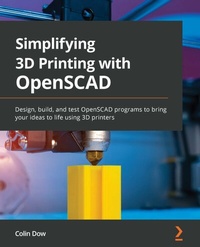
Simplifying 3D Printing with OpenSCAD
Design, build, and test OpenSCAD programs to bring your ideas to life using 3D printers
Published on 23. September 2024
320 pages
978-1-80181-179-8 (ISBN)
Description

A step-by-step full-color guide to OpenSCAD that makes 3D printing easier than ever
Key Features
Learn more about 3D printing technology and the software used to design your objects
Discover the various FDM slicer programs used to create G-code for 3D printer jobs
Use a slicer program to create G-code to run your 3D printer job
Book DescriptionWant to bring your 3D designs to life with OpenSCAD, but don't know where to start? Simplifying 3D Printing with OpenSCAD will teach you the key skills so that you can focus on your ideas, not troubleshooting your 3D printer. With the help of this book, you'll build a solid foundation in 3D printing technology, the software used for designing your objects, and an analysis of the G-code produced by the 3D printer slicer software. You'll also get to know your 3D printer and find out how to set up a printing job effortlessly - from configuring the parameters to build well-defined designs. Consider yourself a practical learner? Use real-world examples such as designing and printing a 3D name badge, model rocket, and laptop stand, to dive into the world of 3D printers build your skillset. By the end of this 3D printing book, you'll be ready to start designing and printing your own 3D printed products using OpenSCAD and being your ideas into reality.What you will learn
Gain a solid understanding of 3D printers and 3D design requirements to start creating your own objects
Prepare a 3D printer for a job starting from leveling the print bed and loading the filament
Discover various OpenSCAD commands and use them to create shapes
Understand how OpenSCAD compares to other CAD programs
Get to grips with combining text and a cube to create an object
Explore the common libraries in OpenSCAD
Who this book is forThis book is for engineers, hobbyists, teachers, 3D printing enthusiasts, and individuals working in the field of 3D printing. Basic knowledge of setting up and running 3D printers will help you get the most of this book.
Key Features
Learn more about 3D printing technology and the software used to design your objects
Discover the various FDM slicer programs used to create G-code for 3D printer jobs
Use a slicer program to create G-code to run your 3D printer job
Book DescriptionWant to bring your 3D designs to life with OpenSCAD, but don't know where to start? Simplifying 3D Printing with OpenSCAD will teach you the key skills so that you can focus on your ideas, not troubleshooting your 3D printer. With the help of this book, you'll build a solid foundation in 3D printing technology, the software used for designing your objects, and an analysis of the G-code produced by the 3D printer slicer software. You'll also get to know your 3D printer and find out how to set up a printing job effortlessly - from configuring the parameters to build well-defined designs. Consider yourself a practical learner? Use real-world examples such as designing and printing a 3D name badge, model rocket, and laptop stand, to dive into the world of 3D printers build your skillset. By the end of this 3D printing book, you'll be ready to start designing and printing your own 3D printed products using OpenSCAD and being your ideas into reality.What you will learn
Gain a solid understanding of 3D printers and 3D design requirements to start creating your own objects
Prepare a 3D printer for a job starting from leveling the print bed and loading the filament
Discover various OpenSCAD commands and use them to create shapes
Understand how OpenSCAD compares to other CAD programs
Get to grips with combining text and a cube to create an object
Explore the common libraries in OpenSCAD
Who this book is forThis book is for engineers, hobbyists, teachers, 3D printing enthusiasts, and individuals working in the field of 3D printing. Basic knowledge of setting up and running 3D printers will help you get the most of this book.
All prices
More details
Edition
Digital original
Language
English
Place of publication
Birmingham
United Kingdom
Target group
Professional and scholarly
US School Grade: College Graduate Student
Edition type
Digital original
Product notice
Reflowable
File size
18,36 MB
ISBN-13
978-1-80181-179-8 (9781801811798)
Copyright in bibliographic data and cover images is held by Nielsen Book Services Limited or by the publishers or by their respective licensors: all rights reserved.
Schweitzer Classification
Other editions
Additional editions
Colin Dow
Simplifying 3D Printing with OpenSCAD
Design, build, and test OpenSCAD programs to bring your ideas to life using 3D printers
Book
03/2022
Packt Publishing
€93.40
Shipment within 3-4 weeks
Person
Dow Colin :
Colin Dow has been involved with technology since the early home computers caught his eye. He has worked as a programmer/analyst at some of Canada's biggest companies. He is the author of the Packt books Internet of Things Programming Projects (2018), Hands-On Edge Analytics with Azure IoT, and Simplifying 3D Printing with OpenSCAD. When he's not nerding out on programming or 3D printing, he likes to compose electronic music, which can be found on Spotify under the name Project Josephine.
Colin Dow has been involved with technology since the early home computers caught his eye. He has worked as a programmer/analyst at some of Canada's biggest companies. He is the author of the Packt books Internet of Things Programming Projects (2018), Hands-On Edge Analytics with Azure IoT, and Simplifying 3D Printing with OpenSCAD. When he's not nerding out on programming or 3D printing, he likes to compose electronic music, which can be found on Spotify under the name Project Josephine.
Content
Table of Contents
Getting Started with 3D Printing
What Are Slicer Programs?
Printing Our First Object
Getting Started with OpenSCAD
Using Advanced Operations of OpenSCAD
Exploring Common OpenSCAD Libraries
Creating a 3D-Printed Name Badge
Designing and Printing a Laptop Stand
Designing and Printing a Model Rocket
The Future of 3D Printers and Design
Getting Started with 3D Printing
What Are Slicer Programs?
Printing Our First Object
Getting Started with OpenSCAD
Using Advanced Operations of OpenSCAD
Exploring Common OpenSCAD Libraries
Creating a 3D-Printed Name Badge
Designing and Printing a Laptop Stand
Designing and Printing a Model Rocket
The Future of 3D Printers and Design
