

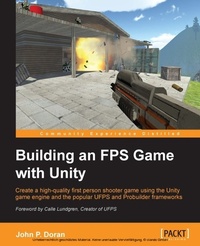
Building an FPS Game with Unity
Create a high-quality first person shooter game using the Unity game engine and the popular UFPS and Probuilder frameworks
Published on 8. July 2025
326 pages
978-1-78528-443-4 (ISBN)
Description

Create a high-quality first person shooter game using the Unity game engine and the popular UFPS and Probuilder frameworks
Key Features
Book DescriptionUnity, available in free and pro versions, is one of the most popular third-party game engines available. It is a cross-platform game engine, making it easy to write your game once and then port it to PC, consoles, and even the web, making it a great choice for both indie and AAA developers. Building an FPS Game in Unity takes readers on an exploration of how to use Unity to create a 3D first person shooter (FPS) title, leveraging the powerful UFPS framework by VisionPunk and Prototype/ProBuilder 2.0 by ProCore3D. After some setting up, you will start by learning how to create custom weapons, prototype levels, create exterior and interior environments, and breathe life into our levels. We will then add polish to the levels. Finally, we will create a custom GUI and menus for our title to create a complete package.What you will learn
Use UFPS to build custom weapons with custom meshes and behaviors
Explore level design as you prototype levels, making use of Prototype to build levels out quickly
Build environments that are realistic as possible while keeping peak performance and repetitiveness down
Review tips and tricks on how to create environments using both terrain for outdoor areas and a modular workflow for interiors
Develop a number of different encounters that your players can fight against, from a simple turret enemy to complex AI characters from Shooter AI
Discover how to create unique objects such as exploding barrels and objects you can interact with
Create a custom GUI to help your game stand out from the crowd
Package your game for release, create an installer, and get your game out into the world
Who this book is forThis book is for those who want to create an FPS game in Unity and gain knowledge on how to customize it to be their very own. If you are familiar with the basics of Unity, you will have an easier time, but it should make it possible for someone with no prior experience to learn Unity at an accelerated pace.
Key Features
Book DescriptionUnity, available in free and pro versions, is one of the most popular third-party game engines available. It is a cross-platform game engine, making it easy to write your game once and then port it to PC, consoles, and even the web, making it a great choice for both indie and AAA developers. Building an FPS Game in Unity takes readers on an exploration of how to use Unity to create a 3D first person shooter (FPS) title, leveraging the powerful UFPS framework by VisionPunk and Prototype/ProBuilder 2.0 by ProCore3D. After some setting up, you will start by learning how to create custom weapons, prototype levels, create exterior and interior environments, and breathe life into our levels. We will then add polish to the levels. Finally, we will create a custom GUI and menus for our title to create a complete package.What you will learn
Use UFPS to build custom weapons with custom meshes and behaviors
Explore level design as you prototype levels, making use of Prototype to build levels out quickly
Build environments that are realistic as possible while keeping peak performance and repetitiveness down
Review tips and tricks on how to create environments using both terrain for outdoor areas and a modular workflow for interiors
Develop a number of different encounters that your players can fight against, from a simple turret enemy to complex AI characters from Shooter AI
Discover how to create unique objects such as exploding barrels and objects you can interact with
Create a custom GUI to help your game stand out from the crowd
Package your game for release, create an installer, and get your game out into the world
Who this book is forThis book is for those who want to create an FPS game in Unity and gain knowledge on how to customize it to be their very own. If you are familiar with the basics of Unity, you will have an easier time, but it should make it possible for someone with no prior experience to learn Unity at an accelerated pace.
All prices
More details
Edition
Digital original
Language
English
Place of publication
Birmingham
United Kingdom
Target group
US School Grade: College Graduate Student
Edition type
Digital original
File size
20,64 MB
ISBN-13
978-1-78528-443-4 (9781785284434)
Copyright in bibliographic data and cover images is held by Nielsen Book Services Limited or by the publishers or by their respective licensors: all rights reserved.
Schweitzer Classification
Other editions
Additional editions
John P. Doran
Building an FPS Game with Unity
Book
10/2015
Packt Publishing
€56.30
Shipment within 3-4 weeks
Person
Doran John P. :
John P. Doran is a passionate and seasoned Technical Game Designer, Software Engineer, and Author who is based in Incheon, South Korea. His passion for game development began at an early age. He later graduated from DigiPen Institute of Technology with a Bachelor of Science in Game Design. For over a decade, John has gained extensive hands-on expertise in game development working in various roles ranging from game designer to lead UI programmer working in teams consisting of just himself to over 70 people in student, mod, and professional game projects including working at LucasArts on Star Wars: 1313. Additionally, John has worked in game development education teaching in Singapore, South Korea, and the United States. To date, he has authored over 10 books pertaining to game development. John is currently a Technical Game Design Instructor at George Mason University Korea. Prior to his present ventures, he was an award-winning videographer.seaton jamal :
https://www.linkedin.com/profile/view?id=57148312&authType=NAME_SEARCH&authToken=KIAf&locale=en_US&trk=tyah&trkInfo=tarId%3A1417752613092%2
John P. Doran is a passionate and seasoned Technical Game Designer, Software Engineer, and Author who is based in Incheon, South Korea. His passion for game development began at an early age. He later graduated from DigiPen Institute of Technology with a Bachelor of Science in Game Design. For over a decade, John has gained extensive hands-on expertise in game development working in various roles ranging from game designer to lead UI programmer working in teams consisting of just himself to over 70 people in student, mod, and professional game projects including working at LucasArts on Star Wars: 1313. Additionally, John has worked in game development education teaching in Singapore, South Korea, and the United States. To date, he has authored over 10 books pertaining to game development. John is currently a Technical Game Design Instructor at George Mason University Korea. Prior to his present ventures, he was an award-winning videographer.seaton jamal :
https://www.linkedin.com/profile/view?id=57148312&authType=NAME_SEARCH&authToken=KIAf&locale=en_US&trk=tyah&trkInfo=tarId%3A1417752613092%2
Content
Table of Contents
Getting Started on FPS
Building Custom Weapons
Prototyping Levels with Prototype
Creating Exterior Environments
Building Encounters
Breathing Life to Levels
Adding Polish
Completing the GUI
Finalizing our project
Getting Started on FPS
Building Custom Weapons
Prototyping Levels with Prototype
Creating Exterior Environments
Building Encounters
Breathing Life to Levels
Adding Polish
Completing the GUI
Finalizing our project

