

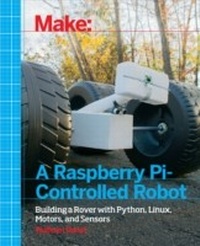
Make a Raspberry Pi-Controlled Robot
Building a Rover with Python, Linux, Motors, and Sensors
1st Edition
Published on 12. November 2014
168 pages
978-1-4571-8601-1 (ISBN)
Description

Make a Raspberry-Pi Controlled Robot teaches you how to build a capable and upgradeable personal robot for around $100. You'll learn how to control servos, respond to sensor input, and know where your bot is using GPS. You'll also learn many ways to connect to your robot and send it instructions, from an SSH connection to sending text messages from your phone.
More details
Other editions
Additional editions
Wolfram Donat
Make a Raspberry Pi-Controlled Robot
Building a Rover with Python, Linux, Motors, and Sensors
Book
12/2014
1st Edition
O'Reilly
€19.50
Shipment within 10-20 days
Content
- Intro
- Copyright
- Table of Contents
- Preface
- Conventions Used in This Book
- Using Code Examples
- Safari® Books Online
- How to Contact Us
- Acknowledgments
- Chapter 1. Introduction
- Chapter 2. Intro to the Raspberry Pi
- Model A and Model B
- Model B+
- GPIO
- USB
- Power
- Shape
- Where to Get Help
- Chapter 3. Intro to Linux
- Structure
- Commands
- Navigation
- Chapter 4. Setting Up the Wireless
- Historical Problems
- The Ralink Chipset
- Making It Work: The GUI Way
- Making It Work: The Command-Line Way
- Setting a Static IP Address
- Running the Pi Headless
- Setting Up an Ad Hoc Network
- Chapter 5. Parts Is Parts
- Body
- Wheels, Motors, and Power
- Sensors
- Miscellany
- Tools
- Chapter 6. Installing ServoBlaster
- Servos
- PWM Control
- ServoBlaster
- Chapter 7. Bot Construction
- The Body
- The Motors
- The Wheels
- The Rear Wheels
- The Front Wheels
- The Robotic Arm
- Pi Power
- Placing Everything
- Chapter 8. Bot Control
- Connecting the Motors and Motor Controller
- Controlling the Robotic Arm
- Chapter 9. Bot Location
- Preliminary Setup
- Communicating with the GPS Module
- Using the GPS Data
- Chapter 10. Sensors, Sensors, Sensors
- SHT15 Temperature Sensor
- Ultrasonic Sensor
- Photoresistor
- Magnetic Sensor
- Reed Switch
- Motion Sensor
- I2C Sensors
- HMC5883L Compass
- BMP180P Barometer
- Nintendo Wii Devices
- Camera
- Chapter 11. Final Code and Conclusion
- Appendix A. Setting Up the Pi
- Download NOOBS
- Download the SD Card Formatting Tool
- Format and Fill Your Card
- The raspi-config Tool
- Appendix B. Intro to Python
- Python on the Pi: A History in Four Paragraphs
- Using IDLE
- Python Scripts
- Index
- About the Author
