

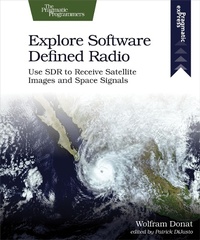
Explore Software Defined Radio
Description

Do you want to be able to receive satellite images using nothing but your computer, an old TV antenna, and a $20 USB stick? Now you can. At last, the technology exists to turn your computer into a super radio receiver, capable of tuning in to FM, shortwave, amateur "ham," and even satellite frequencies, around the world and above it. Listen to police, fire, and aircraft signals, both in the clear and encoded. And with the book''s advanced antenna design, there''s no limit to the signals you can receive.
Combine your desktop or laptop computer with easy-to-find, Software Defined Radio (SDR) equipment, and tune in a wide range of signals in no time at all. Then, go one step further by converting a Raspberry Pi into your own dedicated SDR device.
SDR USB dongles are usually designed to receive and decode high-definition digital television broadcasts, but the rising popularity of SDR has led to several of these devices being specifically made for - and marketed to - the software radio crowd. With step-by-step instructions, you''ll have no problem getting everything up and running on both Windows and Linux.
The antenna is the final piece in the SDR puzzle: Which antenna do you use? What shape do you need? How big does it have to be? And where do you point it? Get all the answers you need and learn what''s possible when it comes to picking out or building an antenna. And if you''re not particularly handy, don''t worry. You can use an old-school set of rabbit ear antennas without too much modification.
Discover the fun of this growing hobby and then open your ears to the hidden signals that surround you.
What You Need:
You will need a relatively recent computer or laptop, running either Windows or Ubuntu Linux. You can also use a Raspberry Pi. All of the software necessary is free and open-source, and the book describes in detail where to get it and how to install it, depending on your operating system.
More details
Other editions
Additional editions
Content
- Cover
- Table of Contents
- Acknowledgments
- Introduction
- Materials Needed
- 1. Installing the Required Bits and Pieces
- Hardware
- Software
- 2. Your First SDR Reception
- Attaching the Antenna
- Windows
- Linux
- Troubleshooting
- Try This
- 3. Antenna Theory and Design
- How Antennas Transmit
- How Antennas Receive
- Antenna Design for SDR Hobbyists
- 4. Digital Speech Decoding
- Hardware
- Software
- Things to Try
- 5. Listening to Satellites
- Hardware
- Software
- Troubleshooting
- Try This
- Conclusion
- A1. Running SDR on the Raspberry Pi
- Try This
