

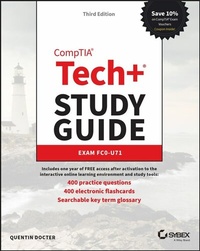
CompTIA Tech+ Study Guide
Description

An easy-to-read and authoritative new study guide for the updated CompTIA Tech+ certification exam
In the newly updated third edition of the CompTIA Tech+ Study Guide: Exam FC0-U71, veteran IT professional and tech trainer Quentin Docter delivers an up-to-date resource for effectively and efficiently preparing for the popular new introductory Tech+ certification from CompTIA. This Sybex Study Guide is the gold-standard exam prep roadmap, offering complete coverage of every exam domain, including IT concepts and terminology, infrastructure, applications and software development, data and database fundamentals, security, and more.
Perfect for practicing and aspiring entry-level IT pros as well as those preparing to take the CompTIA Tech+ test, this book includes complementary access to online learning resources, two practice exams, flashcards, and practice questions with answer explanations. You'll also find:
- Optimized learning resources to get you up to speed as fast as possible
- Exam resources designed to reduce test anxiety and familiarize you with testing procedure and content
- One full year of access to the Sybex online learning environment, complete with real-world examples and scenarios, objective maps, and a glossary of useful terminology
The new, entry-level CompTIA Tech+ certification has been created to get you ready for further certification paths, like the A+, Security+, and Network+ credentials, and prepare you for an exciting career in tech. Whether you're an IT beginner or you've already begun your tech journey and are looking for a refresher on foundational concepts, CompTIA Tech+ Study Guide: Exam FC0-U71 is the book you've been waiting for.
More details
Other editions
Additional editions
Content
- Cover
- Title Page
- Copyright Page
- Contents at a Glance
- Contents
- Table of Exercises
- Introduction
- What Is the CompTIA Tech+ Certification?
- Why Become Tech+ Certified?
- How to Become Tech+ Certified
- Tips for Taking the Tech+ Exam
- Who Should Read This Book?
- What Does This Book Cover?
- What's Included in the Book
- Interactive Online Learning Environment and Test Bank
- How to Use This Book
- Exam Objectives
- CompTIA Tech+ Study Guide
- FC0-U71 Exam Objectives
- How to Contact the Publisher
- Assessment Test
- Answers to the Assessment Test
- Chapter 1 Core Hardware Components
- Introducing Internal Components
- Exploring Motherboards, Processors, and Memory
- Motherboards
- Processors
- Memory
- Exploring Storage and Expansion Devices
- Storage Devices
- Other Internal Expansion Devices
- Exploring Power and Cooling
- Power Supplies
- Cooling Systems
- Summary
- Exam Essentials
- Chapter 1 Lab
- Review Questions
- Chapter 2 Peripherals and Connectors
- Installing and Configuring Audio and Video Devices
- Audio Connectors
- Understanding External Storage and Communications Connectors
- External Storage Devices
- Communications Connectors
- Understanding Input, Output, and Power Devices
- Keyboards
- Pointing Devices
- Uninterruptible Power Supplies
- Printers
- Understanding Installation Basics
- Internal Devices
- External Devices
- IP- and Web-Based Devices
- Reviewing Connector Types
- Summary
- Exam Essentials
- Chapter 2 Lab
- Review Questions
- Chapter 3 Computing Devices and the Internet of Things
- Exploring Larger Computing Devices
- Servers and Workstations
- Laptops
- Exploring Handheld and Mobile Devices
- Comparing and Contrasting Mobile Devices
- Using Mobile Devices
- Understanding Augmented and Virtual Reality
- Exploring Gaming Consoles
- Understanding the Internet of Things
- A Brief History of the Internet of Things
- Consumer Uses
- Commercial Uses
- Potential Issues
- Summary
- Exam Essentials
- Chapter 3 Lab
- Review Questions
- Chapter 4 Operating Systems
- Operating System Fundamentals
- A Brief History of Operating Systems
- Basic Functions of Operating Systems
- Types of Operating Systems
- Managing an Operating System
- Managing Features and Interfaces
- Managing Folder and File Structures
- Summary
- Exam Essentials
- Chapter 4 Lab
- Review Questions
- Chapter 5 Software Applications
- Understanding Application Installation and Management
- Considerations for Installing Software
- Installing and Uninstalling Software
- Updating and Patching Software
- Exploring Common Application Types
- File Extensions
- Productivity Software
- Collaboration Software
- Utility Software
- Using Web Browsers
- Configuring Web Browsers
- Understanding Basic Browser Security
- Private Browsing
- Summary
- Exam Essentials
- Chapter 5 Lab
- Review Questions
- Chapter 6 Software Development
- Exploring Programming Languages
- Assembly Language
- Compiled Languages
- Interpreted Languages
- Understanding Programming Concepts and Techniques
- Programming Logic
- Organizing Code
- Summary
- Exam Essentials
- Chapter 6 Lab
- Review Questions
- Chapter 7 Database Fundamentals
- Understanding Databases
- Exploring Database Concepts and Structures
- Working With Databases
- Summary
- Exam Essentials
- Chapter 7 Lab
- Review Questions
- Chapter 8 Networking Concepts and Technologies
- Exploring Connection Types and Features
- Choosing External Network Connections
- Choosing Internal Network Connections
- Understanding Network Connectivity Essentials
- Common Networking Devices
- Networking Protocol Basics
- TCP/IP Essentials
- Network Storage Options
- Setting Up a Small Wireless Network
- Basic Configuration
- Wireless Router Security
- Additional Wireless Router Services
- Summary
- Exam Essentials
- Chapter 8 Lab
- Part 1: Setting Up Your Wireless Router
- Part 2: Testing Your Neighbors
- Review Questions
- Chapter 9 Cloud Computing and Artificial Intelligence
- Understanding Virtualization and Cloud Computing
- Virtual Machines
- Cloud Computing
- Exploring Artificial Intelligence
- How AI Works
- Types of AI
- Summary
- Exam Essentials
- Chapter 9 Lab
- Review Questions
- Chapter 10 Security Concepts and Threats
- Understanding Hackers and Motives
- Understanding Security Threats
- Confidentiality Concerns
- Integrity Concerns
- Availability Concerns
- Privacy Expectations
- Software-Based Security Threats
- Understanding Access Control
- Authentication
- Authorization
- Accounting
- Nonrepudiation
- Summary
- Exam Essentials
- Chapter 10 Lab
- Review Questions
- Chapter 11 Security Best Practices
- Understanding Security Best Practices
- Device Hardening
- Managing Users and Passwords
- Using Data Encryption
- Summary
- Exam Essentials
- Chapter 11 Lab
- Review Questions
- Chapter 12 Data Continuity and Computer Support
- Understanding Data Continuity
- Fault Tolerance
- Disaster Recovery
- Exploring Computer Support Concepts
- Understanding the Troubleshooting Methodology
- Troubleshooting Examples
- Summary
- Exam Essentials
- Chapter 12 Lab
- Review Questions
- Appendix A: Answers to Written Labs
- Chapter 1 Lab Answers
- Chapter 2 Lab Answers
- Chapter 3 Lab Answers
- Chapter 4 Lab Answers
- Chapter 5 Lab Answers
- Chapter 6 Lab Answers
- Chapter 7 Lab Answers
- Chapter 8 Lab Answers
- Chapter 9 Lab Answers
- Chapter 10 Lab Answers
- Chapter 11 Lab Answers
- Chapter 12 Lab Answers
- Appendix B: Answers to Review Questions
- Chapter 1: Core Hardware Components
- Chapter 2: Peripherals and Connectors
- Chapter 3: Computing Devices and the Internet of Things
- Chapter 4: Operating Systems
- Chapter 5: Software Applications
- Chapter 6: Software Development
- Chapter 7: Database Fundamentals
- Chapter 8: Networking Concepts and Technologies
- Chapter 9: Cloud Computing and Artificial Intelligence
- Chapter 10: Security Concepts and Threats
- Chapter 11: Security Best Practices
- Chapter 12: Data Continuity and Computer Support
- Index
- Online Test Bank
- EULA
