

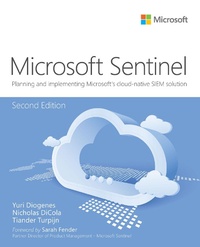
Microsoft Sentinel
Planning and implementing Microsoft's cloud-native SIEM solution
2nd Edition
Published on 10. October 2022
240 pages
978-0-13-790107-4 (ISBN)
Description

Build next-generation security operations with Microsoft Sentinel
Microsoft Sentinel is the scalable, cloud-native, security information and event management (SIEM) solution for automating and streamlining threat identification and response across your enterprise. Now, three leading experts guide you step-by-step through planning, deployment, and operations, helping you use Microsoft Sentinel to escape the complexity and scalability challenges of traditional solutions. Fully updated for the latest enhancements, this edition introduces new use cases for investigation, hunting, automation, and orchestration across your enterprise and all your clouds. The authors clearly introduce each service, concisely explain all new concepts, and present proven best practices for maximizing Microsoft Sentinel's value throughout security operations.
Three of Microsoft's leading security operations experts show how to:
Review emerging challenges that make better cyberdefense an urgent priority
See how Microsoft Sentinel responds by unifying alert detection, threat visibility, proactive hunting, and threat response
Explore components, architecture, design, and initial configuration
Ingest alerts and raw logs from all sources you need to monitor
Define and validate rules that prevent alert fatigue
Use threat intelligence, machine learning, and automation to triage issues and focus on high-value tasks
Add context with User and Entity Behavior Analytics (UEBA) and Watchlists
Hunt sophisticated new threats to disrupt cyber kill chains before you're exploited
Enrich incident management and threat hunting with Jupyter notebooks
Use Playbooks to automate more incident handling and investigation tasks
Create visualizations to spot trends, clarify relationships, and speed decisions
Simplify integration with point-and-click data connectors that provide normalization, detection rules, queries, and Workbooks
About This Book
For cybersecurity analysts, security administrators, threat hunters, support professionals, engineers, and other IT professionals concerned with security operations
For both Microsoft Azure and non-Azure users at all levels of experience
Microsoft Sentinel is the scalable, cloud-native, security information and event management (SIEM) solution for automating and streamlining threat identification and response across your enterprise. Now, three leading experts guide you step-by-step through planning, deployment, and operations, helping you use Microsoft Sentinel to escape the complexity and scalability challenges of traditional solutions. Fully updated for the latest enhancements, this edition introduces new use cases for investigation, hunting, automation, and orchestration across your enterprise and all your clouds. The authors clearly introduce each service, concisely explain all new concepts, and present proven best practices for maximizing Microsoft Sentinel's value throughout security operations.
Three of Microsoft's leading security operations experts show how to:
Review emerging challenges that make better cyberdefense an urgent priority
See how Microsoft Sentinel responds by unifying alert detection, threat visibility, proactive hunting, and threat response
Explore components, architecture, design, and initial configuration
Ingest alerts and raw logs from all sources you need to monitor
Define and validate rules that prevent alert fatigue
Use threat intelligence, machine learning, and automation to triage issues and focus on high-value tasks
Add context with User and Entity Behavior Analytics (UEBA) and Watchlists
Hunt sophisticated new threats to disrupt cyber kill chains before you're exploited
Enrich incident management and threat hunting with Jupyter notebooks
Use Playbooks to automate more incident handling and investigation tasks
Create visualizations to spot trends, clarify relationships, and speed decisions
Simplify integration with point-and-click data connectors that provide normalization, detection rules, queries, and Workbooks
About This Book
For cybersecurity analysts, security administrators, threat hunters, support professionals, engineers, and other IT professionals concerned with security operations
For both Microsoft Azure and non-Azure users at all levels of experience
More details
Edition
2nd edition
Language
English
Place of publication
Boston
United States
Publishing group
Pearson Education (US)
Target group
Professional and scholarly
File size
7,91 MB
ISBN-13
978-0-13-790107-4 (9780137901074)
Copyright in bibliographic data and cover images is held by Nielsen Book Services Limited or by the publishers or by their respective licensors: all rights reserved.
Schweitzer Classification
Other editions
Additional editions
Yuri Diogenes | Nicholas DiCola | Tiander Turpijn
Microsoft Azure Sentinel: Planning and implementing Microsoft's cloud-native SIEM solution
Planning and implementing Microsoft's cloud-native SIEM solution
Book
08/2022
2nd Edition
Addison Wesley
€37.49
Shipment within 15-20 days
Persons
Yuri Diogenes, MsC holds a Master of Science in cybersecurity intelligence and forensics investigation from UTICA College and is currently working on his Ph.D. in cybersecurity leadership from Capitol Technology University. Yuri has been working at Microsoft since 2006 and currently is a principal program manager for the CxE Microsoft Defender for Cloud Team. Yuri has published a total of 26 books, mostly about information security and Microsoft technologies. Yuri is also a professor at EC-Council University, where he teaches in the Bachelor of Cybersecurity Program. Yuri is an MBA and holds many IT/Security industry certifications, such as CISSP, MITRE ATT&CK (R) Cyber Threat Intelligence Certified, E|CND, E|CEH, E|CSA, E|CHFI, CompTIA Security+, CySA+, Network+, CASP, and CyberSec First Responder. You can follow Yuri on Twitter at @yuridiogenes.
Nicholas DiCola is the Vice President of Customers at Zero Networks, where he leads the customer engineering team that helps customers with pilots and deployments of Zero Networks products. He has a Master of Business Administration with a concentration in information systems. He holds various industry certifications, such as CISSP and CEH. You can follow Nicholas on Twitter at @mastersecjedi.
Tiander Turpijn is a principal program manager for Microsoft Sentinel. He joined Microsoft in 1998 and fulfilled multiple roles, from senior escalation support engineer, senior management & security consultant, and architect to a datacenter architecture role. Tiander has a computer science degree and various industry certifications, such as CISSP and CEH. You can follow Tiander on Twitter at @tianderturpijn.
Nicholas DiCola is the Vice President of Customers at Zero Networks, where he leads the customer engineering team that helps customers with pilots and deployments of Zero Networks products. He has a Master of Business Administration with a concentration in information systems. He holds various industry certifications, such as CISSP and CEH. You can follow Nicholas on Twitter at @mastersecjedi.
Tiander Turpijn is a principal program manager for Microsoft Sentinel. He joined Microsoft in 1998 and fulfilled multiple roles, from senior escalation support engineer, senior management & security consultant, and architect to a datacenter architecture role. Tiander has a computer science degree and various industry certifications, such as CISSP and CEH. You can follow Tiander on Twitter at @tianderturpijn.
Content
CHAPTER 1: Security challenges for SecOps
CHAPTER 2: Introduction to Microsoft Sentinel
CHAPTER 3: Analytics
CHAPTER 4: Incident management
CHAPTER 5: Hunting
CHAPTER 6: Notebooks
CHAPTER 7: Automating response
CHAPTER 8: Data visualization
CHAPTER 9: Data connectors
APPENDIX A: Introduction to Kusto Query Language
APPENDIX B: Microsoft Sentinel for managed security service providers
CHAPTER 2: Introduction to Microsoft Sentinel
CHAPTER 3: Analytics
CHAPTER 4: Incident management
CHAPTER 5: Hunting
CHAPTER 6: Notebooks
CHAPTER 7: Automating response
CHAPTER 8: Data visualization
CHAPTER 9: Data connectors
APPENDIX A: Introduction to Kusto Query Language
APPENDIX B: Microsoft Sentinel for managed security service providers
