

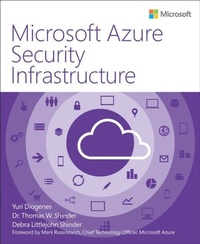
Microsoft Azure Security Infrastructure
1st Edition
Published on 17. November 2017
224 pages
978-1-5093-0405-9 (ISBN)
Description

Implement maximum control, security, and compliance processes in Azure cloud environments In Microsoft Azure Security Infrastructure, three leading experts show how to plan, deploy, and operate Microsoft Azure with outstanding levels of control, security, and compliance. You'll learn how to prepare infrastructure with Microsoft's integrated tools, prebuilt templates, and managed services-and use these to help safely build and manage any enterprise, mobile, web, or Internet of Things (IoT) system. The authors guide you through enforcing, managing, and verifying robust security at physical, network, host, application, and data layers. You'll learn best practices for security-aware deployment, operational management, threat mitigation, and continuous improvement-so you can help protect all your data, make services resilient to attack, and stay in control no matter how your cloud systems evolve.
Three Microsoft Azure experts show you how to:
* Understand cloud security boundaries and responsibilities
* Plan for compliance, risk management, identity/access management, operational security, and endpoint and data protection
* Explore Azure's defense-in-depth security architecture
* Use Azure network security patterns and best practices
* Help safeguard data via encryption, storage redundancy, rights management, database security, and storage security
* Help protect virtual machines with Microsoft Antimalware for Azure Cloud Services and Virtual Machines
* Use the Microsoft Azure Key Vault service to help secure cryptographic keys and other confidential information
* Monitor and help protect Azure and on-premises resources with Azure Security Center and Operations Management Suite
* Effectively model threats and plan protection for IoT systems
* Use Azure security tools for operations, incident response, and forensic investigation
Three Microsoft Azure experts show you how to:
* Understand cloud security boundaries and responsibilities
* Plan for compliance, risk management, identity/access management, operational security, and endpoint and data protection
* Explore Azure's defense-in-depth security architecture
* Use Azure network security patterns and best practices
* Help safeguard data via encryption, storage redundancy, rights management, database security, and storage security
* Help protect virtual machines with Microsoft Antimalware for Azure Cloud Services and Virtual Machines
* Use the Microsoft Azure Key Vault service to help secure cryptographic keys and other confidential information
* Monitor and help protect Azure and on-premises resources with Azure Security Center and Operations Management Suite
* Effectively model threats and plan protection for IoT systems
* Use Azure security tools for operations, incident response, and forensic investigation
More details
Series
Language
English
Place of publication
Boston
United States
Publishing group
Microsoft Press,U.S.
Target group
Professional and scholarly
ISBN-13
978-1-5093-0405-9 (9781509304059)
Copyright in bibliographic data and cover images is held by Nielsen Book Services Limited or by the publishers or by their respective licensors: all rights reserved.
Schweitzer Classification
Other editions
Additional editions
Yuri Diogenes | Tom Shinder | Debra Shinder
Microsoft Azure Security Infrastructure
Book
10/2016
1st Edition
Microsoft Press
€31.99
Shipment within 3-4 weeks
Persons
YURI DIOGENES is a Senior Content Developer on the CSI Enterprise Mobility and Security Team, focusing on enterprise mobility solutions, Azure Security Center, and OMS Security. Previously, Yuri worked at Microsoft as a writer for the Windows Security team and as a Support Escalation Engineer for the CSS Forefront team. He has a Master of Science degree in Cybersecurity Intelligence and Forensics from Utica College and an MBA from FGF in Brazil, and he holds several industry certifications. He is co-author of Enterprise Mobility Suite-Managing BYOD and Company-Owned Devices (Microsoft Press, 2015), Microsoft Forefront Threat Management Gateway (TMG) Administrator's Companion (Microsoft Press, 2010), and three other Forefront titles from Microsoft Press.
DR. THOMAS SHINDER is a program manager in Azure Security Engineering and a 20-year veteran in IT security. Tom is best known for his work with ISA Server and TMG, publishing nine books on those topics. He was also the leading voice at ISAserver.org. After joining Microsoft in 2009, Tom spent time on the UAG DirectAccess team and then took a 3-year vacation from security to be a cloud infrastructure specialist and architect. He's now back where he belongs in security, and spends a good deal of time hugging his Azure Security Center console and hiding his secrets in Azure Key Vault.
DEBRA LITTLEJOHN SHINDER, MCSE, is a former police officer and police academy instructor who is self-employed as a technol?ogy consultant, trainer, and writer, specializing in network and cloud security. She has authored a number of books, including Scene of the Cybercrime: Computer Forensics Handbook (Syngress Publishing, 2002) and Computer Networking Essentials (Cisco Press, 2001). She has co-authored more than 20 additional books and worked as a tech editor, developmental editor, and contributor to more than 15 books. Deb is a lead author for WindowSecurity.com and WindowsNetworking.com, and a long-time contributor to the GFI Software blog and other technology publications, with more than 1,500 published articles in print magazines and on websites. Deb focuses on Microsoft products, and has been awarded the Microsoft MVP (Most Valuable Professional) award in the field of enterprise security for 14 years in a row. She lives and works in the Dallas-Fort Worth area and has taught law enforcement, computer networking, and security courses at Eastfield College in Mesquite, Texas. She currently sits on the advisory board of the Eastfield Criminal Justice Training Center Police Academy.
DR. THOMAS SHINDER is a program manager in Azure Security Engineering and a 20-year veteran in IT security. Tom is best known for his work with ISA Server and TMG, publishing nine books on those topics. He was also the leading voice at ISAserver.org. After joining Microsoft in 2009, Tom spent time on the UAG DirectAccess team and then took a 3-year vacation from security to be a cloud infrastructure specialist and architect. He's now back where he belongs in security, and spends a good deal of time hugging his Azure Security Center console and hiding his secrets in Azure Key Vault.
DEBRA LITTLEJOHN SHINDER, MCSE, is a former police officer and police academy instructor who is self-employed as a technol?ogy consultant, trainer, and writer, specializing in network and cloud security. She has authored a number of books, including Scene of the Cybercrime: Computer Forensics Handbook (Syngress Publishing, 2002) and Computer Networking Essentials (Cisco Press, 2001). She has co-authored more than 20 additional books and worked as a tech editor, developmental editor, and contributor to more than 15 books. Deb is a lead author for WindowSecurity.com and WindowsNetworking.com, and a long-time contributor to the GFI Software blog and other technology publications, with more than 1,500 published articles in print magazines and on websites. Deb focuses on Microsoft products, and has been awarded the Microsoft MVP (Most Valuable Professional) award in the field of enterprise security for 14 years in a row. She lives and works in the Dallas-Fort Worth area and has taught law enforcement, computer networking, and security courses at Eastfield College in Mesquite, Texas. She currently sits on the advisory board of the Eastfield Criminal Justice Training Center Police Academy.
Content
Chapter 1 Cloud security
Cloud security considerations
Compliance
Risk management
Identity and access management
Operational security
Endpoint protection
Data protection
Shared responsibility
Cloud computing
Distributed responsibility in public cloud computing
Assume breach and isolation
Azure security architecture
Azure design principles
Chapter 2 Identity protection in Azure
Authentication and authorization
Azure hierarchy
Role-Based Access Control
On-premises integration
Azure AD Connect
Federation
Suspicious activity identification
Identity protection
User risk policy
Sign-in risk policy
Notification enabling
Vulnerabilities
Multi-Factor Authentication
Azure Multi-Factor Authentication implementation
Azure Multi-Factor Authentication option configuration
Chapter 3 Azure network security
Anatomy of Azure networking
Virtual network infrastructure
Network access control
Routing tables
Remote access (Azure gateway/point-to-site VPN/
RDP/Remote PowerShell/SSH)
Cross-premises connectivity
Network availability
Network logging
Public name resolution
Network security appliances
Reverse proxy
Azure Network Security best practices
Subnet your networks based on security zones
Use Network Security Groups carefully
Use site-to-site VPN to connect Azure Virtual Networks
Configure host-based firewalls on IaaS virtual machines
Configure User Defined Routes to control traffic
Require forced tunneling
Deploy virtual network security appliances
Create perimeter networks for Internet-facing devices
Use ExpressRoute
Optimize uptime and performance
Disable management protocols to virtual machines
Enable Azure Security Center
Extend your datacenter into Azure
Chapter 4 Data and storage security
Virtual machine encryption
Azure Disk Encryption
Storage encryption
File share wire encryption
Hybrid data encryption
Authentication
Wire security
Data at rest
Rights management
Database security
Azure SQL Firewall
SQL Always Encrypted
Row-level security
Transparent data encryption
Cell-level encryption
Dynamic data masking
Chapter 5 Virtual machine protection with Antimalware
Understanding the Antimalware solution
Antimalware deployment
Antimalware deployment to an existing VM
Antimalware deployment to a new VM
Antimalware removal
Chapter 6 Key management in Azure with Key Vault
Key Vault overview
App configuration for Key Vault
Key Vault event monitoring
Chapter 7 Azure resource management security
Azure Security Center overview
Detection capabilities
Onboard resources in Azure Security Center
Apply recommendations
Resource security health
Respond to security incidents
Chapter 8 Internet of Things security
Anatomy of the IoT
Things of the world, unite
Sensors, sensors everywhere
Big data just got bigger: TMI
Artificial intelligence to the rescue
IoT security challenges
IoT: Insecure by design
Ramifications of an insecure IoT
IoT threat modeling
Windows 10 IoT and Azure IoT
Windows 10 IoT editions
Azure IoT Suite and secure Azure IoT infrastructure
Chapter 9 Hybrid environment monitoring
Operations Management Suite Security and Audit solution overview
Log Analytics configuration
Windows Agent installation
Resource monitoring using OMS Security and Audit solution
Security state monitoring
Identity and access control
Alerts and threats
Chapter 10 Operations and management in the cloud
Scenario
Design considerations
Azure Security Center for operations
Azure Security Center for incident response
Azure Security Center for forensics investigation
Index
About the authors
Cloud security considerations
Compliance
Risk management
Identity and access management
Operational security
Endpoint protection
Data protection
Shared responsibility
Cloud computing
Distributed responsibility in public cloud computing
Assume breach and isolation
Azure security architecture
Azure design principles
Chapter 2 Identity protection in Azure
Authentication and authorization
Azure hierarchy
Role-Based Access Control
On-premises integration
Azure AD Connect
Federation
Suspicious activity identification
Identity protection
User risk policy
Sign-in risk policy
Notification enabling
Vulnerabilities
Multi-Factor Authentication
Azure Multi-Factor Authentication implementation
Azure Multi-Factor Authentication option configuration
Chapter 3 Azure network security
Anatomy of Azure networking
Virtual network infrastructure
Network access control
Routing tables
Remote access (Azure gateway/point-to-site VPN/
RDP/Remote PowerShell/SSH)
Cross-premises connectivity
Network availability
Network logging
Public name resolution
Network security appliances
Reverse proxy
Azure Network Security best practices
Subnet your networks based on security zones
Use Network Security Groups carefully
Use site-to-site VPN to connect Azure Virtual Networks
Configure host-based firewalls on IaaS virtual machines
Configure User Defined Routes to control traffic
Require forced tunneling
Deploy virtual network security appliances
Create perimeter networks for Internet-facing devices
Use ExpressRoute
Optimize uptime and performance
Disable management protocols to virtual machines
Enable Azure Security Center
Extend your datacenter into Azure
Chapter 4 Data and storage security
Virtual machine encryption
Azure Disk Encryption
Storage encryption
File share wire encryption
Hybrid data encryption
Authentication
Wire security
Data at rest
Rights management
Database security
Azure SQL Firewall
SQL Always Encrypted
Row-level security
Transparent data encryption
Cell-level encryption
Dynamic data masking
Chapter 5 Virtual machine protection with Antimalware
Understanding the Antimalware solution
Antimalware deployment
Antimalware deployment to an existing VM
Antimalware deployment to a new VM
Antimalware removal
Chapter 6 Key management in Azure with Key Vault
Key Vault overview
App configuration for Key Vault
Key Vault event monitoring
Chapter 7 Azure resource management security
Azure Security Center overview
Detection capabilities
Onboard resources in Azure Security Center
Apply recommendations
Resource security health
Respond to security incidents
Chapter 8 Internet of Things security
Anatomy of the IoT
Things of the world, unite
Sensors, sensors everywhere
Big data just got bigger: TMI
Artificial intelligence to the rescue
IoT security challenges
IoT: Insecure by design
Ramifications of an insecure IoT
IoT threat modeling
Windows 10 IoT and Azure IoT
Windows 10 IoT editions
Azure IoT Suite and secure Azure IoT infrastructure
Chapter 9 Hybrid environment monitoring
Operations Management Suite Security and Audit solution overview
Log Analytics configuration
Windows Agent installation
Resource monitoring using OMS Security and Audit solution
Security state monitoring
Identity and access control
Alerts and threats
Chapter 10 Operations and management in the cloud
Scenario
Design considerations
Azure Security Center for operations
Azure Security Center for incident response
Azure Security Center for forensics investigation
Index
About the authors
