

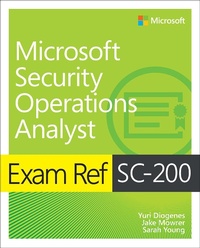
Exam Ref SC-200 Microsoft Security Operations Analyst
1st Edition
Published on 18. February 2022
336 pages
978-0-13-756825-3 (ISBN)
Description

Prepare for Microsoft Exam SC-200-and help demonstrate your real-world mastery of skills and knowledge required to work with stakeholders to secure IT systems, and to rapidly remediate active attacks. Designed for Windows administrators, Exam Ref focuses on the critical thinking and decision-making acumen needed for success at the Microsoft Certified Associate level.
Focus on the expertise measured by these objectives:
Mitigate threats using Microsoft 365 Defender
Mitigate threats using Microsoft Defender for Cloud
Mitigate threats using Microsoft Sentinel
This Microsoft Exam Ref:
Organizes its coverage by exam objectives
Features strategic, what-if scenarios to challenge you
Assumes you have experience with threat management, monitoring, and/or response in Microsoft 365 environments
About the Exam
Exam SC-200 focuses on knowledge needed to detect, investigate, respond, and remediate threats to productivity, endpoints, identity, and applications; design and configure Azure Defender implementations; plan and use data connectors to ingest data sources into Azure Defender and Azure Sentinel; manage Azure Defender alert rules; configure automation and remediation; investigate alerts and incidents; design and configure Azure Sentinel workspaces; manage Azure Sentinel rules and incidents; configure SOAR in Azure Sentinel; use workbooks to analyze and interpret data; and hunt for threats in the Azure Sentinel portal.
About Microsoft Certification
Passing this exam fulfills your requirements for the Microsoft 365 Certified: Security Operations Analyst Associate certification credential, demonstrating your ability to collaborate with organizational stakeholders to reduce organizational risk, advise on threat protection improvements, and address violations of organizational policies.
See full details at: microsoft.com/learn
Focus on the expertise measured by these objectives:
Mitigate threats using Microsoft 365 Defender
Mitigate threats using Microsoft Defender for Cloud
Mitigate threats using Microsoft Sentinel
This Microsoft Exam Ref:
Organizes its coverage by exam objectives
Features strategic, what-if scenarios to challenge you
Assumes you have experience with threat management, monitoring, and/or response in Microsoft 365 environments
About the Exam
Exam SC-200 focuses on knowledge needed to detect, investigate, respond, and remediate threats to productivity, endpoints, identity, and applications; design and configure Azure Defender implementations; plan and use data connectors to ingest data sources into Azure Defender and Azure Sentinel; manage Azure Defender alert rules; configure automation and remediation; investigate alerts and incidents; design and configure Azure Sentinel workspaces; manage Azure Sentinel rules and incidents; configure SOAR in Azure Sentinel; use workbooks to analyze and interpret data; and hunt for threats in the Azure Sentinel portal.
About Microsoft Certification
Passing this exam fulfills your requirements for the Microsoft 365 Certified: Security Operations Analyst Associate certification credential, demonstrating your ability to collaborate with organizational stakeholders to reduce organizational risk, advise on threat protection improvements, and address violations of organizational policies.
See full details at: microsoft.com/learn
More details
Series
Edition
1. Auflage
Language
English
Place of publication
Boston
United States
Publishing group
Pearson Education (US)
Target group
Professional and scholarly
File size
29,55 MB
ISBN-13
978-0-13-756825-3 (9780137568253)
Copyright in bibliographic data and cover images is held by Nielsen Book Services Limited or by the publishers or by their respective licensors: all rights reserved.
Schweitzer Classification
Other editions
Additional editions
Yuri Diogenes | Jake Mowrer | Sarah Young
Exam Ref SC-200 Microsoft Security Operations Analyst
Book
12/2021
1st Edition
Addison Wesley
€42.50
Shipment within 15-20 days
Persons
Yuri Diogenes, MsC is a Master of science in cybersecurity intelligence and forensics investigation (UTICA College), and a Principal Program Manager in the Microsoft CxE ASC Team, where he primarily helps customers onboard and deploy Azure Security Center and Azure Defender as part of their security operations/incident response. Yuri has been working for Microsoft since 2006 in different positions. He spent five years as senior support escalation engineer on the CSS Forefront Edge Team, and from 2011 to 2017, he worked on the content development team, where he also helped create the Azure Security Center content experience since its GA launch in 2016. Yuri has published a total of 26 books, mostly covering information security and Microsoft technologies. Yuri also holds an MBA and many IT/Security industry certifications, such as CISSP, E|CND, E|CEH, E|CSA, E|CHFI, CompTIA Security+, CySA+, Cloud Essentials Certified, Mobility+, Network+, CASP, CyberSec First Responder, MCSE, and MCTS. You can follow Yuri on Twitter at @yuridiogenes.
Sarah Young is a senior program manager in the Azure Sentinel CxE team, where she works with Microsoft customers to remove technical blockers for deployment. Having worked with Azure Sentinel since it was announced at RSA 2019, Sarah has extensive knowledge of the platform and has helped it develop and grow. Sarah is an experienced public speaker and has presented on a range of IT security and technology topics at industry events, both nationally and internationally. She holds numerous industry qualifications, including CISSP, CCSP, CISM, and Azure Solutions Architect. In 2019, Sarah won the Security Champion award at the Australian Women in Security Awards. She is an active supporter of both local and international security and cloud-native communities. You can follow Sarah on Twitter at @_sarahyo.
Jake Mowrer is a Principal Program Manager in the Microsoft 365 Defender Customer Acceleration Team and a 25-year IT veteran. He helps some of the world's largest companies deploy Microsoft Defender for Endpoint and assists security operations teams with integrating Microsoft 365 Defender into their existing processes. Jake's deep knowledge in Microsoft Defender for Endpoint originated in 2016 when he was trained by Microsoft's development team in Herzliya, Israel, and he has since delivered technical sessions for private and public entities, as well as at technical conferences around the world. In 2020, Jake founded IronSpire Internet Security, a company focused on protecting homes and small businesses from cyber threats. You can follow Jake on Twitter at @JakeMowrerMSFT and @IronspireS.
Sarah Young is a senior program manager in the Azure Sentinel CxE team, where she works with Microsoft customers to remove technical blockers for deployment. Having worked with Azure Sentinel since it was announced at RSA 2019, Sarah has extensive knowledge of the platform and has helped it develop and grow. Sarah is an experienced public speaker and has presented on a range of IT security and technology topics at industry events, both nationally and internationally. She holds numerous industry qualifications, including CISSP, CCSP, CISM, and Azure Solutions Architect. In 2019, Sarah won the Security Champion award at the Australian Women in Security Awards. She is an active supporter of both local and international security and cloud-native communities. You can follow Sarah on Twitter at @_sarahyo.
Jake Mowrer is a Principal Program Manager in the Microsoft 365 Defender Customer Acceleration Team and a 25-year IT veteran. He helps some of the world's largest companies deploy Microsoft Defender for Endpoint and assists security operations teams with integrating Microsoft 365 Defender into their existing processes. Jake's deep knowledge in Microsoft Defender for Endpoint originated in 2016 when he was trained by Microsoft's development team in Herzliya, Israel, and he has since delivered technical sessions for private and public entities, as well as at technical conferences around the world. In 2020, Jake founded IronSpire Internet Security, a company focused on protecting homes and small businesses from cyber threats. You can follow Jake on Twitter at @JakeMowrerMSFT and @IronspireS.
Content
1. Mitigate Threats Using Microsoft 365 Defender
2. Mitigate Threats Using Microsoft Defender for Cloud
3. Mitigate Threats Using Microsoft Sentinel
2. Mitigate Threats Using Microsoft Defender for Cloud
3. Mitigate Threats Using Microsoft Sentinel
