

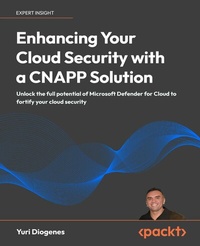
Enhancing Your Cloud Security with a CNAPP Solution
Unlock the full potential of Microsoft Defender for Cloud to fortify your cloud security
1st Edition
Published on 13. January 2025
382 pages
978-1-83620-486-2 (ISBN)
Description

No detailed description available for "Enhancing Your Cloud Security with a CNAPP Solution".
All prices
More details
Other editions
Additional editions
Yuri Diogenes
Enhancing Your Cloud Security with a CNAPP Solution
Unlock the full potential of Microsoft Defender for Cloud to fortify your cloud security
Book
10/2024
Packt Publishing
€57.60
Shipment within 3-4 weeks
Person
Diogenes Yuri :
Yuri Diogenes has been working at Microsoft since 2006, and currently he is a Principal PM Manager where he manages a Team of PMs for Microsoft CNAPP Solution, Defender for Cloud. Yuri is also a Professor at EC-Council University and Trine University. Yuri has a Master of Science in Cybersecurity Intelligence and Forensics Investigation from Utica College, and he is currently working on his PhD in Cybersecurity Leadership from Capitol Technology University. Yuri has published a total of 32 books, mostly covering information security and Microsoft technologies. Yuri also holds many industry certifications, such as CISSP, E
Yuri Diogenes has been working at Microsoft since 2006, and currently he is a Principal PM Manager where he manages a Team of PMs for Microsoft CNAPP Solution, Defender for Cloud. Yuri is also a Professor at EC-Council University and Trine University. Yuri has a Master of Science in Cybersecurity Intelligence and Forensics Investigation from Utica College, and he is currently working on his PhD in Cybersecurity Leadership from Capitol Technology University. Yuri has published a total of 32 books, mostly covering information security and Microsoft technologies. Yuri also holds many industry certifications, such as CISSP, E
Content
- Cover
- Copyright
- Contributors
- Table of Contents
- Preface
- Chapter 1: Why CNAPP?
- Cloud Security Posture Management
- Cloud Workload Protection
- Cloud Native Application Protection Platform
- Attack disruption
- Agentless approach
- Proactive hunting
- Alert enrichment
- Summary
- Notes
- Additional resources
- Chapter 2: Assessing Your Environment's Security Posture
- Planning your security posture assessment
- Adopting Foundational CSPM
- Remediation
- Secure score
- Improving your security posture
- Microsoft Cloud Security Benchmark (MCSB)
- Inventory
- Summary
- Notes
- Additional resources
- Chapter 3: CNAPP Design Considerations
- Establishing designing principles
- Zero Trust
- Shift-left security
- Data protection
- Comprehensive visibility and monitoring
- Dynamic threat detection and response
- Compliance and governance
- Design considerations
- Design considerations for posture management
- Design considerations for DevOps security
- Design considerations for workload protection
- Summary
- Notes
- Additional resources
- Chapter 4: Creating an Adoption Plan
- Adoption plan
- Planning posture management adoption
- Planning Defender CSPM
- Privileges
- Extensions
- Governance
- DevOps security
- Measure security posture management improvement
- Planning workload protection adoption
- Defender for Servers
- Defender for Storage
- Defender for Databases
- Defender for Containers
- Defender for Key Vault
- Defender for Resource Manager
- Defender for App Services
- Defender for APIs
- Creating a Proof of Concept
- Summary
- Notes
- Additional resources
- Chapter 5: Elevating Your Workload's Security Posture
- Onboarding Defender CSPM
- Attack disruption
- Recommendation prioritization
- Data security posture
- Customization
- Data security dashboard
- Summary
- Notes
- Additional resources
- Chapter 6: Multicloud
- Connecting with AWS
- Deploying the AWS connector
- Reviewing initial assessment
- Connecting with GCP
- Deploying the GCP connector
- Reviewing initial assessment
- Summary
- Notes
- Additional resources
- Chapter 7: DevOps Security Capabilities
- DevOps security capabilities in Defender CSPM
- Connecting with GitHub
- Deploying the GitHub connector
- Reviewing initial assessment
- Remediating recommendations
- Connecting with Azure DevOps
- Deploying the Azure DevOps connector
- Reviewing initial assessment
- Pull request annotations
- Connecting with GitLab
- Deploying the GitLab connector
- Summary
- Notes
- Additional resources
- Chapter 8: Governance and Continuous Improvement
- Governance
- Integration with ServiceNow
- Configuring ServiceNow integration
- Delegate ownership
- Continuous improvement
- Final considerations
- Summary
- Notes
- Additional resources
- Chapter 9: Proactive Hunting
- Leveraging the insights collected by CNAPP
- Cloud Security Explorer
- Creating a custom query
- Azure Resource Graph
- Final considerations
- Summary
- Notes
- Additional resources
- Chapter 10: Implementing Workload Protection
- The need for tailored workload protection
- Threat detection in Defender for Cloud
- Alert dashboard
- Alert correlation
- Sample alerts
- Alert suppression
- Defender for Cloud plans
- Summary
- Notes
- Additional resources
- Chapter 11: Protecting Compute Resources (Servers and Containers)
- Defender for Containers
- Enabling Defender for Containers
- Vulnerability assessment
- Binary drift detection
- Defender for Servers
- Agentless malware scanning
- File Integrity Monitoring (FIM)
- JIT VM access
- Vulnerability assessment
- Summary
- Notes
- Additional resources
- Chapter 12: Protecting Storage and Databases
- Defender for Storage
- Enabling Defender for Storage
- Malware scanning
- Defender for Databases
- Enabling Defender for Databases
- Vulnerability assessment
- Summary
- Notes
- Additional resources
- Chapter 13: Protecting APIs
- Preparing the environment
- Network architecture
- Enabling Defender for APIs
- Operationalizing Defender for APIs
- Managing APIs
- Summary
- Notes
- Additional resources
- Chapter 14: Protecting Service Layer
- Defender for Resource Manager
- Enabling at scale
- Defender for App Service
- Defender for Key Vault
- Summary
- Notes
- Additional resources
- Chapter 15: Incident Response
- Incident Response using Defender for Cloud
- Integration with Microsoft Defender XDR
- Hunting
- Integration with Microsoft Sentinel
- Summary
- Notes
- Additional resources
- Chapter 16: Leveraging AI to Improve Your Security Posture
- Defender for Cloud integration with Copilot for Security
- Exploring recommendations
- AI posture management
- Summary
- Notes
- Additional resources
- Chapter 17: Security Exposure Management
- Understanding unified security management
- Integration with Microsoft Defender for Cloud
- Onboarding Microsoft Security Exposure Management
- Critical asset validation
- Operationalizing unified exposure management
- Reviewing key initiatives
- Reviewing top metrics
- Combining initiatives with metrics for proactive security
- Proactive security recommendations
- Attack surface
- Identifying and addressing attack paths
- Summary
- Notes
- Additional resources
- Other Books You May Enjoy
- Index
