


Android Smartphones For Dummies
Description

Become smartphone savvy with Dummies
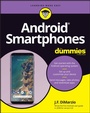
Android Smartphones For Dummies is the all-new guide to Android phones with the familiar Dummies charm everyone loves. This book will give Android rookies a crash-course in how to use these popular phones. You'll go beyond the basics of texting and taking photos-we'll walk you through all the pro tips and tricks for customizing your phone, optimizing all your settings, using social media (safely), and making the most of apps and widgets. We'll even teach you how to make calls, because phones can still do that.
- Set up and customize your new Android phone
- Take stunning pictures, video, and even selfies
- Find the best apps to make your life easier and more fun
- Keep your data secure and private while you browse the internet
New and inexperienced Android users will love the helpful, step-by-step guidance and friendly advice in Android Smartphones For Dummies.
All prices
More details
Other editions
Additional editions
Person
J.F. DiMarzio has nearly 30 years' experience developing games and applications for a variety of operating systems and in several programming languages. He is a veteran Android developer, the author of 15 books, and has worked with organizations including The Walt Disney Company and the U.S. Department of Defense.
Content
Introduction 1
Part 1: The Unboxing 3
Chapter 1: Introducing All Things Android 5
Chapter 2: Checking Out and Charging What's in the Box 11
Chapter 3: Deciding on Carrier Service 25
Chapter 4: Setting Up Your Device 31
Chapter 5: Tapping and Swiping Your Way around the Phone 43
Part 2: The Grand Tour 53
Chapter 6: Unlocking the Secrets of the Screens 55
Chapter 7: G-Whiz: The Google Experience 67
Chapter 8: Investigating Apps for Everything 89
Chapter 9: Finding Widgets for Your Gadget 105
Chapter 10: Enjoying Quick Access Features 113
Chapter 11: Staying in the Know with Notifications 125
Chapter 12: Customizing Your Settings. 135
Part 3: Communicating Anytime, Anywhere 153
Chapter 13: Texting to Keep in Touch 155
Chapter 14: Using the Phone as a Phone 169
Chapter 15: Browsing the Internet and Maintaining Your Privacy 181
Chapter 16: Keeping It Social 191
Chapter 17: Smile! Using the Camera 199
Part 4: Personalizing Just the Way You Like It 221
Chapter 18: Customizing Your Device 223
Chapter 19: Saying 'Hey' to Google 233
Part 5: The Part of Tens 245
Chapter 20: Ten Cool Tips and Tricks 247
Chapter 21: Ten Settings to Enable 255
Chapter 22: Ten Settings to Disable. 259
Index 263
