

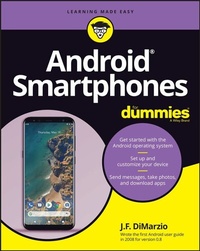
Android Smartphones For Dummies
Description

Android Smartphones For Dummies is the all-new guide to Android phones with the familiar Dummies charm everyone loves. This book will give Android rookies a crash-course in how to use these popular phones. You'll go beyond the basics of texting and taking photos--we'll walk you through all the pro tips and tricks for customizing your phone, optimizing all your settings, using social media (safely), and making the most of apps and widgets. We'll even teach you how to make calls, because phones can still do that.
* Set up and customize your new Android phone
* Take stunning pictures, video, and even selfies
* Find the best apps to make your life easier and more fun
* Keep your data secure and private while you browse the internet
New and inexperienced Android users will love the helpful, step-by-step guidance and friendly advice in Android Smartphones For Dummies.
More details
Other editions
Additional editions
Person
Content
Part 1: The Unboxing 3
Chapter 1: Introducing All Things Android 5
Chapter 2: Checking Out and Charging What's in the Box 11
Chapter 3: Deciding on Carrier Service 25
Chapter 4: Setting Up Your Device 31
Chapter 5: Tapping and Swiping Your Way around the Phone 43
Part 2: The Grand Tour 53
Chapter 6: Unlocking the Secrets of the Screens 55
Chapter 7: G-Whiz: The Google Experience 67
Chapter 8: Investigating Apps for Everything 89
Chapter 9: Finding Widgets for Your Gadget 105
Chapter 10: Enjoying Quick Access Features 113
Chapter 11: Staying in the Know with Notifications 125
Chapter 12: Customizing Your Settings. 135
Part 3: Communicating Anytime, Anywhere 153
Chapter 13: Texting to Keep in Touch 155
Chapter 14: Using the Phone as a Phone 169
Chapter 15: Browsing the Internet and Maintaining Your Privacy 181
Chapter 16: Keeping It Social 191
Chapter 17: Smile! Using the Camera 199
Part 4: Personalizing Just the Way You Like It 221
Chapter 18: Customizing Your Device 223
Chapter 19: Saying 'Hey' to Google 233
Part 5: The Part of Tens 245
Chapter 20: Ten Cool Tips and Tricks 247
Chapter 21: Ten Settings to Enable 255
Chapter 22: Ten Settings to Disable. 259
Index 263
Chapter 1
Introducing All Things Android
IN THIS CHAPTER
Discovering what make a device an Android device
Checking out the different versions of Android software
Comparing Android versus iPhone
In this chapter, you explore the details of the Android mobile operating system and Android-based smartphones. If you are new to Android smartphones, this is the perfect place to start your journey. If you are switching to Android from iPhone, this chapter also outlines some of the differences between the two platforms.
What Are Android Devices?
There is no such thing as the one Android smartphone. Unlike its major market competitor - the iPhone - Android is an open-source mobile operating system that any smartphone manufacturer can use for its devices. Because of this, hundreds of different Android smartphones are available around the world - and they all offer different features.
The term open source means that the source code (all the lines of programming code that make the Android software what it is) is available freely to anyone who wants to use it.
One of the consequences of making Android open source is that any smartphone manufacturer can change the Android code to do anything it wants it to do. And so there are going to be some major differences between these phones. Some phones are going to have bigger or smaller screens, sharper or wider cameras, and more or fewer buttons. The Android software itself may also appear slightly different on different smartphones and be able to do slightly different things.
Think of it this way: Everyone knows what a car stereo is. Every car has a car stereo in it. However, no two car manufacturers are going to have the exact same stereos. Some will have access to satellite radio, some will have cassette players, some will have touchscreen controls, and some will have physical buttons. But in the end, they all have similar basic functions. In the following sections, I outline some of the most popular Android smartphone brands and highlight some of the differences between them.
Samsung
Samsung phones are some of the most popular smartphones in the world. In fact, a recent report from Counterpoint Research shows that Samsung is the most popular brand of Android smartphone, and the second most popular smartphone in the world behind Apple's iPhone.
Samsung produces several different models of smartphone for sale around the world, but its most popular is the flagship Galaxy line.
A flagship smartphone is the most featured model of smartphone from a particular manufacturer. It is meant to showcase the abilities of the manufacturer's line.
The Galaxy brand comes in several models:
- Galaxy A
- Galaxy S
- Galaxy Z
The Galaxy S line is also further divided into the S, S+, and S Ultra models. The differences between the S, S+, and S Ultra are mainly screen size, except the S Ultra also comes with a stylus that enables you to draw and interact with the screen.
If you are familiar with older Samsung models, the Galaxy Note is now the Galaxy S Ultra. This is why the Galaxy S Ultra comes with the familiar Galaxy Note stylus.
Other model highlights include the innovative folding screens of the Galaxy Z models, and the affordability of the Galaxy A line.
Google Pixel
Google is the manufacturer that "owns" the Android software. Even though it offers the source code openly, Google still owns it. However, Google did not always make its own Android smartphones. Starting in 2010, Google began a branding relationship with manufactures such as HTC, Samsung, LG, and Motorola to create the Google Nexus line of phones. These phones were meant to showcase the functionality of the Android mobile operating system as Google intended it to be used.
Google began manufacturing its own smartphones in 2016. These smartphones became the Google Pixel line of phones.
Today you can get the Pixel 6 and Pixel 6 Pro smartphones from Google. The major difference between these models is the size of the screen - with the Pixel 6 Pro having a slightly larger screen than the Pixel 6.
Other hot brands
The list of Android smartphones seems endless. Other popular brands and models include:
- Motorola Edge
- Motorola Edge Plus
- Nokia 8.3
- One Plus 9
- One Plus 9 Pro
- Sony Xperia 1 ii
- Xiaomi Mi 10
Looking at the Different Flavors of Android
Android software changes from year to year. In Android, these changes are known as flavors, and there is a delicious history behind why Android versions are known as flavors.
When the Android operating system was first introduced to the public in 2009, Google decided to forego the popular structure of numbering its versions and instead chose to name each version of Android after a sweet treat. Version 1.5 of Android was therefore named Cupcake. From there, the list of Android flavors continued in alphabetical order:
- Cupcake
- Donut
- Éclair
- Froyo
- Gingerbread
- Honeycomb
- Ice Cream Sandwich
- Jelly Bean
- KitKat
- Lollipop
- Marshmallow
- Nougat
- Oreo
- Pie
Android Pie was released in 2018, and was the last flavor of Android to be publicly released with a sweet name. Starting in 2019, Android switched to Android 10 - with Android 11, Android 12, and Android 13 released in subsequent years.
Samsung's version of Android
The fact that Google offers Android as an open-source software platform has led to one of the most confusing aspects of using Android smartphones among consumers. Most Android smartphone manufactures, Samsung included, have tweaked Android to set their phones apart. These tweaks include features and applications (most often referred to as an app) that are only available on that manufacturer's phones.
For example, Samsung developed several versions of Android specifically for use on Samsung devices. Using a Samsung Android smartphone gives users access to features not found on other devices. For example:
- Samsung devices have a virtual assistant known as Bixby. (See Chapter 19 for more on using virtual assistants.)
- Samsung devices have software-based navigation buttons to help you "go back," "go home," and view your running apps. (See Chapter 5 for details on navigating your way around an Android phone.)
- Samsung devices have a home screen dedicated to Samsung Free, a list of free news articles, podcasts, games, and other content compiled by Samsung (this is replaced by Google Feed on other Android devices).
- Samsung devices include their own version of some Google apps such as Calendar, Calculator, Photos, and camera.
Lastly, users of Samsung Android smartphones will notice some differences in the way many menus look. Keep in mind that even with some of these differences, the basic functionality persists through all Android smartphones.
An app is an application that you install to your smartphone. These apps expand the features of your smartphone - like getting access to weather information from around the world or shopping from your favorite stores.
Google Pixel's 'pure Android'
Soon after the release of Android, it became evident that consumers were confused about what Android was - because every smartphone seemed to have a different version of it. For this reason, Google began to release its own flagship smartphone - the Google Pixel - with the key feature being that the Google smartphone would include an unadulterated version of the Android operating system known as "pure Android." As such, users who purchase the Google Pixel line of smartphones use a version of Android that has not been changed.
The examples offered throughout this book use pure Android running on a Google Pixel smartphone. However, the basic functionality shown still exists in most Android smartphones - even if it looks a little different or goes by a slightly different name on another phone.
No matter the brand smartphone you use, with an Android phone, you have access to the Google ecosystem of apps to help you with just about every aspect of daily life. Chapters 7 and 8 explore these apps as well as what additional apps are pre-installed and where you can find more.
Transitioning from an iPhone to an Android: It's Possible!
Many people switch from one smartphone platform to another. Personally, I have switched from Android to iPhone and back over the years. Now, I use both an iPhone and a Google Pixel Android smartphone on a daily basis. Having used both, I can say that the two are not as different as they might seem on the surface.
Following are some of the major differences you should be aware of when moving from iPhone to Android:
- Apple has very strict control over the type and content of apps that are approved for use on iPhone. When moving from iPhone to Android, the exact app you are looking for might not be available in some cases - but there should be a number of similar options for Android.
- Android keeps all apps in the app drawer by default. This is the standard location for all installed apps on...
