

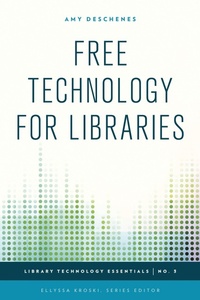
Free Technology for Libraries
1st Edition
Published on 23. July 2015
130 pages
979-8-216-30954-3 (ISBN)
Description

Libraries are perpetually faced with the challenge of balancing ever-shrinking budgets while steadily improving library services. One way to meet that challenge is to maximize the use of free applications and resources in the library. Free Technology for Libraries will help you discover how you can implement top-notch technology solutions within your organization to create intranets and knowledge bases, conduct webinars and conference calls, manage electronic resources, track library statistics, market your library, and much more, all at no cost!
In this all-in-one guide to navigating the array of free applications and tools available online, readers will learn:
How to Manage Internal Policy & Procedure Documentation Using WordpressHow to Manage Library Statistics with Zoho CreatorHow to Provide Programming, Instruction, & Reference to Groups of Off Site PatronsHow to Use Screen Sharing for Remote ReferenceImplementing a Scalable E-Resources Management SystemPromoting a Library Event through In-Person and Online AdvertisingCreating Marketing Posters with PosterOvenCreating an HTML5 Responsive Website - No Design Experience Required!Managing Meeting Space with Google Calendar
In this all-in-one guide to navigating the array of free applications and tools available online, readers will learn:
How to Manage Internal Policy & Procedure Documentation Using WordpressHow to Manage Library Statistics with Zoho CreatorHow to Provide Programming, Instruction, & Reference to Groups of Off Site PatronsHow to Use Screen Sharing for Remote ReferenceImplementing a Scalable E-Resources Management SystemPromoting a Library Event through In-Person and Online AdvertisingCreating Marketing Posters with PosterOvenCreating an HTML5 Responsive Website - No Design Experience Required!Managing Meeting Space with Google Calendar
More details
Series
Edition
1. Auflage
Language
English
Place of publication
United States
Publishing group
Bloomsbury Publishing Plc
Illustrations
16 b/w photos
ISBN-13
979-8-216-30954-3 (9798216309543)
Copyright in bibliographic data and cover images is held by Nielsen Book Services Limited or by the publishers or by their respective licensors: all rights reserved.
Schweitzer Classification
Other editions
Additional editions
Amy Deschenes
Free Technology for Libraries
Book
07/2015
Rowman & Littlefield Publishers
€70.10
Shipment within 10-20 days
Person
Amy Deschenes specializes in making the library more user-friendly. She has worked in libraries since 2009 and is currently the Library User Experience Specialist at Harvard University. Prior to her current role, she led technology projects as the Systems & Web Applications Librarian at Simmons College Library. There, she built responsive websites, implemented countless open source apps, organized the library's benchmarking statistics, and performed usability testing-all without spending a dime of the library's budget. She is an advocate for thoughtful adoption of technology solutions and always considering the user's needs.
Content
Foreword by Ellyssa Kroski
Preface
Acknowledgments
Chapter 1. Introduction
Chapter 2. Getting Started
Chapter 3. Tools & Applications
Chapter 4. Case Studies & Library Examples
Chapter 5. Step-by-Step Projects
Chapter 6. Tips & Tricks
Chapter 7. Future Trends
Recommended Reading
Index
About the Author
Preface
Acknowledgments
Chapter 1. Introduction
Chapter 2. Getting Started
Chapter 3. Tools & Applications
Chapter 4. Case Studies & Library Examples
Chapter 5. Step-by-Step Projects
Chapter 6. Tips & Tricks
Chapter 7. Future Trends
Recommended Reading
Index
About the Author
