

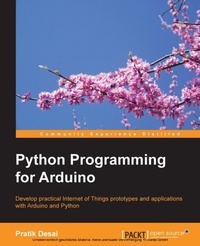
Python Programming for Arduino
Develop practical Internet of Things prototypes and applications with Arduino and Python
Published on 7. October 2025
400 pages
978-1-78328-594-5 (ISBN)
Description

Develop practical Internet of Things prototypes and applications with Arduino and Python
Key Features
Transform your hardware ideas into real-world applications using Arduino and Python
Design and develop hardware prototypes, interactive user interfaces, and cloud-connected applications for your projects
Explore and expand examples to enrich your connected device's applications with this step-by-step guide
Book DescriptionThis is the book for you if you are a student, hobbyist, developer, or designer with little or no programming and hardware prototyping experience, and you want to develop IoT applications. If you are a software developer or a hardware designer and want to create connected devices applications, then this book will help you get started.What you will learn
Design and develop your own hardware prototypes using Arduino
Interface Arduino to a computer using the Firmata protocol and Python
Acquire handson experience in developing applications for a variety of popular sensors
Develop graphical user interfaces to control your components and plots to visualize sensor data
Access your Arduino prototype from the Internet
Implement messaging protocols for Arduino communication
Connect your hardware project to cloudbased services
Create advanced Internet of Things applications through projects in the book
Who this book is forThis is the book for you if you are a student, hobbyist, developer, or designer with little or no programming and hardware prototyping experience, and you want to develop IoT applications.
Key Features
Transform your hardware ideas into real-world applications using Arduino and Python
Design and develop hardware prototypes, interactive user interfaces, and cloud-connected applications for your projects
Explore and expand examples to enrich your connected device's applications with this step-by-step guide
Book DescriptionThis is the book for you if you are a student, hobbyist, developer, or designer with little or no programming and hardware prototyping experience, and you want to develop IoT applications. If you are a software developer or a hardware designer and want to create connected devices applications, then this book will help you get started.What you will learn
Design and develop your own hardware prototypes using Arduino
Interface Arduino to a computer using the Firmata protocol and Python
Acquire handson experience in developing applications for a variety of popular sensors
Develop graphical user interfaces to control your components and plots to visualize sensor data
Access your Arduino prototype from the Internet
Implement messaging protocols for Arduino communication
Connect your hardware project to cloudbased services
Create advanced Internet of Things applications through projects in the book
Who this book is forThis is the book for you if you are a student, hobbyist, developer, or designer with little or no programming and hardware prototyping experience, and you want to develop IoT applications.
All prices
More details
Edition
Digital original
Language
English
Place of publication
Birmingham
United Kingdom
Target group
Professional and scholarly
US School Grade: College Graduate Student
Edition type
Digital original
File size
12,70 MB
ISBN-13
978-1-78328-594-5 (9781783285945)
Copyright in bibliographic data and cover images is held by Nielsen Book Services Limited or by the publishers or by their respective licensors: all rights reserved.
Schweitzer Classification
Other editions
Additional editions
Pratik Desai
Python Programming for Arduino
Develop practical Internet of Things prototypes and applications with Arduino and Python
Book
03/2015
Packt Publishing
€63.90
Shipment within 3-4 weeks
Person
Desai Pratik :
Pratik Desai, PhD, is the Principal Scientist and cofounder of a connected devices start-up, Imbue Labs, where he develops scalable and interoperable architecture for wearable devices and Internet of Things (IoT) platforms during the day. At night, he leads the development of an open source IoT initiative, the Semantic Repository of Things. Pratik has 8 years of research and design experience in various layers of the IoT and its predecessor technologies such as wireless sensor networks, RFID, and machine-to-machine (M2M) communication. His domains of expertise are the IoT, Semantic Web, machine learning, robotics, and artificial intelligence. Pratik completed his MS and PhD from Wright State University, Ohio, and collaborated with the Ohio Center of Excellence in Knowledge-enabled Computing (Kno.e.sis) during his doctoral research. His doctoral research was focused on developing situation awareness frameworks for IoT devices, enabling semantic web-based reasoning and handling the uncertainty associated with sensor data. In his personal life, Pratik is an avid DIY junkie and likes to get hands-on experience on upcoming technologies. He extensively expresses his views on technology and shares interesting developments on Twitter (@chheplo).
Pratik Desai, PhD, is the Principal Scientist and cofounder of a connected devices start-up, Imbue Labs, where he develops scalable and interoperable architecture for wearable devices and Internet of Things (IoT) platforms during the day. At night, he leads the development of an open source IoT initiative, the Semantic Repository of Things. Pratik has 8 years of research and design experience in various layers of the IoT and its predecessor technologies such as wireless sensor networks, RFID, and machine-to-machine (M2M) communication. His domains of expertise are the IoT, Semantic Web, machine learning, robotics, and artificial intelligence. Pratik completed his MS and PhD from Wright State University, Ohio, and collaborated with the Ohio Center of Excellence in Knowledge-enabled Computing (Kno.e.sis) during his doctoral research. His doctoral research was focused on developing situation awareness frameworks for IoT devices, enabling semantic web-based reasoning and handling the uncertainty associated with sensor data. In his personal life, Pratik is an avid DIY junkie and likes to get hands-on experience on upcoming technologies. He extensively expresses his views on technology and shares interesting developments on Twitter (@chheplo).
Content
Table of Contents
Getting Started with Python Arduino
Working with Firmata protocol and pySerial library
Your First Project - Blink LEDs
Arduino Prototyping using Python
Working with Python GUI
Storing and Plotting Arduino Data
Midterm project: A portable DIY Thermostat
Introduction to Arduino Networking
Arduino and the Internet of Things
Remote Home Monitoring System
Tweet-a-PowerStrip
Getting Started with Python Arduino
Working with Firmata protocol and pySerial library
Your First Project - Blink LEDs
Arduino Prototyping using Python
Working with Python GUI
Storing and Plotting Arduino Data
Midterm project: A portable DIY Thermostat
Introduction to Arduino Networking
Arduino and the Internet of Things
Remote Home Monitoring System
Tweet-a-PowerStrip

