

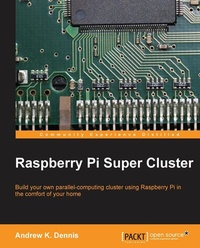
Raspberry Pi Super Cluster
As a Raspberry Pi enthusiast have you ever considered increasing their performance with parallel computing? Discover just how easy it can be with the right help 'AEi this guide takes you through the process from start to finish.
Published on 13. January 2025
126 pages
978-1-78328-620-1 (ISBN)
Description

As a Raspberry Pi enthusiast have you ever considered increasing their performance with parallel computing? Discover just how easy it can be with the right help 'AEi this guide takes you through the process from start to finish.
Key Features
Learn about parallel computing by building your own system using Raspberry Pi
Build a two-node parallel computing cluster
Integrate Raspberry Pi with Hadoop to build your own super cluster
Book DescriptionA cluster is a type of parallel/distributed processing system which consists of a collection of interconnected stand-alone computers cooperatively working together. Using Raspberry Pi computers, you can build a two-node parallel computing cluster which enhances performance and availability. This practical, example-oriented guide will teach you how to set up the hardware and operating systems of multiple Raspberry Pi computers to create your own cluster. It will then navigate you through how to install the necessary software to write your own programs such as Hadoop and MPICH before moving on to cover topics such as MapReduce. Throughout this book, you will explore the technology with the help of practical examples and tutorials to help you learn quickly and efficiently. Starting from a pile of hardware, with this book, you will be guided through exciting tutorials that will help you turn your hardware into your own super-computing cluster. You'll start out by learning how to set up your Raspberry Pi cluster's hardware. Following this, you will be taken through how to install the operating system, and you will also be given a taste of what parallel computing is about. With your Raspberry Pi cluster successfully set up, you will then install software such as MPI and Hadoop. Having reviewed some examples and written some programs that explore these two technologies, you will then wrap up with some fun ancillary projects. Finally, you will be provided with useful links to help take your projects to the next step.What you will learn
Discover how to set up the hardware to build your parallel computing cluster
Set up your Raspberry Pi computers and install an operating system
Network your two Raspberry Pi s together
Gain an understanding of MPI through practical examples
Learn how to work with MPICH to write parallel applications
Install Hadoop and experiment with processing text files
Get acquainted with MapReduce, the paradigm at the heart of Hadoop
Who this book is forRaspberry Pi Super Cluster is an introductory guide for those interested in experimenting with parallel computing at home. Aimed at Raspberry Pi enthusiasts, this book is a primer for getting your first cluster up and running. Basic knowledge of C or Java would be helpful but no prior knowledge of parallel computing is necessary.
Key Features
Learn about parallel computing by building your own system using Raspberry Pi
Build a two-node parallel computing cluster
Integrate Raspberry Pi with Hadoop to build your own super cluster
Book DescriptionA cluster is a type of parallel/distributed processing system which consists of a collection of interconnected stand-alone computers cooperatively working together. Using Raspberry Pi computers, you can build a two-node parallel computing cluster which enhances performance and availability. This practical, example-oriented guide will teach you how to set up the hardware and operating systems of multiple Raspberry Pi computers to create your own cluster. It will then navigate you through how to install the necessary software to write your own programs such as Hadoop and MPICH before moving on to cover topics such as MapReduce. Throughout this book, you will explore the technology with the help of practical examples and tutorials to help you learn quickly and efficiently. Starting from a pile of hardware, with this book, you will be guided through exciting tutorials that will help you turn your hardware into your own super-computing cluster. You'll start out by learning how to set up your Raspberry Pi cluster's hardware. Following this, you will be taken through how to install the operating system, and you will also be given a taste of what parallel computing is about. With your Raspberry Pi cluster successfully set up, you will then install software such as MPI and Hadoop. Having reviewed some examples and written some programs that explore these two technologies, you will then wrap up with some fun ancillary projects. Finally, you will be provided with useful links to help take your projects to the next step.What you will learn
Discover how to set up the hardware to build your parallel computing cluster
Set up your Raspberry Pi computers and install an operating system
Network your two Raspberry Pi s together
Gain an understanding of MPI through practical examples
Learn how to work with MPICH to write parallel applications
Install Hadoop and experiment with processing text files
Get acquainted with MapReduce, the paradigm at the heart of Hadoop
Who this book is forRaspberry Pi Super Cluster is an introductory guide for those interested in experimenting with parallel computing at home. Aimed at Raspberry Pi enthusiasts, this book is a primer for getting your first cluster up and running. Basic knowledge of C or Java would be helpful but no prior knowledge of parallel computing is necessary.
All prices
More details
Edition
Digital original
Language
English
Place of publication
Birmingham
United Kingdom
Target group
Professional and scholarly
US School Grade: College Graduate Student
Edition type
Digital original
File size
1,22 MB
ISBN-13
978-1-78328-620-1 (9781783286201)
Copyright in bibliographic data and cover images is held by Nielsen Book Services Limited or by the publishers or by their respective licensors: all rights reserved.
Schweitzer Classification
Other editions
Additional editions
Andrew K. Dennis
Raspberry Pi Super Cluster
Book
11/2013
Packt Publishing
€44.70
Shipment within 3-4 weeks
Person
Dennis Andrew K. :
Andrew K. Dennis is a full stack and cybersecurity architect with over 17 years' experience who currently works for Modus Create in Reston, VA. He holds two undergraduate degrees in software engineering and creative computing and a master's degree in information security. Andy has worked in the US, Canada, and the UK in software engineering, e-learning, data science, and cybersecurity across his career, and has written four books on IoT, the Raspberry Pi, and supercomputing. His interests range from the application of pataphysics in computing to security threat modeling. Andy lives in New England and is an organizer of Security BSides CT.
Andrew K. Dennis is a full stack and cybersecurity architect with over 17 years' experience who currently works for Modus Create in Reston, VA. He holds two undergraduate degrees in software engineering and creative computing and a master's degree in information security. Andy has worked in the US, Canada, and the UK in software engineering, e-learning, data science, and cybersecurity across his career, and has written four books on IoT, the Raspberry Pi, and supercomputing. His interests range from the application of pataphysics in computing to security threat modeling. Andy lives in New England and is an organizer of Security BSides CT.
Content
Table of Contents

