

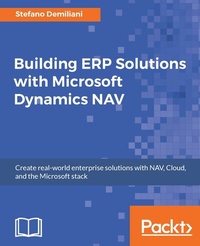
Building ERP Solutions with Microsoft Dynamics NAV
Solve business scenarios using NAV
Published on 13. January 2025
392 pages
978-1-78712-964-1 (ISBN)
Description

Create real-world enterprise solutions with NAV, Cloud, and the Microsoft stack
Key Features
[*] Integrate NAV with various offerings of the Microsoft stack to create enterprise-ready and service-oriented solutions
[*] Use Power BI and Universal Windows Platform for effective data analysis and real-time tracking with NAV
[*] Discover the services offered by Microsoft Azure and implement them in different industries using real-world case scenarios
Book DescriptionImplementing Microsoft Dynamics NAV in the real world often requires you to integrate the ERP with external applications or solve complex architectural tasks in order to have a final successful project. This book will show you how to extend a Microsoft Dynamics NAV installation to the enterprise world in a practical way. The book starts with an introduction to Microsoft Dynamics NAV architecture and then moves on to advanced topics related to implementing real-world solutions based on NAV and external applications. You will learn how an enterprise distributed architecture with NAV at the core can be implemented. Through a series of real-world cases on every topic and every industry (sales, retail, manufacturing, distribution, healthcare, and so on), you'll see step by step how to efficiently solve a technical problem. These common problems encountered in a NAV implementation will be solved using the entire technology stack that Microsoft offers. By the end of the book, you will have the knowledge to efficiently solve certain scenarios, you will know which is the best solution architecture to propose to a customer and how to implement it.What you will learn
[*] Configure NAV Web Services and create external applications with Visual Studio, .NET, and .NET Core
[*] Solve technical architectural problems by implementing enterprise solutions with NAV
[*] Develop applications and solutions with Microsoft Dynamics NAV and the Microsoft technology stack
[*] Create a Power BI dashboard for rich reporting and NAV data analysis
[*] Find out how to transmit your device location from a UWP application to NAV in order to implement a distributed solution for managing couriers in a sales company
[*] Make the most of Microsoft Azure and its services
[*] Create enterprise solutions with NAV by using Azure App Service
[*] Use Azure Service Bus for managing distributed NAV applications
Who this book is forThis book is for NAV developers and solution architects who need to implement real-world enterprise solutions based on Microsoft Dynamics NAV. Knowledge of the NAV programming language (C/AL) and C# language is recommended. Knowledge of ASP.NET and Visual Studio development would help, but is not necessary.
Key Features
[*] Integrate NAV with various offerings of the Microsoft stack to create enterprise-ready and service-oriented solutions
[*] Use Power BI and Universal Windows Platform for effective data analysis and real-time tracking with NAV
[*] Discover the services offered by Microsoft Azure and implement them in different industries using real-world case scenarios
Book DescriptionImplementing Microsoft Dynamics NAV in the real world often requires you to integrate the ERP with external applications or solve complex architectural tasks in order to have a final successful project. This book will show you how to extend a Microsoft Dynamics NAV installation to the enterprise world in a practical way. The book starts with an introduction to Microsoft Dynamics NAV architecture and then moves on to advanced topics related to implementing real-world solutions based on NAV and external applications. You will learn how an enterprise distributed architecture with NAV at the core can be implemented. Through a series of real-world cases on every topic and every industry (sales, retail, manufacturing, distribution, healthcare, and so on), you'll see step by step how to efficiently solve a technical problem. These common problems encountered in a NAV implementation will be solved using the entire technology stack that Microsoft offers. By the end of the book, you will have the knowledge to efficiently solve certain scenarios, you will know which is the best solution architecture to propose to a customer and how to implement it.What you will learn
[*] Configure NAV Web Services and create external applications with Visual Studio, .NET, and .NET Core
[*] Solve technical architectural problems by implementing enterprise solutions with NAV
[*] Develop applications and solutions with Microsoft Dynamics NAV and the Microsoft technology stack
[*] Create a Power BI dashboard for rich reporting and NAV data analysis
[*] Find out how to transmit your device location from a UWP application to NAV in order to implement a distributed solution for managing couriers in a sales company
[*] Make the most of Microsoft Azure and its services
[*] Create enterprise solutions with NAV by using Azure App Service
[*] Use Azure Service Bus for managing distributed NAV applications
Who this book is forThis book is for NAV developers and solution architects who need to implement real-world enterprise solutions based on Microsoft Dynamics NAV. Knowledge of the NAV programming language (C/AL) and C# language is recommended. Knowledge of ASP.NET and Visual Studio development would help, but is not necessary.
All prices
More details
Edition
Digital original
Language
English
Place of publication
Birmingham
United Kingdom
Target group
US School Grade: College Graduate Student
Edition type
Digital original
File size
21,48 MB
ISBN-13
978-1-78712-964-1 (9781787129641)
Copyright in bibliographic data and cover images is held by Nielsen Book Services Limited or by the publishers or by their respective licensors: all rights reserved.
Schweitzer Classification
Other editions
Additional editions
Stefano Demiliani
Building ERP Solutions with Microsoft Dynamics NAV
Book
03/2017
Packt Publishing
€69.60
Shipment within 3-4 weeks
Person
Demiliani Stefano :
Stefano Demiliani is a Microsoft MVP on Business Applications and Azure, MCT, Microsoft Certified Solution Developer (MCSD), Azure Certified Architect, and an expert in other Microsoft related technologies. His main activity is architecting and developing enterprise solutions based on the entire stack of Microsoft technologies (mainly focused on ERP and serverless applications). He has worked with Packt Publishing on many IT books related to Azure cloud applications and Dynamics 365 Business Central and is a frequent speaker at IT conferences around Europe. In his free time Stefano is also a runner and a cyclist.
Stefano Demiliani is a Microsoft MVP on Business Applications and Azure, MCT, Microsoft Certified Solution Developer (MCSD), Azure Certified Architect, and an expert in other Microsoft related technologies. His main activity is architecting and developing enterprise solutions based on the entire stack of Microsoft technologies (mainly focused on ERP and serverless applications). He has worked with Packt Publishing on many IT books related to Azure cloud applications and Dynamics 365 Business Central and is a frequent speaker at IT conferences around Europe. In his free time Stefano is also a runner and a cyclist.
Content
Table of Contents
Introduction to Microsoft Dynamics NAV Architectures
Configuring Microsoft Dynamics NAV Web Services
Creating an Application Using NAV Web Services
Using NAV Web Services with Microsoft Power BI
Integrating NAV Web Services and External Applications
Extending NAV Pages with Control Add-ins
Programming Universal Windows Apps with NAV and Devices
Exploring Microsoft Azure and its Services
Working with NAV and Azure App Service
Implementing a Message-Based Architecture with Azure Service Bus and NAV
Introduction to Microsoft Dynamics NAV Architectures
Configuring Microsoft Dynamics NAV Web Services
Creating an Application Using NAV Web Services
Using NAV Web Services with Microsoft Power BI
Integrating NAV Web Services and External Applications
Extending NAV Pages with Control Add-ins
Programming Universal Windows Apps with NAV and Devices
Exploring Microsoft Azure and its Services
Working with NAV and Azure App Service
Implementing a Message-Based Architecture with Azure Service Bus and NAV

