

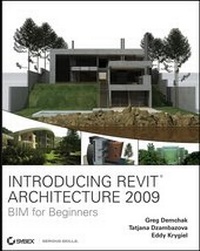
Introducing Revit Architecture 2009
BIM for Beginners
Published on 8. October 2009
480 pages
978-0-470-18495-0 (ISBN)
Description

You don't have to be a high-tech wizard to understand the Revitsoftware using Introducing Revit Architecture 2009: BIM forBeginners, the perfect guide for architects of any generation.Start with an overview of BIM concepts before tackling the Revitinterface, then move on to use Revit's suite of editing tools.Learn how to use Revit with other applications, document the modelfor construction, integrate annotations into the model, utilizeworksets, and collaborate in a team environment fromstraightforward explanations, real-world examples, and practicaltutorials.
For Instructors: Teaching supplements are available forthis title.
For Instructors: Teaching supplements are available forthis title.
All prices
More details
Other editions
Additional editions
Greg Demchak | Tatjana Dzambazova | Eddy Krygiel
Introducing Revit Architecture 2009
BIM for Beginners
Book
05/2008
1st Edition
Wiley
€34.90
Article exhausted; check for reprint
Eddy Krygiel | Greg Demchak | Tatjana Dzambazova
Introducing Revit Architecture 2008
BIM for Beginners
Book
05/2007
1st Edition
Wiley
€34.90
Article exhausted; check different version
Persons
Greg Demchak is a designer, a technology advocate, urbanexplorer, and post-apocalyptic film producer. He holdsarchitectural degrees from the University of Oregon andMassachusetts Institute of Technology. He is a product designer forAutodesk and has been working with Revit since 2000. He has beenteaching at the Boston Architectural College since 2003 and iscurrently the principal investigator for the 2009 Solar Decathloncompetition. He resides in Massachusetts.
Tatjana Dzambazova was the product manager for RevitArchitecture between 2005 and 2007, after which she moved intoglobal sales development management for the AEC industry. Beforejoining Autodesk in 2000, she practiced architecture for 12 yearsin Vienna and London. At Autodesk, she has focused on evangelizingtechnology and established herself as an internationally renownedspeaker who has fostered relationships with architects and industryleaders from all around the globe. Powered with seemingly unlimitedsources of energy and passion, Tanja manages to make three days outof one, always on the hunt of what's new and exciting in theworld of architecture and technology; and when she is not workingor coauthoring technology books, she is advocating wildlifeconservation, reading books like a maniac, getting inspired in thetheaters, and playing Scrabble and Texas Hold 'Em.
Eddy Krygiel is a registered architect, a LEED AccreditedProfessional, and an Autodesk Authorized Author at BNIM Architectsheadquartered in Kansas City, Missouri. He has been using Revitsince version 5.1 to complete projects ranging from single-familyresidences and historic remodels to 1.12-million-square-foot officebuildings. Eddy is responsible for implementing BIM at his firm andalso consults for other architecture and contracting firms aroundthe country looking to implement BIM. For the last four years, hehas been teaching Revit to practicing architects and architecturalstudents in the Kansas City area and has lectured around the nationon the use of BIM in the construction industry. Eddy alsocoauthored Green BIM: Successful Sustainable Design withBuilding Information Modeling, a book on sustainability andBIM, with Bradley Nies (Sybex, 2008).
Tatjana Dzambazova was the product manager for RevitArchitecture between 2005 and 2007, after which she moved intoglobal sales development management for the AEC industry. Beforejoining Autodesk in 2000, she practiced architecture for 12 yearsin Vienna and London. At Autodesk, she has focused on evangelizingtechnology and established herself as an internationally renownedspeaker who has fostered relationships with architects and industryleaders from all around the globe. Powered with seemingly unlimitedsources of energy and passion, Tanja manages to make three days outof one, always on the hunt of what's new and exciting in theworld of architecture and technology; and when she is not workingor coauthoring technology books, she is advocating wildlifeconservation, reading books like a maniac, getting inspired in thetheaters, and playing Scrabble and Texas Hold 'Em.
Eddy Krygiel is a registered architect, a LEED AccreditedProfessional, and an Autodesk Authorized Author at BNIM Architectsheadquartered in Kansas City, Missouri. He has been using Revitsince version 5.1 to complete projects ranging from single-familyresidences and historic remodels to 1.12-million-square-foot officebuildings. Eddy is responsible for implementing BIM at his firm andalso consults for other architecture and contracting firms aroundthe country looking to implement BIM. For the last four years, hehas been teaching Revit to practicing architects and architecturalstudents in the Kansas City area and has lectured around the nationon the use of BIM in the construction industry. Eddy alsocoauthored Green BIM: Successful Sustainable Design withBuilding Information Modeling, a book on sustainability andBIM, with Bradley Nies (Sybex, 2008).
Content
Introduction.
Chapter 1: Understanding BIM.
Chapter 2: Getting Acquainted with the Revit Interface and FileTypes.
Chapter 3: Views.
Chapter 4: Modeling Basics.
Chapter 5: Modifying Elements.
Chapter 6: Extended Modeling.
Chapter 7: Working with Other Applications.
Chapter 8: Preparing Documents for Clients.
Chapter 9: Sheets.
Chapter 10: Annotations.
Chapter 11: Construction Documentation.
Chapter 12: Printing.
Chapter 13: Advanced Topics.
Chapter 14: Tips and Troubleshooting.
Index.
Chapter 1: Understanding BIM.
Chapter 2: Getting Acquainted with the Revit Interface and FileTypes.
Chapter 3: Views.
Chapter 4: Modeling Basics.
Chapter 5: Modifying Elements.
Chapter 6: Extended Modeling.
Chapter 7: Working with Other Applications.
Chapter 8: Preparing Documents for Clients.
Chapter 9: Sheets.
Chapter 10: Annotations.
Chapter 11: Construction Documentation.
Chapter 12: Printing.
Chapter 13: Advanced Topics.
Chapter 14: Tips and Troubleshooting.
Index.

