

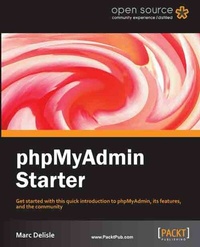
phpMyAdmin Starter
Get started with this quick introduction to phpMyAdmin, its features, and the community with this book and ebook.
1st Edition
Published on 13. January 2025
42 pages
978-1-84951-755-3 (ISBN)
Description

Get started with this quick introduction to phpMyAdmin, its features, and the community with this book and ebook.Key Features - Learn something new in an Instant! A short, fast, focused guide delivering immediate results.
- Learn the basics of phpMyAdmin and set up your first tables
- Use the top features of phpMyAdmin with the aid of step-by-step instructions
- Discover the phpMyAdmin community and get resources to help you continue your journey
Book DescriptionphpMyAdmin is an extremely popular, free and open source tool intended to easily handle the administration of MySQL with the use of a web browser. It can perform a variety of tasks in order to efficiently manage web databases. With this helpful step-by-step guide, we will build a solid understanding of the core capabilities of phpMyAdmin.If you are new to phpMyAdmin this is the perfect companion for getting you off to a flying start. No previous experience with phpMyAdmin is required as you will be guided through downloading and installing it on your system. After installation we will explore the use of top features and the vibrant online community surrounding phpMyAdmin.The amount of things that you can do with phpMyAdmin is overwhelming, so the quick start guide will show you how to create your very first tables. The list of resources will help you to become familiar with the phpMyAdmin community, which is a valuable part of any Open Source project. Finally, you will see how to use five key features of phpMyAdmin ñ including browsing, searching, and changing data, exporting to Excel, and creating relations between tables - that will allow you to perform simple tasks to learn the basics and set off on your own.What you will learn - Install phpMyAdmiin
- Configure and uploading to your web server
- Create your first tables
- Browsing, searching and changing data
- Exporting to Excel
- Creating relations between tables
- Exploring the online community and extra resources
Who this book is forIf you are new to MySQL or wish to simplify managing your databases, this will provide you with an excellent path into a potentially tricky subject.
- Learn the basics of phpMyAdmin and set up your first tables
- Use the top features of phpMyAdmin with the aid of step-by-step instructions
- Discover the phpMyAdmin community and get resources to help you continue your journey
Book DescriptionphpMyAdmin is an extremely popular, free and open source tool intended to easily handle the administration of MySQL with the use of a web browser. It can perform a variety of tasks in order to efficiently manage web databases. With this helpful step-by-step guide, we will build a solid understanding of the core capabilities of phpMyAdmin.If you are new to phpMyAdmin this is the perfect companion for getting you off to a flying start. No previous experience with phpMyAdmin is required as you will be guided through downloading and installing it on your system. After installation we will explore the use of top features and the vibrant online community surrounding phpMyAdmin.The amount of things that you can do with phpMyAdmin is overwhelming, so the quick start guide will show you how to create your very first tables. The list of resources will help you to become familiar with the phpMyAdmin community, which is a valuable part of any Open Source project. Finally, you will see how to use five key features of phpMyAdmin ñ including browsing, searching, and changing data, exporting to Excel, and creating relations between tables - that will allow you to perform simple tasks to learn the basics and set off on your own.What you will learn - Install phpMyAdmiin
- Configure and uploading to your web server
- Create your first tables
- Browsing, searching and changing data
- Exporting to Excel
- Creating relations between tables
- Exploring the online community and extra resources
Who this book is forIf you are new to MySQL or wish to simplify managing your databases, this will provide you with an excellent path into a potentially tricky subject.
All prices
More details
Content
- Intro
- phpMyAdmin Starter
- Table of Contents
- phpMyAdmin Starter
- www.PacktPub.com
- Support files, eBooks, discount offers and more
- www.PacktLib.PacktPub.com
- Why Subscribe?
- Free Access for Packt account holders
- phpMyAdmin Starter
- 1. phpMyAdmin Starter
- So, what is phpMyAdmin?
- Typical users
- Available functions
- Installation
- Step 1-What do I need?
- Step 2-Downloading phpMyAdmin
- Step 3-Configuring phpMyAdmin
- Step 4-Uploading to your web server
- And that's it!!
- Further configuration
- Quick start - Creating your first tables
- Step 1-Creating a database
- Step 2-Opening the database
- Step 3-Creating the first table
- Step 4-Creating the second table
- Step 5-Populating the tables
- Top tasks you'll want to know about
- Task 1-Browsing data
- Task 2-Searching data
- Task 3-Changing data and structure
- Task 4-Exporting to Excel
- Task 5-Creating relations
- People and places you should get to know
- Official sites
- Articles and tutorials
- Community
- About the author
- About the Reviewer
- Index

