

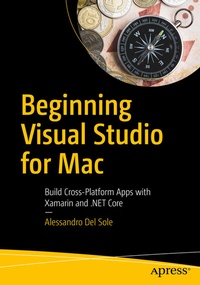
Beginning Visual Studio for Mac
Description

Quickly learn how to get the most out of the Visual Studio for Mac integrated development environment (IDE).
Microsoft has invested heavily to deliver their very best development tools and platforms to other operating systems. Visual Studio for Mac is a powerful developer tool that reinforces Microsoft's "mobile-first", "cloud-first", and "any developer, any platform, any device" strategy. With the author's guided expertise and extensive code samples, you will understand how to leverage the most useful tools in Visual Studio for Mac, the code editor, and the powerful debugger. You also will appreciate the author's guidance on collaborating with other team members using integrated tooling for the Git source control engine.
Whether you are a Mac developer interested in cross-platform development or a Windows developer using a Mac, Beginning Visual Studio for Mac will quickly get you up to speed!
What You'll Learn
-
Prepare, configure, and debug in the Mac development environment
-
Create cross-platform mobile apps for Android, iOS, and Windows with Xamarin and C# in Visual Studio for Mac
-
Build cross-platform Web applications with .NET Core using Visual Studio for Mac
- Customize your productive and collaborative development environment
Who This Book Is For
Software developers using a Mac computer who want to build mobile or web applications that run on multiple operating systems
More details
Other editions
Additional editions
Person
Alessandro Del Sole has been a Microsoft Most Valuable Professional (MVP) since 2008, and he is a Xamarin Certified Mobile Developer and Microsoft Certified Professional. Awarded MVP of the Year in 2009, 2010, 2011, 2012, and 2014, he is internationally considered a Visual Studio expert and a .NET authority. He has authored many books on programming with Visual Studio, Xamarin, and .NET, and has blogged and written numerous technical articles about Microsoft developer topics in Italian and English for many developer sites, including MSDN Magazine and the Visual Basic Developer Center from Microsoft. He is a frequent speaker at Microsoft technical conferences.
Content
PART 1 - Preparing for development.- Chapter 1:Configuring the Mac development machine.- Chapter 2:Getting started with the IDE and with projects.- Chapter 3:Debugging Applications.- PART 2 - Building Mobile Apps with Xamarin.- Chapter 4:Introducing Xamarin.- Chapter 5:Building Android applications.- Chapter 6:Building iOS applications.- Chapter 7:Building cross-platform apps with Xamarin.Forms.- Chapter 8:Platform-specific code in Xamarin.Forms.- PART 3 - Building cross-platform Applications with .NET Core.- Chapter 9:Introducing .NET Core.- Chapter 10:Creating ASP.NET Core Web applications.- Chapter 11:Creating RESTful Web API services.- PART 4 - COLLABORATION AND PRODUCTIVITY.- Chapter 12:Team Collaboration: Version Control with Git.- Chapter 13:A deeper look at the IDE.
