

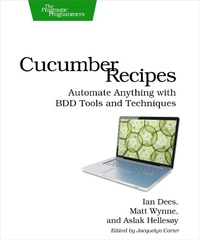
Cucumber Recipes
Automate Anything with BDD Tools and Techniques
Published on 12. February 2013
272 pages
978-1-68050-336-4 (ISBN)
Description

You can test just about anything with Cucumber. We certainly have, and in Cucumber Recipes we'll show you how to apply our hard-won field experience to your own projects. Once you've mastered the basics, this book will show you how to get the most out of Cucumber--from specific situations to advanced test-writing advice. With over forty practical recipes, you'll test desktop, web, mobile, and server applications across a variety of platforms. This book gives you tools that you can use today to automate any system that you encounter, and do it well.The Cucumber Book showed you how your team can work together to write executable specifications--documents that tell a clear story and also happen to be working test code. We'll arm you with ready-rolled solutions to real-world problems: your tests will run faster, read more clearly, and work in any environment.Our first tips will help you fit Cucumber into your workflow. Powerful filters will tame tables full of test data, transforming them into the format your application needs. Custom output formatters will generate reports for any occasion. Continuous Integration servers will run your Cucumber tests every time the code changes. Next, you'll find recipes tailored to the platform you're running on. Ever wanted to know how to test a Grails app from Cucumber? Need to put a Windows program through its paces? How about a mobile app running on Android or iOS? We'll show you how to do all of these.Throughout the book, you'll see how to make Cucumber sing as you interoperate with different platforms, languages, and environments. From embedded circuits to Python and PHP web apps, Cucumber has something for you.What You Need:You'll need basic working knowledge of Cucumber and Ruby. Individual recipes may have additional requirements; for example, a recipe on Windows automation might pull in an open source GUI driver.We've written the recipes for compatibility with Ruby 1.9.3 and 1.8.7, plus Cucumber 1.1.4. Other versions may work as well, but these are the ones we test with.
More details
Other editions
Additional editions
Book
05/2013
The Pragmatic Programmers
€31.00
Shipment within 3-4 weeks
Content
- Cover
- Table of Contents
- Foreword
- Agile
- Patterns
- Platforms
- Progress
- Acknowledgments
- Introduction
- Who This Book Is For
- How to Use This Book
- Getting the Tools You'll Need
- Online Resources
- 1. Cucumber Techniques
- Recipe 1. Compare and Transform Tables of Data
- Recipe 2. Generate an RTF Report with a Custom Formatter
- Recipe 3. Run Slow Setup/Teardown Code with Global Hooks
- Recipe 4. Refactor to Extract Your Own Application Driver DSL
- Recipe 5. Define Steps as Regular Ruby Methods
- Recipe 6. Compare Images
- Recipe 7. Test Across Multiple Cores
- Recipe 8. Test Across Multiple Machines with SSH
- Recipe 9. Run Your Features Automatically with Guard and Growl
- Recipe 10. Add Cucumber to Your Continuous Integration Server
- Recipe 11. Publish Your Documentation on Relish
- Recipe 12. Test Through Multiple Interfaces Using Worlds
- Recipe 13. Manipulate Time
- Recipe 14. Drive Cucumber's Wire Protocol
- Recipe 15. Implement a Wire Protocol Listener
- 2. Java
- Recipe 16. Use Cucumber Directly with JRuby
- Recipe 17. Use Cucumber with Java via Cucumber-JVM
- Recipe 18. Drive a Spring + Hibernate Project
- Recipe 19. Test a Grails App Using grails-cucumber
- Recipe 20. Test Scala Code
- Recipe 21. Test Clojure Code
- Recipe 22. Drive a Swing Interface with FEST
- 3. .NET and Windows
- Recipe 23. Get Good Text Output on Windows
- Recipe 24. Test .NET Code with SpecFlow
- Recipe 25. Drive a Windows App Using White
- Recipe 26. Test Windows GUIs with AutoIt
- Recipe 27. Test on Windows Phone
- 4. Mobile and Web
- Recipe 28. Test on iOS Using Frank
- Recipe 29. Test Android Apps with Calabash
- Recipe 30. Parse HTML Tables
- Recipe 31. Drive JavaScript/CoffeeScript Using Cucumber-JS
- Recipe 32. Test a Web App Using Watir
- Recipe 33. Test a PHP App with cuke4php
- Recipe 34. Play Back Canned Network Data Using VCR
- Recipe 35. Drive a Flash App Using Cuke4AS3
- Recipe 36. Monitor a Web Service Using Nagios and Cucumber
- 5. Other Languages and Platforms
- Recipe 37. Drive a Mac GUI Using AppleScript and System Events
- Recipe 38. Drive a Mac GUI Using MacRuby and AXElements
- Recipe 39. Test Python Code Using Lettuce
- Recipe 40. Test Erlang Code
- Recipe 41. Test Lua Code Using cucumber-lua
- Recipe 42. Test a GUI on Linux, Mac, or Windows with Sikuli
- Recipe 43. Test an Arduino Project Using Serial
- A1. RSpec Expectations
- Basics
- Custom Matchers
- Alternatives
- Bibliography
- Index
- - SYMBOLS -
- - DIGITS -
- - A -
- - B -
- - C -
- - D -
- - E -
- - F -
- - G -
- - H -
- - I -
- - J -
- - K -
- - L -
- - M -
- - N -
- - O -
- - P -
- - R -
- - S -
- - T -
- - U -
- - V -
- - W -
- - X -
- - Y -
