

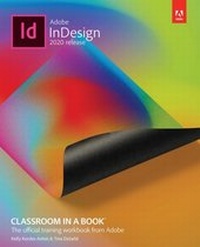
Adobe InDesign Classroom in a Book (2020 release)
1st Edition
Published on 10. March 2021
448 pages
978-0-13-650276-0 (ISBN)
Description

Creative professionals seeking the fastest, easiest, most comprehensive way to learn Adobe InDesign choose Adobe InDesign Classroom in a Book (2020 release) from Adobe Press. The project-based step-by-step lessons show users the key techniques for working in InDesign. Designers will build a strong foundation of typographic, color, page layout, and document-construction skills that will enable them to produce a broad range of print and digital publications-from a simple postcard to an interactive Adobe PDF with form fields. The real-world tasks in this comprehensive book are presented in easy-to-follow lessons and are designed to train beginning Adobe InDesign users in the program-from fundamental features to powerful layout and output skills.
The online companion files include all the necessary assets for readers to complete the projects featured in each lesson. All buyers of the book get full access to the Web Edition: A Web-based version of the complete ebook enhanced with video and multiple-choice quizzes.
The online companion files include all the necessary assets for readers to complete the projects featured in each lesson. All buyers of the book get full access to the Web Edition: A Web-based version of the complete ebook enhanced with video and multiple-choice quizzes.
All prices
More details
Edition
1. Auflage
Language
English
Place of publication
Boston
United States
Publishing group
Pearson Education (US)
Target group
Professional and scholarly
File size
26,02 MB
ISBN-13
978-0-13-650276-0 (9780136502760)
Copyright in bibliographic data and cover images is held by Nielsen Book Services Limited or by the publishers or by their respective licensors: all rights reserved.
Schweitzer Classification
Other editions
Additional editions
Tina DeJarld | Kelly Anton
Adobe InDesign Classroom in a Book (2020 release)
Book
02/2020
Addison Wesley
€55.70
Shipment within 15-20 days
Content
Getting Started
1 Introducing the Workspace
2 Getting to Know InDesign
3 Setting Up a Document and Working with Pages
4 Working with Objects
5 Flowing Text
6 Editing Text
7 Working with Typography
8 Working with Color
9 Working with Styles
10 Importing and Modifying Graphics
11 Creating Tables
12 Working with Transparency
13 Printing and Exporting
14 Creating Adobe PDF Files with Form Fields
15 Creating a Fixed-Layout Epub
1 Introducing the Workspace
2 Getting to Know InDesign
3 Setting Up a Document and Working with Pages
4 Working with Objects
5 Flowing Text
6 Editing Text
7 Working with Typography
8 Working with Color
9 Working with Styles
10 Importing and Modifying Graphics
11 Creating Tables
12 Working with Transparency
13 Printing and Exporting
14 Creating Adobe PDF Files with Form Fields
15 Creating a Fixed-Layout Epub
