

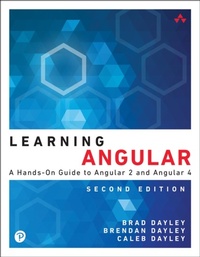
Learning Angular
A Hands-On Guide to Angular 2 and Angular 4
2nd Edition
Published on 19. September 2017
240 pages
978-0-13-457702-9 (ISBN)
Description

Learning Angular, Second Edition
A Hands-On Guide to Angular 2 and Angular 4
Learning Angular teaches modern application development with Angular 2 and Angular 4. It begins with the basics of Angular and the technologies and techniques used throughout the book, such as key features of TypeScript, newer ES6 syntax and concepts, and details about the tools needed to write professional Angular applications.
The reader will next build an Angular application from scratch while learning about the primary pieces of an Angular application and see how they work together. Using lots of examples, the core parts of Angular will be introduced, such as Components, the Router, and Services.
The book also covers techniques like server-side rendering and how to incrementally add Angular 2+ features to existing AngularJS applications. Finally, the reader will gain insight into advanced skills that should be part of any professional Angular developer's toolkit such as testing, tooling options, and performance tuning.
Understand how Angular is organized and learn best practices for designing Angular applications
Quickly build Angular templates with built-in directives that enhance the user experience
Bind UI elements to your data model, so changes to your model and UI occur automatically in tandem
Define custom Angular directives that extend HTML
Implement zoomable images, expandable lists, and other rich UI components
Implement client-side services that interact with web servers
Build dynamic browser views to provide even richer user interaction
Create custom services you can easily reuse
Implement rich UI components as custom Angular directives
Contents at a Glance
Introduction
What is Angular
Why Use Angular
Who this Book is For
How to Use this Book
Getting the Source Code
Chapter 1: Jumping into JavaScript
Setting Up a JavaScript Development Environment
Defining Variables
Understanding JavaScript Data Types
Using Operators
Implementing Looping
Creating Functions
Understanding Variable Scope
Using JavaScript Objects
Manipulating Strings
Working with Arrays
Adding Error Handling
Chapter 2: Jumping into TypeScript
Learning the Different Types
Understanding Interfaces
Implementing Classes
Implementing Modules
Understanding Functions
Chapter 3: Getting Started with Angular
Why Angular?
Understanding Angular
Separation of Responsibilities
Adding Angular to Your Environment
Using the Angular CLI
Creating a Basic Angular Application
Chapter 4: Angular Components
Component Configuration
Building the Template
Using Constructors
Using External Templates
Implementing Directives
Chapter 5: Expressions
Using Expressions
Using Pipes
Building a Custom Pipe
Chapter 6: Data Binding
Understanding Data Binding
Interpolation
Property Binding
Attribute Binding
Class Binding
Style Binding
Event Binding
Two-Way Binding
Chapter 7: Built-in Directives
Understanding Directives
Using Built-in Directives
Structural Directives
Attribute Directives
Chapter 8: Custom Directives
Creating a Custom Attribute Directive
Creating a Custom Directive with a Component
Chapter 9: Events and Change Detection
Using Browser Events
Emitting Custom Events
Using Observables
Chapter 10: Implementing Angular Services in Web Applications
Understanding Angular Services
Using the Built in Services
Sending HTTP GET and PUT Requests with the http Service
Implementing a Simple Mock Server Using the http Service
Changing Views with the router Service
Implementing a Router with a Navigation Bar
Implementing a Router with Parameters
Chapter 11: Creating Your Own Custom Angular Service
Integrating Custom Services into Angular Applications
Implementing a Simple Application That Uses a Constant Data Service
Implementing a Data Transform Service
Implementing a Variable Data Service
Implementing a Service that Returns a Promise
Implementing a Shared Service
Chapter 12: Having Fun with Angular
Implementing an Angular Application That Uses the Animation Service
Implementing an Angular Application That Zooms in on Images
Implementing an Angular Application That Enables Drag and Drop
Implementing a Star Rating Angular Component
A Hands-On Guide to Angular 2 and Angular 4
Learning Angular teaches modern application development with Angular 2 and Angular 4. It begins with the basics of Angular and the technologies and techniques used throughout the book, such as key features of TypeScript, newer ES6 syntax and concepts, and details about the tools needed to write professional Angular applications.
The reader will next build an Angular application from scratch while learning about the primary pieces of an Angular application and see how they work together. Using lots of examples, the core parts of Angular will be introduced, such as Components, the Router, and Services.
The book also covers techniques like server-side rendering and how to incrementally add Angular 2+ features to existing AngularJS applications. Finally, the reader will gain insight into advanced skills that should be part of any professional Angular developer's toolkit such as testing, tooling options, and performance tuning.
Understand how Angular is organized and learn best practices for designing Angular applications
Quickly build Angular templates with built-in directives that enhance the user experience
Bind UI elements to your data model, so changes to your model and UI occur automatically in tandem
Define custom Angular directives that extend HTML
Implement zoomable images, expandable lists, and other rich UI components
Implement client-side services that interact with web servers
Build dynamic browser views to provide even richer user interaction
Create custom services you can easily reuse
Implement rich UI components as custom Angular directives
Contents at a Glance
Introduction
What is Angular
Why Use Angular
Who this Book is For
How to Use this Book
Getting the Source Code
Chapter 1: Jumping into JavaScript
Setting Up a JavaScript Development Environment
Defining Variables
Understanding JavaScript Data Types
Using Operators
Implementing Looping
Creating Functions
Understanding Variable Scope
Using JavaScript Objects
Manipulating Strings
Working with Arrays
Adding Error Handling
Chapter 2: Jumping into TypeScript
Learning the Different Types
Understanding Interfaces
Implementing Classes
Implementing Modules
Understanding Functions
Chapter 3: Getting Started with Angular
Why Angular?
Understanding Angular
Separation of Responsibilities
Adding Angular to Your Environment
Using the Angular CLI
Creating a Basic Angular Application
Chapter 4: Angular Components
Component Configuration
Building the Template
Using Constructors
Using External Templates
Implementing Directives
Chapter 5: Expressions
Using Expressions
Using Pipes
Building a Custom Pipe
Chapter 6: Data Binding
Understanding Data Binding
Interpolation
Property Binding
Attribute Binding
Class Binding
Style Binding
Event Binding
Two-Way Binding
Chapter 7: Built-in Directives
Understanding Directives
Using Built-in Directives
Structural Directives
Attribute Directives
Chapter 8: Custom Directives
Creating a Custom Attribute Directive
Creating a Custom Directive with a Component
Chapter 9: Events and Change Detection
Using Browser Events
Emitting Custom Events
Using Observables
Chapter 10: Implementing Angular Services in Web Applications
Understanding Angular Services
Using the Built in Services
Sending HTTP GET and PUT Requests with the http Service
Implementing a Simple Mock Server Using the http Service
Changing Views with the router Service
Implementing a Router with a Navigation Bar
Implementing a Router with Parameters
Chapter 11: Creating Your Own Custom Angular Service
Integrating Custom Services into Angular Applications
Implementing a Simple Application That Uses a Constant Data Service
Implementing a Data Transform Service
Implementing a Variable Data Service
Implementing a Service that Returns a Promise
Implementing a Shared Service
Chapter 12: Having Fun with Angular
Implementing an Angular Application That Uses the Animation Service
Implementing an Angular Application That Zooms in on Images
Implementing an Angular Application That Enables Drag and Drop
Implementing a Star Rating Angular Component
More details
Series
Edition
2nd edition
Language
English
Place of publication
Boston
United States
Publishing group
Pearson Education (US)
Target group
College/higher education
ISBN-13
978-0-13-457702-9 (9780134577029)
Copyright in bibliographic data and cover images is held by Nielsen Book Services Limited or by the publishers or by their respective licensors: all rights reserved.
Schweitzer Classification
Other editions
Additional editions
Brad Dayley | Brendan Dayley | Caleb Dayley
Learning Angular
A Hands-On Guide to Angular 2 and Angular 4
Book
10/2017
2nd Edition
Addison Wesley
€37.50
Article exhausted; check different version
Persons
Brad Dayley is a senior software engineer with more than 20 years of experience developing enterprise applications and web interfaces. He has used JavaScript and jQuery for years and is the author of Node.JS, MongoDB and Angular Web Development; jQuery and JavaScript Phrasebook; and Sams Teach Yourself AngularJS, JavaScript, and jQuery All in One. He has designed and implemented a wide array of applications and services, from application servers to complex web applications.
Brendan Dayley is a web application developer who loves learning and implementing the latest and greatest technologies. He is the co-author of Sams Teach Yourself AngularJS, JavaScript, and jQuery All in One and Node.JS, MongoDB and Angular Web Development. He has written a number of web applications using JavaScript, TypeScript, and Angular, and he is exploring the capabilities of new web and mobile technologies such as augmented reality and how to use them for innovative solutions.
Caleb Dayley is a university student who is studying computer science. Introduced to software development at a young age, he has taught himself much of what he knows about computer programming. He is a developer in JavaScript, Python, and C#, and is a big fan of the Unity platform. He is also the co-author of Node.JS, MongoDB and Angular Web Development. He is excited for what the future holds, and the opportunities to help design and create the next generation of innovative software that will continue to improve the way we live, work, and play
Brendan Dayley is a web application developer who loves learning and implementing the latest and greatest technologies. He is the co-author of Sams Teach Yourself AngularJS, JavaScript, and jQuery All in One and Node.JS, MongoDB and Angular Web Development. He has written a number of web applications using JavaScript, TypeScript, and Angular, and he is exploring the capabilities of new web and mobile technologies such as augmented reality and how to use them for innovative solutions.
Caleb Dayley is a university student who is studying computer science. Introduced to software development at a young age, he has taught himself much of what he knows about computer programming. He is a developer in JavaScript, Python, and C#, and is a big fan of the Unity platform. He is also the co-author of Node.JS, MongoDB and Angular Web Development. He is excited for what the future holds, and the opportunities to help design and create the next generation of innovative software that will continue to improve the way we live, work, and play
Content
Chapter 1 Jumping into JavaScript
Chapter 2 Jumping into TypeScript
Chapter 3 Getting Started with Angular
Chapter 4 Angular Components
Chapter 5 Expressions
Chapter 6 Data Binding
Chapter 7 Built-in Directives
Chapter 8 Custom Directives
Chapter 9 Events and Change Detection
Chapter 10 Implementing Angular Services in Web Applications
Chapter 11 Creating Your Own Custom Angular Services
Chapter 12 Having Fun with Angular
Index
Chapter 2 Jumping into TypeScript
Chapter 3 Getting Started with Angular
Chapter 4 Angular Components
Chapter 5 Expressions
Chapter 6 Data Binding
Chapter 7 Built-in Directives
Chapter 8 Custom Directives
Chapter 9 Events and Change Detection
Chapter 10 Implementing Angular Services in Web Applications
Chapter 11 Creating Your Own Custom Angular Services
Chapter 12 Having Fun with Angular
Index
