

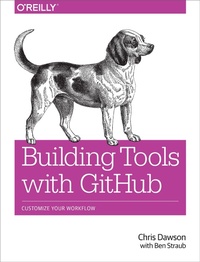
Building Tools with GitHub
Customize Your Workflow
Published on 8. February 2016
302 pages
978-1-4919-3347-3 (ISBN)
Description

For your next project on GitHub, take advantage of the service's powerful API to meet your unique development requirements. This practical guide shows you how to build your own software tools for customizing the GitHub workflow. Each hands-on chapter is a compelling story that walks you through the tradeoffs and considerations for building applications on top of various GitHub technologies.
If you're an experienced programmer familiar with GitHub, you'll learn how to build tools with the GitHub API and related open source technologies such as Jekyll (site builder), Hubot (NodeJS chat robot), and Gollum (wiki).
- Build a simple Ruby server with Gist API command-line tools and Ruby's "Octokit" API client
- Use the Gollum command-line tool to build an image management application
- Build a GUI tool to search GitHub with Python
- Document interactions between third-party tools and your code
- Use Jekyll to create a fully-featured blog from material in your GitHub repository
- Create an Android mobile application that reads and writes information into a Jekyll repository
- Host an entire single-page JavaScript application on GitHub
- Use Hubot to automate pull request reviews
More details
Other editions
Additional editions
Book
03/2016
O'Reilly
€37.50
Shipment within 10-20 days
Content
- Cover
- Copyright
- Table of Contents
- Preface
- Why APIs and Why the GitHub API?
- Structure of This Book
- Who You Are
- What You Will Learn
- GitHub "First Class" Languages
- Operating System Prerequisites
- Who This Book Is Not For
- Conventions Used in This Book
- Using Code Examples
- O'Reilly Safari
- How to Contact Us
- Acknowledgments
- Chapter 1. The Unclad GitHub API
- cURL
- Breadcrumbs to Successive API Paths
- The JavaScript Object Notation (JSON) Format
- Parsing JSON from the Command Line
- Debugging Switches for cURL
- Important Headers
- Following a Hypermedia API
- Authentication
- Username and Password Authentication
- OAuth
- Status Codes
- Success (200 or 201)
- Naughty JSON (400)
- Improper JSON (422)
- Successful Creation (201)
- Nothing Has Changed (304)
- GitHub API Rate Limits
- Reading Your Rate Limits
- Conditional Requests to Avoid Rate Limitations
- Accessing Content from the Web
- JSON-P
- CORS Support
- Specifying Response Content Format
- Summary
- Chapter 2. Gists and the Gist API
- Easy Code Sharing
- Gists Are Repositories
- Embedding Gists Inside HTML
- Embedding Inside Jekyll Blogs
- Gist from the Command Line
- Gists as Fully Functioning Apps
- Gists that Render Gists
- Going Deeper into the Gist API
- Using Hypermedia Data from Octokit
- Summary
- Chapter 3. GitHub Wikis with Gollum
- "The Story of Smeagol."
- Repository Linked Wikis
- Markup and Structure
- Hacking Gollum
- The Starting Point of a Gollum Editor
- Programmatically Handling Images
- Using the Rugged Library
- Adding Images to a Review File
- Optimizing for Image Storage
- Reviewing on GitHub
- Improving Revision Navigation
- Fixing Linking Between Comp Pages
- Summary
- Chapter 4. Python and the Search API
- Search API General Principles
- Authentication
- Result Format
- Search Operators and Qualifiers
- Sorting
- Search APIs in Detail
- Repository Search
- Code Search
- Issue Search
- User Search
- Our Example Application
- User Flow
- Python
- AGitHub
- WxPython
- PyInstaller
- The Code
- Git Credential Helper
- Windowing and Interface
- GitHub Login
- GitHub Search
- Displaying Results
- Packaging
- Summary
- Chapter 5. .NET and the Commit Status API
- The API
- Raw Statuses
- Combined Status
- Creating a Status
- Let's Write an App
- Libraries
- Development Environment
- Sending the Request
- OAuth Flow
- Status Handler
- Summary
- Chapter 6. Ruby and Jekyll
- Learning and Building with Jekyll
- What Is Jekyll?
- Operating Jekyll Locally
- Jekyll Blog Quick Start
- YFM: YAML Front Matter
- Jekyll Markup
- Using the Jekyll Command
- Privacy Levels with Jekyll
- Themes
- Publishing on GitHub
- Hosting On Your Own Domain
- Importing from Other Blogs
- From Wordpress
- Exporting from Wordpress Alternatives
- Scraping Sites into Jekyll
- Jekyll Scraping Tactics
- Setting Up
- Scraping Titles
- Refinining with Interactive Ruby
- Writing Tests and Caching
- Writing Jekyll Posts
- Using the Jekyll Command-Line Tool
- Master Index File with Liquid Markup
- Scraping Body and Author
- Adding Images to Jekyll
- Customizing Styling (CSS)
- Inviting Contributions with GitHub "Fork"
- Publishing Our Blog to GitHub
- Summary
- Chapter 7. Android and the Git Data API
- Setting Up
- Creating a Jekyll Blog
- Android Development Tools
- Creating a New Project
- Editing the Gradle Build File
- Default Android Main
- Android Automated Testing
- Unit Tests for Our GitHub Client
- Android UI Tests
- Application Implementation
- Code to Log In to GitHub
- Code to Talk to GitHub
- Writing the Blog Content
- GitHub Services
- The Base SHA from the Repository and Branch
- Creating the Blob
- Generating a Tree
- Creating the Commit
- Updating the Master Resource
- Passing All Our Tests
- Summary
- Chapter 8. CoffeeScript, Hubot, and the Activity API
- The Activity API
- Planning for PR Satisfaction Guaranteed
- Considerations and Limitations
- Creating a Vanilla Hubot
- Creating a Slack Account
- Running Hubot Locally
- Installation on Heroku
- Setting Up Heroku
- Activity API Overview
- Writing a Hubot Extension
- Code Reviews via Pull Requests
- Using the OAuth Token to Register for Events
- Triggering Real Pull Requests
- Handling PR Notifications as Post Requests over HTTP
- Summary
- Chapter 9. JavaScript and the Git Data API
- Building a Coffee Shop Database on GitHub
- Set Up
- Mapping Hostnames
- Adding the Support Libraries
- An AngularJS Application Using GitHub.js
- Visualize Application Data Structure
- Making Our App Testable
- Test Data
- CoffeeTech.js
- Geocoding Support
- City Data
- Adding Login
- Errors Already?
- Displaying (Soon-to-Be) User-Reported Data
- User-Contributed Data
- Accepting Pull Requests
- Toward a Safe Login Implementation
- Authentication Requires a Server
- Fixing Authentication with Firebase
- Testing Firebase
- Implementing Firebase Login
- Summary
- Appendix A. GitHub Enterprise
- Installation
- Administration
- Endpoints
- Full Hostnames Versus Mount Points
- Command-Line Client Tools: cURL
- Example Request Using a Client Library
- Ruby Client Configuration
- Java
- JavaScript
- Python
- C#
- Management API
- Documentation
- Appendix B. Ruby, NodeJS, (and the Shell) at GitHub
- GitHub and Ruby
- Installing Ruby
- Important Ruby and RVM Concepts
- Potential Problems Installing Ruby
- GitHub Is Excited about NodeJS
- NodeJS Installation
- Node Version Manager
- package.json
- Command-Line Basics and the Shell
- Shell Comments
- Providing Variables to Commands
- Splitting Commands into Multiple Lines
- Piping Output to Successive Commands
- Redirection
- Index
- About the Authors
