

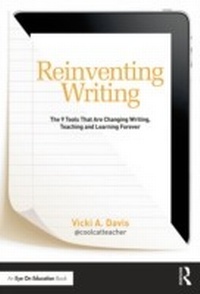
Reinventing Writing
The 9 Tools That Are Changing Writing, Teaching, and Learning Forever
1st Edition
Published on 23. May 2014
266 pages
978-1-317-82109-0 (ISBN)
Description

In this much-anticipated book from acclaimed blogger Vicki Davis (Cool Cat Teacher), you'll learn the key shifts in writing instruction necessary to move students forward in today's world. Vicki describes how the elements of traditional writing are being reinvented with cloud-based tools. Instead of paper, note taking, filing cabinets, word processors, and group reports, we now have tools like ePaper, eBooks, social bookmarking, cloud syncing, infographics, and more. Vicki shows you how to select the right tool, set it up quickly, and prevent common mistakes. She also helps you teach digital citizenship and offers exciting ways to build writing communities where students love to learn.
Special Features:
* Essential questions at the start of each chapter to get you thinking about the big ideas
* A chapter on each of the nine essential cloud-based tools--ePaper and eBooks; digital notebooks; social bookmarking; cloud syncing; cloud writing apps; blogging and microblogging; wikis and website builders; online graphic organizers and mind maps; and cartoons and infographics
* A wide variety of practical ways to use each tool in the classroom
* Alignments to the Common Core State Standards in writing
* Level Up Learning--a special section at the end of each chapter to help you review, reflect on, and apply what you've learned
* Writing tips to help you make the best use of the tools and avoid common pitfalls
* A glossary of key terms discussed in the book
* Useful appendices, including reproducible material for your classroom
No matter what grade level you teach or how much tech experience you have, you will benefit from Vicki's compelling and practical ideas. As she emphasizes throughout this essential book, teaching with cloud-based tools has never been easier, more convenient, or more important than right now.
Special Features:
* Essential questions at the start of each chapter to get you thinking about the big ideas
* A chapter on each of the nine essential cloud-based tools--ePaper and eBooks; digital notebooks; social bookmarking; cloud syncing; cloud writing apps; blogging and microblogging; wikis and website builders; online graphic organizers and mind maps; and cartoons and infographics
* A wide variety of practical ways to use each tool in the classroom
* Alignments to the Common Core State Standards in writing
* Level Up Learning--a special section at the end of each chapter to help you review, reflect on, and apply what you've learned
* Writing tips to help you make the best use of the tools and avoid common pitfalls
* A glossary of key terms discussed in the book
* Useful appendices, including reproducible material for your classroom
No matter what grade level you teach or how much tech experience you have, you will benefit from Vicki's compelling and practical ideas. As she emphasizes throughout this essential book, teaching with cloud-based tools has never been easier, more convenient, or more important than right now.
Reviews / Votes
"This is a terrific resource that will help new and experienced teachers update the way they teach writing. Vicki provides concrete suggestions for using technology to teach everything from simple note taking to collaborative essays. Readers will appreciate the practical tools that they can bring back to their own classrooms."-Todd Whitaker, Professor at Indiana State University and author of the bestselling book What Great Teachers Do Differently
"Vicki Davis is a passionate teacher and blogger who is committed to taking education to the next level. In her new book, Vicki provides guidance for utilizing the exciting and interactive tools that are transforming the experience of reading and writing in this digital age. With Vicki's encouragement and expertise, teachers will feel comfortable engaging in digital citizenry and eager to extend the invitation to their students. This book is a must-read for 21st century educators!"
--Angela Maiers, nationally-recognized speaker and consultant on 21st century teaching, and coauthor of The Passion-Driven Classroom
"Full of practical advice and technology guidance, Vicki's new book, Reinventing Writing, crosses all the content areas. The consummate educator, Vicki's experience provides the reader with ideas and tips for students to use technology tools to become better writers, more organized, online collaborators, and ethical users of online information. Each chapter is set-up in a way that gives the reader an introduction, a toolbox of online sites to try, and an FAQ of the common questions and concerns an educator might have. The content of the book would make a wonderful study group or PLC in any school district!"
--Kathy Schrock, award-winning educational technologist and Online Adjunct Professor at Wilkes University
"Hopefully, with this book and other resources, you can learn from the challenges and obstacles experienced by other teachers attempting collaborative projects and create your own successful process. There is no better guide to the process than Vicki Davis and I say that as someone who has interviewed and observed dozens of wiki-using teachers."
--Justin Reich, Richard L. Menschel HarvardX Research Fellow; Lecturer, MIT Scheller Teacher Education Program; Co-Founder, EdTechTeacher; Fellow, Berkman Center for Internet & Society, Harvard University
"Vicki has captured what it means to write in the digital age. The tools, tips and resources she offers will help novice and advanced users alike. And the alignment to the Common Core and reflection questions at the end of each chapter is sure to be a help to every educator."
--Steven W. Anderson, Director Of Instructional Technology for Winston-Salem/Forsyth County Schools and Independent Educational Consultant
More details
Language
English
Place of publication
London
United Kingdom
Publishing group
Taylor & Francis Ltd
Target group
Professional and scholarly
Illustrations
9 s/w Tabellen
9 Tables, black and white
File size
4,32 MB
ISBN-13
978-1-317-82109-0 (9781317821090)
Copyright in bibliographic data and cover images is held by Nielsen Book Services Limited or by the publishers or by their respective licensors: all rights reserved.
Schweitzer Classification
Other editions
Additional editions
Vicki Davis
Reinventing Writing
The 9 Tools That Are Changing Writing, Teaching, and Learning Forever
Book
06/2014
1st Edition
Routledge
€166.50
Shipment within 15-20 days
Vicki Davis
Reinventing Writing
The 9 Tools That Are Changing Writing, Teaching, and Learning Forever
Book
06/2014
1st Edition
Routledge
€44.00
Shipment within 15-20 days
Person
Vicki Davis is the award-winning blogger known as Cool Cat Teacher (www.coolcatteacher.com). She is a thought-leader in the field of educational technology and a frequent speaker at conferences. She teaches and directs the IT department at Westwood Schools in Camilla, Georgia.
Content
Part I: Get to Know the New Writing
Chapter 1 - How Is Writing Reinvented?
Chapter 2 - Picking the Right Tool
Part II: The 9 Types of Tools
Chapter 3 - Reinventing Paper: ePaper and eBooks
Chapter 4 - Reinventing Notetaking: Digital Notebooks
Chapter 5 - Reinventing Notecards: Social Bookmarking
Chapter 6 - Reinventing the filing cabinet and inbox: Cloud Syncing
Chapter 7 - Reinventing Word processors: CLOUD Writing Apps
Chapter 8 - Reinventing Journals & Book Reports: Blogging and Microblogging
Chapter 9 - Reinventing Group Reports and presentations: Wikis and Website builders
Chapter 10 - Reinventing Prewriting: Graphic Organizers, Mind Mapping, and More
Chapter 11 - Reinventing Illustrations and scrapbooks - Cartoons and Infographics
Part III: Practical Ways to Implement the Tools in the Classroom
Chapter 12 - Reinventing Citizenship: Preventing problems by teaching students how to be good digital citizens
Chapter 13 - Making Your Job Easier: Building Writing Communities where students love to learn
Chapter 14 - Will it Ever Stop? Enjoying & relaxing in the new age of change with a timeless mindset
Appendices
Appendix A - Quick Start Checklist (Putting it all together)
Appendix B - Common Core Standards Summarized
Appendix C - During Class Writing Checklist
Appendix D - Good sources of information to add to the Student PLN
Appendix E - Common Pages for Wikis and Websites
Chapter 1 - How Is Writing Reinvented?
Chapter 2 - Picking the Right Tool
Part II: The 9 Types of Tools
Chapter 3 - Reinventing Paper: ePaper and eBooks
Chapter 4 - Reinventing Notetaking: Digital Notebooks
Chapter 5 - Reinventing Notecards: Social Bookmarking
Chapter 6 - Reinventing the filing cabinet and inbox: Cloud Syncing
Chapter 7 - Reinventing Word processors: CLOUD Writing Apps
Chapter 8 - Reinventing Journals & Book Reports: Blogging and Microblogging
Chapter 9 - Reinventing Group Reports and presentations: Wikis and Website builders
Chapter 10 - Reinventing Prewriting: Graphic Organizers, Mind Mapping, and More
Chapter 11 - Reinventing Illustrations and scrapbooks - Cartoons and Infographics
Part III: Practical Ways to Implement the Tools in the Classroom
Chapter 12 - Reinventing Citizenship: Preventing problems by teaching students how to be good digital citizens
Chapter 13 - Making Your Job Easier: Building Writing Communities where students love to learn
Chapter 14 - Will it Ever Stop? Enjoying & relaxing in the new age of change with a timeless mindset
Appendices
Appendix A - Quick Start Checklist (Putting it all together)
Appendix B - Common Core Standards Summarized
Appendix C - During Class Writing Checklist
Appendix D - Good sources of information to add to the Student PLN
Appendix E - Common Pages for Wikis and Websites
