

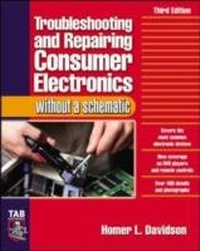
Troubleshooting & Repairing Consumer Electronics Without a Schematic
1st Edition
Published on 15. January 2004
492 pages
978-0-07-178208-1 (ISBN)
Available for download
Description

In this updated edition of his best-selling guide, Homer Davidson, master of consumer electronics, provides wizardly hands-on advice on troubleshooting and repairing a wide range of electronic devices -- without the benefit of schematic diagrams. * Covers car stereos, cassette players, stereo audio circuits, radios, VCRs, TVs, speaker systems, CD-players, and more * NEW coverage of DVD players and remote control units * More than 400 detailed drawings and photos to illustrate the most efficient way to locate, test, and repair defective components
More details
Other editions
Additional editions
Book
03/2004
3rd Edition
TAB Books Inc
€50.50
Shipment within 15-20 days
Content
- Cover Page
- Troubleshooting and Repairing Consumer Electronics
- Copyright Page
- Contents
- Introduction
- Acknowledgments
- 1 Servicing methods without a schematic
- Locating critical components
- Just listen, man
- Hands on
- Too, too bright
- Audio pops and cracks
- Smoke and fire
- Under those eyes
- Keep at it
- Same chassis, different model
- The same train tracks
- Lines down the road
- Identify part numbers
- Resistor color codes
- Flat capacitor color codes
- Foreign capacitors
- Dogs of all kinds
- Cool nights and hot days
- Double trouble
- Lightning damage
- Down below
- Outside the chassis
- Do it today, not tomorrow
- Intermittent problems
- Time is precious
- Test points
- Say it isn't so
- Ten points of servicing
- Safety measures
- 2 How to locate, test, and repair
- With only a DMM
- Correct electronic test equipment
- Who's on first?
- Case histories
- Isolation
- Location, location
- Out of bounds
- Lightning damage in a TV chassis
- Burned and damaged
- Ac input hot grounds
- TV SMPS hot grounds
- Running warm
- Red hot-do not touch
- Same circuits, another chassis
- Resistance in-circuit test measurements
- Continuity tests
- Leaky or shorted transistor resistance tests
- IC resistance tests
- Sams Photofacts
- Electronic Servicing and Technology schematics
- The various waveforms
- Signal injection
- Troubleshooting with an external amp
- Transistor in-circuit tests
- Digital transistor tests
- NPN or PNP
- DMM diode tests
- Safety transistor replacement
- Signal in and out tests of IC components
- Voltage injection
- Removing and replacing a defective IC
- Here today and gone tomorrow
- Component replacement
- Low and behold
- SMD components
- Flat or round
- Removing SMD parts
- SMD replacement
- ESD FCC ID numbers
- Cleanup
- 3 Troubleshooting and repairing audio amps, large and small
- List of audio test equipment
- Required test equipment
- Listen, listen
- The dead chassis
- Only a whisper
- Repairing the audio amp
- Stereo IC amp repairs
- Repairing the cassette amp
- Auto radio amp problems
- Large stereo amp repairs
- Troubleshooting CD player audio circuits
- Servicing the TV audio amp
- Extremely high-powered amps
- 4 Servicing auto receivers
- Required test instruments
- The power supply
- The front-end radio section
- The rear section
- Variable-capacitor tuning
- Inductance tuning
- Varactor tuning
- Keeps blowing the fuse
- Common auto radio failures
- New FM circuits
- SMD components
- Silent listening
- Early car radio audio output circuits
- Auto radio hookup
- High-powered amps
- Dismantling high-powered amps
- Locating the correct components
- Transistor high-powered amps
- IC high-powered amps
- Troubleshooting high-powered power supplies
- Servicing high-powered amps
- Bridged amp outputs
- Two-channel amp hookup
- Matching impedance
- High-powered speaker hookup
- Auto radio speakers
- Speaker problems
- 5 Servicing cassette players
- Required test equipment
- Pocket cassette player layout
- The portable cassette player
- Auto radio/cassette player
- Check out that cassette
- Slow speeds
- Will not eject
- Dead, no sound
- Poor tape motion
- No fast-forward or rewind
- Tape everywhere
- Jammed tape
- Squealing noises
- Too much oil
- Poor erase
- Poorly soldered connections
- Dead left channel
- Intermittent operation
- Under that magnifying glass
- Locating and replacing bad transistors
- Locating and replacing a bad IC
- Recording problems
- The boom-box cassette player
- The auto cassette player
- 6 Troubleshooting CD players
- Laser diode circuits
- Digital-to-analog (D/A) converter
- CD power supplies
- Check those electrolytics with an ESR meter
- Focus amp problems
- Battery focus coil check
- Tracking amp problems
- Loading motor problems
- Disc and SLED motors
- Intermittent skipping
- No play, dead operation
- Noisy sounds
- The portable CD player
- Boom-box CD circuits
- Similar diagrams
- The defective CD motor
- Motor drive circuits
- SMD components
- Troubleshooting D/A circuits
- Defective mute system
- The CD changer
- Servicing headphone circuits
- Troubleshooting servo circuits
- Loading problems
- Actual CD case histories
- Critical waveforms
- 7 Troubleshooting the TV chassis
- TV chassis components
- The most troubled sections
- Locating TV components
- Relay problems
- Horizontal circuits
- Horizontal circuit problems
- What keeps destroying the horizontal output?
- Old faithful replacement
- Horizontal output problems
- Horizontal voltage injection
- Safety first
- Pulled in on the sides
- Flyback problems
- Red-hot output transistor
- Yoke problems
- Intermittent shutdown
- High-voltage shutdown
- TV chassis shutdown
- High-voltage problems
- The bow and arrow
- Critical horizontal waveforms
- Vertical problems
- System control
- Tuner on the side
- No raster or a bright raster
- Color symptoms
- Green with envy
- Surface-mounted components
- The "tough dog"
- On-screen display
- EEPROM problems
- Audio problems
- 8 Servicing power supplies
- Half full
- The damaged bridge
- Transistor regulators
- IC voltage regulators
- Critical voltage tests
- Storm damage
- Repairing radio power supply circuits
- Battery power circuits
- Locating low-voltage components
- Servicing car radios
- Servicing high-powered amp circuits
- Power transformer problems
- Repairing CD player power supplies
- IC voltage regulators
- Servicing color TV power supplies
- TV switching circuits
- TV/VCR switching circuits
- 9 Servicing stereo sound circuits
- High-powered receiver circuits
- Auto stereo circuits
- High-powered amps
- Portable cassette and radio circuits
- CD stereo circuits
- Stereo cassette decks
- Hot output transistors
- Dead right channel
- Weak left channel
- Intermittent stereo channel
- Noisy left channel
- Distorted sound
- High-powered signal path
- Checking defective stereo circuits with an external amp
- Hum in the sound
- TV sound circuits
- TV IC power output components
- Speaker relay problems
- Audio protection circuits
- Large speaker problems
- 10 Troubleshooting AM/FM/MPX stages
- The front-end circuits
- Common problems
- A big change
- No or poor AM reception
- Actual AM problems
- Intermittent AM reception
- No AM reception
- No AM, normal FM
- No FM
- No FM, AM normal
- Dirty AM/FM switch
- Weak FM reception
- Really weak FM reception
- No AM or FM reception
- Intermittent AM and FM reception
- AM up, FM down
- Components that cause intermittent AM/FM
- Defective IF circuits
- Weak AM and FM reception
- Rushing noise in FM, AM OK
- Transistor in-circuit tests
- Replacing AM/FM RF-IF IC components
- FM discriminator and MPX circuits
- Distorted FM tuning
- No stereo light
- Drifting FM
- Liquid crystal display (LCD)
- The varactor-diode tuner
- Varactor tuner controller
- Overload protection
- Power output transistor protection
- Remote control circuits
- Remote volume control
- 11 VCR and TV/VCR combo repairs
- What are the symptoms?
- VCR cassette problems
- Head cleanup
- Audio head cleanup
- Loading motor problems
- Power-up problems
- Speed problems
- Wow and flutter
- Dead, no operation
- Time to replace the belt
- The tape eater
- Cylinder and drum motor problems
- Capstan motor problems
- Fast-forward and rewind problems
- Tape ejection problems
- Record and playback problems
- Playback problems
- Poor recordings
- Audio problems
- Lines and noise
- Noisy conditions
- Dew circuit operations
- Service schedule of components
- TV/VCR combo repairs
- TV/VCR part layout
- The power supply
- The raw dc power circuits
- Relay problems
- Switching transistor circuits
- Filter capacitor problems
- Switch-mode power supply
- Dead chassis
- Power line regulators
- No startup and shutdown
- EEPROM troubles
- Horizontal sweep problems
- Vertical problems
- Poor or no video conditions
- TV/VCR color problems
- TV/VCR audio problems
- 12 Repairing remote control units
- Remote control functions
- RF remote control
- Infrared remotes
- The dropped remote
- Dead, no operation
- Aim at the target
- Try another one
- Tap that remote
- Infrared power meter
- Weak reception
- Infrared remote circuits
- Remote control problems
- More than one
- Inside the remote
- Remote receiver problems
- Troubleshooting the TV infrared receiver circuits
- Infrared receiver case histories
- TV standby circuits
- Dead remote operation
- Switching transformers
- Intermittent standby voltage
- Open 5-V regulator, no remote function
- Servicing standby power circuits
- Intermittent remote operation
- No channel up and down
- No remote receiver action
- No remote, dead TV
- 13 DVD player repairs
- CD and DVD comparison
- Safety precautions
- Electronically sensitive devices
- Optical pickup
- Do not take a peek
- Electrostatic grounding
- Block diagram of a DVD/CD optical assembly
- Block diagram of a DVD/CD/VCR optical assembly
- The DVD/CD player
- The DVD/CD/VCR player
- Look me over
- Disassembly of a Panasonic DVD/CD changer
- The focus and tracking coils
- Low-voltage power supplies
- Transistor regulators
- IC voltage regulators
- Photocoupler or isolator
- Troubleshooting low-voltage circuits
- Troubleshooting the switching power supply
- The DVD/CD/VCR player power supply
- Switching transistors
- Chips and more chips
- The DVD test disc
- Tray motor operations
- Loading motor operation
- Loading motor belt problems
- Capstan motor circuits
- Cylinder or drum motor operation
- Stepping motors
- Disc or spin motor operation
- SLED or slide motor operation
- Radiofrequency (RF) preamplifier
- System control or microcontroller
- Front-end processor
- DVD digital signal processor IC
- MPEG decoder
- NTSC encoder
- D/A audio converter
- Transistor muting
- Remote control operations
- DVD troubleshooting chart
- Index
- About the Author

