

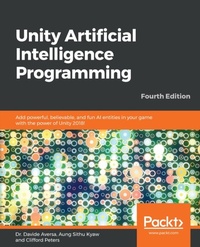
Unity Artificial Intelligence Programming
Description

Developing Artificial Intelligence (AI) for game characters in Unity 2018 has never been easier. Unity provides game and app developers with a variety of tools to implement AI, from the basic techniques to cutting-edge machine learning-powered agents. Leveraging these tools via Unity's API or built-in features allows limitless possibilities when it comes to creating your game's worlds and characters. This fourth edition with Unity will help you break down AI into simple concepts to give you a fundamental understanding of the topic to build upon. Using a variety of examples, the book then takes those concepts and walks you through actual implementations designed to highlight key concepts and features related to game AI in Unity. Further on, you'll learn how to distinguish the state machine pattern and implement one of your own. This is followed by learning how to implement a basic sensory system for your AI agent and coupling it with a Finite State Machine (FSM). Next, you'll learn how to use Unity's built-in NavMesh feature and implement your own A* pathfinding system. You'll then learn how to implement simple ?ocks and crowd dynamics, which are key AI concepts in Unity. Moving on, you'll learn how to implement a behavior tree through a game-focused example. Lastly, you'll apply all the concepts in the book to build a popular game.
More details
Other editions
New editions
Additional editions
Content
- Cover
- Title Page
- Copyright and Credits
- Dedication
- About Packt
- Contributors
- Table of Contents
- Preface
- Chapter 1: Introduction to AI
- Artificial Intelligence (AI)
- AI in games
- AI techniques
- Finite State Machines (FSMs)
- Random and probability in AI
- The sensor system
- Polling
- The messaging system
- Flocking, swarming, and herding
- Path following and steering
- A* pathfinding
- A navigation mesh
- The behavior trees
- Locomotion
- Summary
- Chapter 2: Finite State Machines
- The player's tank
- Initialization
- Shooting bullet
- Controlling the tank
- The Bullet class
- Setting up waypoints
- The abstract FSM class
- The enemy tank AI
- The Patrol state
- The Chase state
- The Attack state
- The Dead state
- Taking damage
- Using an FSM framework
- The AdvanceFSM class
- The FSMState class
- The state classes
- The PatrolState class
- The NPCTankController class
- Summary
- Chapter 3: Randomness and Probability
- Randomness in games
- Randomness in computer science
- The Unity Random class
- Simple random dice game
- Definitions of probability
- Independent and related events
- Conditional probability
- Loaded dice
- Character personalities
- FSM with probability
- Dynamic AI
- Demo slot machine
- Random slot machine
- Weighted probability
- Near miss
- Summary
- Further reading
- Chapter 4: Implementing Sensors
- Basic sensory systems
- Scene setup
- The player's tank and the aspect class
- The player's tank
- Aspect
- AI characters
- Sense
- Sight
- Touch
- Testing
- Summary
- Chapter 5: Flocking
- Basic flocking behavior
- Individual behavior
- Controller
- Alternative implementation
- FlockController
- Summary
- Chapter 6: Path-Following and Steering Behaviors
- Following a path
- Path script
- Path-following agents
- Avoiding obstacles
- Adding a custom layer
- Obstacle avoidance
- Summary
- Chapter 7: A* Pathfinding
- Revisiting the A* algorithm
- Implementing the A* algorithm
- Node
- PriorityQueue
- The GridManager class
- The AStar class
- The TestCode class
- Setting up the scene
- Testing the pathfinder
- Summary
- Chapter 8: Navigation Mesh
- Setting up the map
- Navigation static
- Baking the navigation mesh
- NavMesh agent
- Updating an agents' destinations
- The Target.cs class
- Scene with slope
- Navigation areas
- Off Mesh Links
- Generated Off Mesh Links
- Manual Off Mesh Links
- Summary
- Chapter 9: Behavior Trees
- Introduction to Behavior Trees
- A simple example - patrolling robot
- Implementing a BT in Unity with Behavior Bricks
- Set up the scene
- Implement a Day/Night cycle
- Design the Enemy Behavior
- Implement the Nodes
- Building the Tree
- Attach the BT to the Enemy
- Summary
- External Resources
- Chapter 10: Machine Learning in Unity
- The Unity Machine Learning Agents Toolkit
- How to install the ML-Agents Toolkit
- Installing Python and TensorFlow on Windows
- Installing Python and TensorFlow on macOS and Unix-like systems
- Using the ML-Agents Toolkit - a basic example
- Creating the scene
- Implementing the code
- Adding the final touches
- Training a Brain object
- Training the agent
- Summary
- Further reading
- Chapter 11: Putting It All Together
- Basic game structure
- Adding automated navigation
- Creating the NavMesh
- Setting up the agent
- Fixing the GameManager script
- Creating decision-making AI with FSM
- Summary
- Other Books You May Enjoy
- Leave a review - let other readers know what you think
- Index
