

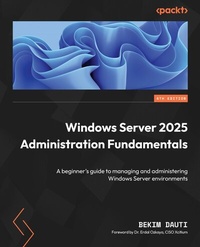
Windows Server 2025 Administration Fundamentals
A beginner's guide to managing and administering Windows Server environments
4th Edition
Published on 21. January 2025
630 pages
978-1-83620-500-5 (ISBN)
Description

Deploy, set up, and deliver network services with Windows Server 2025, along with exploring its new features, security, and Microsoft's role-based certificationsKey Features - Install and configure Windows Server 2025 with best practices in different environments
- Enhance server security by implementing advanced features, such as secure communication protocols and authentication mechanisms
- Prepare thoroughly for the AZ-800 certification exam with practical preparation tips
- Purchase of the print or Kindle book includes a free PDF eBook
Book DescriptionWindows Server 2025 introduces significant advancements and interesting security features. In this fourth edition, Bekim Dauti, the esteemed author of the previous three editions, brings his extensive experience to provide up-to-date information on these latest enhancements. You'll be introduced to network fundamentals and installation procedures, and go through post-installation tasks, directory services, and adding roles. The chapters highlight configuration topics, including group policy, virtualization, and data storage. This updated edition covers the new and enhanced features of Windows Server 2025 extensively, including Active Directory Domain Services enhancements, SMB over QUIC, advanced security features, and hotpatching with Azure Arc. Additionally, the book provides insights into tuning, maintaining, updating, and troubleshooting the server, and concludes with a dedicated section on studying and preparing for the AZ-800 certification exam with the help of practical preparation tips. Numerous questions and answers at the end of each chapter help you test your knowledge of the concepts covered. By the end of this book, you'll be well-equipped with the knowledge needed to update, maintain, and troubleshoot servers to ensure business continuity by relying on best practices and using step-by-step graphic-driven examples.What you will learn - Manage directory services effectively, including setting up and maintaining AD DS roles
- Add roles to Windows Server 2025 and ensure they integrate seamlessly with the existing infrastructure
- Implement and troubleshoot group policies to enforce consistent configurations across the network
- Utilize virtualization techniques to optimize server resources and enhance scalability
- Secure data storage solutions using encryption, access controls, and backup strategies
- Maintain server uptime and reliability through efficient hotpatching practices for applying updates
Who this book is forThis book is for IT professionals, such as system administrators, network engineers, and IT managers, who are starting their journey in Windows Server 2025 administration. It is also suitable for individuals looking to update their knowledge with the latest tools and features in Windows Server 2025. Whether you're responsible for managing server infrastructure, ensuring network security, or optimizing server performance, this book will provide you with the essential skills and knowledge to excel in your role.
- Enhance server security by implementing advanced features, such as secure communication protocols and authentication mechanisms
- Prepare thoroughly for the AZ-800 certification exam with practical preparation tips
- Purchase of the print or Kindle book includes a free PDF eBook
Book DescriptionWindows Server 2025 introduces significant advancements and interesting security features. In this fourth edition, Bekim Dauti, the esteemed author of the previous three editions, brings his extensive experience to provide up-to-date information on these latest enhancements. You'll be introduced to network fundamentals and installation procedures, and go through post-installation tasks, directory services, and adding roles. The chapters highlight configuration topics, including group policy, virtualization, and data storage. This updated edition covers the new and enhanced features of Windows Server 2025 extensively, including Active Directory Domain Services enhancements, SMB over QUIC, advanced security features, and hotpatching with Azure Arc. Additionally, the book provides insights into tuning, maintaining, updating, and troubleshooting the server, and concludes with a dedicated section on studying and preparing for the AZ-800 certification exam with the help of practical preparation tips. Numerous questions and answers at the end of each chapter help you test your knowledge of the concepts covered. By the end of this book, you'll be well-equipped with the knowledge needed to update, maintain, and troubleshoot servers to ensure business continuity by relying on best practices and using step-by-step graphic-driven examples.What you will learn - Manage directory services effectively, including setting up and maintaining AD DS roles
- Add roles to Windows Server 2025 and ensure they integrate seamlessly with the existing infrastructure
- Implement and troubleshoot group policies to enforce consistent configurations across the network
- Utilize virtualization techniques to optimize server resources and enhance scalability
- Secure data storage solutions using encryption, access controls, and backup strategies
- Maintain server uptime and reliability through efficient hotpatching practices for applying updates
Who this book is forThis book is for IT professionals, such as system administrators, network engineers, and IT managers, who are starting their journey in Windows Server 2025 administration. It is also suitable for individuals looking to update their knowledge with the latest tools and features in Windows Server 2025. Whether you're responsible for managing server infrastructure, ensuring network security, or optimizing server performance, this book will provide you with the essential skills and knowledge to excel in your role.
All prices
More details
Other editions
Additional editions
Bekim Dauti
Windows Server 2025 Administration Fundamentals
A beginner's guide to managing and administering Windows Server environments
Book
01/2025
4th Edition
Packt Publishing
€58.10
Shipment within 3-4 weeks
Persons
Dauti Bekim :
Bekim Dauti works in the administration of servers, computer networks, and training in Cisco, CompTIA, and Microsoft. He has a bachelor's degree from the University of Tirana and a master's degree from UMGC Europe, both in IT. Additionally, he has nearly 20 years of experience as a Cisco Certified Academy Instructor (CCAI) and more than 15 years of experience as a Microsoft Certified Trainer (MCT). Bekim holds several certifications from vendors such as ECDL, Certiport, CompTIA, Cisco, Microsoft, and Sun Microsystems. Bekim has contributed to nearly 20 books and dozens of articles for PC World Albanian and CIO Albanian. He founded Dautti LLC. These days, he blogs on Bekim Dauti's Blog. In addition, he works as a Microsoft Certified Trainer.
Bekim Dauti works in the administration of servers, computer networks, and training in Cisco, CompTIA, and Microsoft. He has a bachelor's degree from the University of Tirana and a master's degree from UMGC Europe, both in IT. Additionally, he has nearly 20 years of experience as a Cisco Certified Academy Instructor (CCAI) and more than 15 years of experience as a Microsoft Certified Trainer (MCT). Bekim holds several certifications from vendors such as ECDL, Certiport, CompTIA, Cisco, Microsoft, and Sun Microsystems. Bekim has contributed to nearly 20 books and dozens of articles for PC World Albanian and CIO Albanian. He founded Dautti LLC. These days, he blogs on Bekim Dauti's Blog. In addition, he works as a Microsoft Certified Trainer.
Content
Table of Contents - Network Fundamentals and Introduction to Windows Server 2025
- Installing Windows Server 2025
- What to Do After Installing Windows Server 2025
- Directory Services in Windows Server 2025
- Adding Roles to Windows Server 2025
- Group Policy in Windows Server 2025
- Virtualization with Windows Server 2025
- Storing Data in Windows Server 2025
- Active Directory Domain Services (AD DS) Enhancements
- Configuring SMB over QUIC
- Implementing New Security Enhancements in Windows Server 2025
- Managing Updates with Hotpatching, Azure Arc, and More in Windows Server 2025
- Tuning and Maintaining Windows Server 2025
- Updating and Troubleshooting Windows Server 2025
- Understanding Microsoft Certifications and Preparing for the AZ-800 Exam
- Installing Windows Server 2025
- What to Do After Installing Windows Server 2025
- Directory Services in Windows Server 2025
- Adding Roles to Windows Server 2025
- Group Policy in Windows Server 2025
- Virtualization with Windows Server 2025
- Storing Data in Windows Server 2025
- Active Directory Domain Services (AD DS) Enhancements
- Configuring SMB over QUIC
- Implementing New Security Enhancements in Windows Server 2025
- Managing Updates with Hotpatching, Azure Arc, and More in Windows Server 2025
- Tuning and Maintaining Windows Server 2025
- Updating and Troubleshooting Windows Server 2025
- Understanding Microsoft Certifications and Preparing for the AZ-800 Exam
Contents
- Windows Server 2025 Administration Fundamentals
- Foreword
- Contributors
- About the author
- About the reviewer
- Preface
- Part 1:Introducing Windows Server and Installing Windows Server 2025
- Chapter 1: Network Fundamentals and Introduction to Windows Server 2025
- Technical requirements
- Understanding hosts, nodes, and client/server architecture
- Overview of IP addressing and subnetting
- Getting to know the server
- Understanding Network Operating System
- Overview and editions of Windows Server 2025
- Windows Server 2025 overview
- Key differences between Windows Server 2025 and Windows Server 2022
- Minimum and recommended system requirements for Windows Server 2025
- Chapter exercise 1.1 - downloading Windows Server 2025
- Chapter exercise 1.2 - downloading Windows Admin Center
- Summary
- Questions
- Further reading
- Chapter 2: Installing Windows Server 2025
- Technical requirements
- Understanding disk partitioning and storage options
- Exploring boot configurations and startup options
- Understanding boot options in UEFI
- Getting to know the startup process in BIOS
- A different firmware program for booting modern computers
- Understanding TPM
- A crucial test for server hardware
- GPT and the boot programs
- A database for booting Windows OS
- What is the bootloader?
- What is the boot sector?
- How to use the boot menu?
- How does Safe Mode operate?
- Windows setup and disk configuration errors
- Installation options for Windows Server 2025
- Understanding the role of your server
- Pre-installation checks - resource compatibility checks
- Which installation option for Windows Server 2025 should I choose?
- Comparing Nano Server and Server Core
- Using logs to diagnose installation failures
- Network connectivity and domain joining
- Activation and licensing issues
- Various methods for deploying Windows Server 2025
- Summary
- Questions
- Further reading
- Chapter 3: What to Do After Installing Windows Server 2025
- Technical requirements
- Understanding and managing devices and drivers, including Plug and Play, IRQs, and driver signing
- Managing and optimizing registry entries and service accounts
- Performing initial server setup for better performance and security
- Chapter exercise - performing an initial Windows Server configuration
- Summary
- Questions
- Further reading
- Part 2: Setting Up Windows Server 2025
- Chapter 4: Directory Services in Windows Server 2025
- Technical requirements
- Understanding the AD infrastructure in Windows Server 2025
- Adding and configuring the AD DS role
- Understanding DCs
- Understanding domains
- Understanding the Domain Tree
- Understanding the Forest
- Understanding the Child Domain
- Understanding Operations Master Roles
- Understanding the difference between domains and workgroups
- Understanding trust relationships
- Understanding functional levels
- Exploring the concept of namespaces
- Sites explained
- Exploring replication
- Understanding the schema
- Microsoft Passport explained
- Exploring DNS fundamentals and configurations in Windows Server 2025
- Managing OUs and default containers
- User and group management within AD
- Chapter exercise - installing the AD DS and DNS roles and promoting the server to a DC
- Summary
- Questions
- Further reading
- Chapter 5: Adding Roles to Windows Server 2025
