

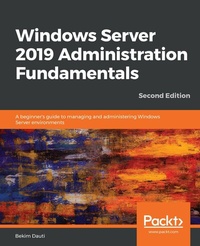
Windows Server 2019 Administration Fundamentals
A beginner's guide to managing and administering Windows Server environments
2nd Edition
Published on 3. June 2024
426 pages
978-1-83855-200-8 (ISBN)
Description

Deploy, set up, and deliver network services with Windows Server 2019, and prepare for the MTA 98-365 examKey FeaturesBook DescriptionWindows Server 2019 is the server operating system introduced by Microsoft as part of the Windows NT family of operating systems, developed concurrently with Windows 10. This book will not only get you started with Windows Server 2019, but will also help you prepare for the MTA 98-365 exam. With step-by-step instructions and easy-to-understand graphics, you will become well-versed with the roles, features, and functions of Windows Server 2019. Starting with the installation process, upgrades, and basic configuration, you will move on to explore roles and features such as Active Directory, Hyper-V, remote access, storage, and printers. The book then takes you through maintenance and troubleshooting tasks to guide you in efficiently managing Windows Server 2019. In addition, it covers Windows Server 2019 best practices using real-world examples. Complete with questionnaires, and detailed answers at the end of the book, you can test your understanding of the concepts covered in each chapter. By the end of this book, you will be equipped with the knowledge you need to troubleshoot, update, and maintain servers so as to ensure business continuity.What you will learn - Grasp the fundamentals of Windows Server 2019
- Understand how to deploy Windows Server 2019
- Discover Windows Server post-installation tasks
- Add roles to your Windows Server environment
- Apply Windows Server 2019 GPOs to your network
- Delve into virtualization and Hyper-V concepts
- Explore ways to tune, maintain, update, and troubleshoot Windows Server 2019
- Study relevant concepts in preparation for the MTA 98-365 exam
Who this book is forIf you are a system administrator or an IT professional who wants to deploy and configure Windows Server 2019, this book is for you. You can also use this as a reference guide for the MTA: Windows Server Administration Fundamentals: 98-365 exam.
- Understand how to deploy Windows Server 2019
- Discover Windows Server post-installation tasks
- Add roles to your Windows Server environment
- Apply Windows Server 2019 GPOs to your network
- Delve into virtualization and Hyper-V concepts
- Explore ways to tune, maintain, update, and troubleshoot Windows Server 2019
- Study relevant concepts in preparation for the MTA 98-365 exam
Who this book is forIf you are a system administrator or an IT professional who wants to deploy and configure Windows Server 2019, this book is for you. You can also use this as a reference guide for the MTA: Windows Server Administration Fundamentals: 98-365 exam.
More details
Other editions
Additional editions
Bekim Dauti
Windows Server 2019 Administration Fundamentals
A beginner's guide to managing and administering Windows Server environments, 2nd Edition
Book
10/2019
2nd Edition
Packt Publishing
€52.00
Shipment within 3-4 weeks
Person
Dauti Bekim :
Bekim Dauti works in the administration of servers, computer networks and training in Cisco, CompTIA, and Microsoft. He has a bachelor's degree from the University of Tirana and a master's degree from UMGC Europe, both in IT. Additionally, he has nearly 20 years of experience as a Cisco Certified Academy Instructor (CCAI) and more than 15 years of experience as a Microsoft Certified Trainer (MCT). Bekim holds several certifications from vendors such as ECDL, Certiport, CompTIA, Cisco, Microsoft, and Sun Microsystems. Bekim has contributed to nearly 20 books and dozens of articles for PC World Albanian and CIO Albanian. He founded Dautti LLC. These days, he blogs on Bekim Dauti's Blog. In addition, he works as a Microsoft Certified Trainer.
Bekim Dauti works in the administration of servers, computer networks and training in Cisco, CompTIA, and Microsoft. He has a bachelor's degree from the University of Tirana and a master's degree from UMGC Europe, both in IT. Additionally, he has nearly 20 years of experience as a Cisco Certified Academy Instructor (CCAI) and more than 15 years of experience as a Microsoft Certified Trainer (MCT). Bekim holds several certifications from vendors such as ECDL, Certiport, CompTIA, Cisco, Microsoft, and Sun Microsystems. Bekim has contributed to nearly 20 books and dozens of articles for PC World Albanian and CIO Albanian. He founded Dautti LLC. These days, he blogs on Bekim Dauti's Blog. In addition, he works as a Microsoft Certified Trainer.
Content
Table of Contents - Getting started with Windows Server
- Introducing Windows Server 2019
- Installing Windows Server 2019
- Post-Installation Tasks in Windows Server 2019
- Directory Services in Windows Server 2019
- Adding Roles to Windows Server 2019
- Group Policy in Windows Server 2019
- Virtualization with Windows Server 2019
- Storing Data in Windows Server 2019
- Tuning and Maintaining Windows Server 2019
- Updating and Troubleshooting Windows Server 2019
- Preparing for the MTA 98-365 Exam
- Introducing Windows Server 2019
- Installing Windows Server 2019
- Post-Installation Tasks in Windows Server 2019
- Directory Services in Windows Server 2019
- Adding Roles to Windows Server 2019
- Group Policy in Windows Server 2019
- Virtualization with Windows Server 2019
- Storing Data in Windows Server 2019
- Tuning and Maintaining Windows Server 2019
- Updating and Troubleshooting Windows Server 2019
- Preparing for the MTA 98-365 Exam
