

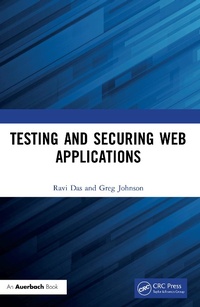
Testing and Securing Web Applications
1st Edition
Published on 3. August 2020
224 pages
978-1-000-16605-7 (ISBN)
Description

Web applications occupy a large space within the IT infrastructure of a business or a corporation. They simply just don't touch a front end or a back end; today's web apps impact just about every corner of it. Today's web apps have become complex, which has made them a prime target for sophisticated cyberattacks. As a result, web apps must be literally tested from the inside and out in terms of security before they can be deployed and launched to the public for business transactions to occur.
The primary objective of this book is to address those specific areas that require testing before a web app can be considered to be completely secure. The book specifically examines five key areas:
Network security: This encompasses the various network components that are involved in order for the end user to access the particular web app from the server where it is stored at to where it is being transmitted to, whether it is a physical computer itself or a wireless device (such as a smartphone).
Cryptography: This area includes not only securing the lines of network communications between the server upon which the web app is stored at and from where it is accessed from but also ensuring that all personally identifiable information (PII) that is stored remains in a ciphertext format and that its integrity remains intact while in transmission.
Penetration testing: This involves literally breaking apart a Web app from the external environment and going inside of it, in order to discover all weaknesses and vulnerabilities and making sure that they are patched before the actual Web app is launched into a production state of operation.
Threat hunting: This uses both skilled analysts and tools on the Web app and supporting infrastructure to continuously monitor the environment to find all security holes and gaps.
The Dark Web: This is that part of the Internet that is not openly visible to the public. As its name implies, this is the "sinister" part of the Internet, and in fact, where much of the PII that is hijacked from a web app cyberattack is sold to other cyberattackers in order to launch more covert and damaging threats to a potential victim.
Testing and Securing Web Applications breaks down the complexity of web application security testing so this critical part of IT and corporate infrastructure remains safe and in operation.
The primary objective of this book is to address those specific areas that require testing before a web app can be considered to be completely secure. The book specifically examines five key areas:
Network security: This encompasses the various network components that are involved in order for the end user to access the particular web app from the server where it is stored at to where it is being transmitted to, whether it is a physical computer itself or a wireless device (such as a smartphone).
Cryptography: This area includes not only securing the lines of network communications between the server upon which the web app is stored at and from where it is accessed from but also ensuring that all personally identifiable information (PII) that is stored remains in a ciphertext format and that its integrity remains intact while in transmission.
Penetration testing: This involves literally breaking apart a Web app from the external environment and going inside of it, in order to discover all weaknesses and vulnerabilities and making sure that they are patched before the actual Web app is launched into a production state of operation.
Threat hunting: This uses both skilled analysts and tools on the Web app and supporting infrastructure to continuously monitor the environment to find all security holes and gaps.
The Dark Web: This is that part of the Internet that is not openly visible to the public. As its name implies, this is the "sinister" part of the Internet, and in fact, where much of the PII that is hijacked from a web app cyberattack is sold to other cyberattackers in order to launch more covert and damaging threats to a potential victim.
Testing and Securing Web Applications breaks down the complexity of web application security testing so this critical part of IT and corporate infrastructure remains safe and in operation.
More details
Edition
1. Auflage
Language
English
Place of publication
London
United Kingdom
Publishing group
Taylor & Francis Ltd
Target group
Professional and scholarly
Illustrations
10 Tables, black and white; 25 Illustrations, black and white
ISBN-13
978-1-000-16605-7 (9781000166057)
Copyright in bibliographic data and cover images is held by Nielsen Book Services Limited or by the publishers or by their respective licensors: all rights reserved.
Schweitzer Classification
Other editions
Additional editions
Ravi Das | Greg Johnson
Testing and Securing Web Applications
Book
08/2020
1st Edition
CRC Press
€82.40
Shipment within 15-20 days
Ravi Das | Greg Johnson
Testing and Securing Web Applications
Book
08/2020
1st Edition
CRC Press
€196.10
Shipment within 15-20 days
Persons
Ravi Das is a Business Development Specialist for The AST Cybersecurity Group, Inc., a leading Cybersecurity content firm located in the Greater Chicago area. Ravi holds a Master of Science of Degree in Agribusiness Economics (Thesis in International Trade), and Master of Business Administration in Management Information Systems. He has authored five books, with two forthcoming ones on artificial intelligence in cybersecurity, and cybersecurity risk and its impact on cybersecurity insurance policies.
Greg Johnson is the CEO of the penetration test company, Webcheck Security. Greg started Webcheck Security after serving on several executive teams and a long sales and management career with technology companies such as WordPerfect/Novell, SecurityMetrics, A-LIGN, and Secuvant Security. A Brigham Young University graduate, Greg began his career in the days of 64k, 5.25" floppy drives and Mac 128k's. As the industry evolved, Greg moved into the cyber arena and provided his clients with solutions surrounding compliance, digital forensics, data breach and response, and in 2016 earned the PCI Professional (PCIP) designation. In several business development roles, Greg consulted, guided and educated clients in compliance guidelines and certifications for standards including PCI, HIPAA, ISO 27001, NIST, SOC 1 and SOC 2, GDPR/CCPA, and FedRAMP.
When he is not providing cyber solutions for his clients, he can be found spending time with his wife Kelly, playing with his grandchildren, or rehearsing or performing with the world-renowned Tabernacle Choir on Temple Square.
Greg Johnson is the CEO of the penetration test company, Webcheck Security. Greg started Webcheck Security after serving on several executive teams and a long sales and management career with technology companies such as WordPerfect/Novell, SecurityMetrics, A-LIGN, and Secuvant Security. A Brigham Young University graduate, Greg began his career in the days of 64k, 5.25" floppy drives and Mac 128k's. As the industry evolved, Greg moved into the cyber arena and provided his clients with solutions surrounding compliance, digital forensics, data breach and response, and in 2016 earned the PCI Professional (PCIP) designation. In several business development roles, Greg consulted, guided and educated clients in compliance guidelines and certifications for standards including PCI, HIPAA, ISO 27001, NIST, SOC 1 and SOC 2, GDPR/CCPA, and FedRAMP.
When he is not providing cyber solutions for his clients, he can be found spending time with his wife Kelly, playing with his grandchildren, or rehearsing or performing with the world-renowned Tabernacle Choir on Temple Square.
Content
1. Network Security. 2. Cryptography. 3. Penetration Testing. 4. Threat Hunting. 5. Conclusions.
