

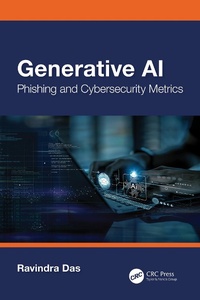
Generative AI
Phishing and Cybersecurity Metrics
1st Edition
Published on 10. October 2024
175 pages
978-1-040-12810-7 (ISBN)
Description

The cybersecurity landscape is changing, for sure. For example, one of the oldest threat variants is that of phishing. It evolved in the early 1990s, but even today it is still being used as a primary threat variant and has now become much more sophisticated, covert, and stealthy in nature. For example, it can be used to launch ransomware, social engineering, and extortion attacks.
The advent of Generative AI is making this much worse. For example, a cyberattacker can now use something like ChatGPT to craft the content for phishing emails that are so convincing that it is almost impossible to tell the difference between what is real and what is fake. This is also clearly evident in the use of deepfakes, where fake images of real people are replicated to create videos to lure unsuspecting victims to a fake website.
But Generative AI can also be used for the good to combat Phishing Attacks. This is the topic of this book. In this, we cover the following:
A review of phishing
A review of AI, Neural Networks, and Machine Learning
A review of Natural Language Processing, Generative AI, and the Digital Person
A proposed solution as to how Generative AI can combat phishing attacks as they relate to Privileged Access accounts
The advent of Generative AI is making this much worse. For example, a cyberattacker can now use something like ChatGPT to craft the content for phishing emails that are so convincing that it is almost impossible to tell the difference between what is real and what is fake. This is also clearly evident in the use of deepfakes, where fake images of real people are replicated to create videos to lure unsuspecting victims to a fake website.
But Generative AI can also be used for the good to combat Phishing Attacks. This is the topic of this book. In this, we cover the following:
A review of phishing
A review of AI, Neural Networks, and Machine Learning
A review of Natural Language Processing, Generative AI, and the Digital Person
A proposed solution as to how Generative AI can combat phishing attacks as they relate to Privileged Access accounts
More details
Series
Edition
1. Auflage
Language
English
Place of publication
London
United Kingdom
Publishing group
Taylor & Francis Ltd
Target group
Professional and scholarly
Illustrations
13 Line drawings, black and white; 13 Illustrations, black and white
ISBN-13
978-1-040-12810-7 (9781040128107)
Copyright in bibliographic data and cover images is held by Nielsen Book Services Limited or by the publishers or by their respective licensors: all rights reserved.
Schweitzer Classification
Other editions
Additional editions

Book
10/2024
1st Edition
CRC Press
€166.40
Shipment within 10-20 days

Book
10/2024
1st Edition
CRC Press
€39.70
Shipment within 10-20 days
Person
Ravi Das is a technical writer in the Cybersecurity realm. He also does Cybersecurity consulting on the side through his private practice, M L Tech, Inc. He also holds the Certified in Cybersecurity certification from the ISC(2).
Content
Acknowledgements. Chapter 1 Introduction to Phishing. Chapter 2 Overview of Artificial Intelligence, Neural Networks, and Machine Learning. Chapter 3 Introduction to Generative AI, Natural Language Processing, and the Digital Person. Chapter 4 Review of Cybersecurity Metrics. Chapter 5 Conclusions. Index.
