

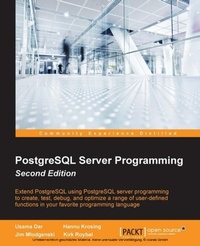
PostgreSQL Server Programming
Extend PostgreSQL using PostgreSQL server programming to create, test, debug, and optimize a range of user-defined functions in your favorite programming language
2nd Edition
Published on 13. January 2025
320 pages
978-1-78398-059-8 (ISBN)
Description

Key Features
Book DescriptionThis book is for moderate to advanced PostgreSQL database professionals who wish to extend PostgreSQL, utilizing the most updated features of PostgreSQL 9.4. For a better understanding of this book, familiarity with writing SQL, a basic idea of query tuning, and some coding experience in your preferred language is expected.What you will learn
Write functions in the builtin PL/pgSQL language or your language of choice
Define and use userdefined functions (UDF)
Scale your data with PL/Proxy
Extend PostgreSQL to overcome the limitations of classical SQL servers
Debug using NOTIFY and using PL/pgSQL debugging extensions
Discover the new features in PostgreSQL 9.4 such as event triggers and other improvements relevant to serverside programming
Fully integrate the database layer into your development
Who this book is forThis book is for moderate to advanced PostgreSQL database professionals who wish to extend PostgreSQL, utilizing the most updated features of PostgreSQL 9.4. For a better understanding of this book, familiarity with writing SQL, a basic idea of query tuning, and some coding experience in your preferred language is expected.
Book DescriptionThis book is for moderate to advanced PostgreSQL database professionals who wish to extend PostgreSQL, utilizing the most updated features of PostgreSQL 9.4. For a better understanding of this book, familiarity with writing SQL, a basic idea of query tuning, and some coding experience in your preferred language is expected.What you will learn
Write functions in the builtin PL/pgSQL language or your language of choice
Define and use userdefined functions (UDF)
Scale your data with PL/Proxy
Extend PostgreSQL to overcome the limitations of classical SQL servers
Debug using NOTIFY and using PL/pgSQL debugging extensions
Discover the new features in PostgreSQL 9.4 such as event triggers and other improvements relevant to serverside programming
Fully integrate the database layer into your development
Who this book is forThis book is for moderate to advanced PostgreSQL database professionals who wish to extend PostgreSQL, utilizing the most updated features of PostgreSQL 9.4. For a better understanding of this book, familiarity with writing SQL, a basic idea of query tuning, and some coding experience in your preferred language is expected.
All prices
More details
Edition
2nd Revised edition
Language
English
Place of publication
Birmingham
United Kingdom
Target group
Professional and scholarly
US School Grade: College Graduate Student
Edition type
Revised edition
File size
2,06 MB
ISBN-13
978-1-78398-059-8 (9781783980598)
Copyright in bibliographic data and cover images is held by Nielsen Book Services Limited or by the publishers or by their respective licensors: all rights reserved.
Schweitzer Classification
Other editions
Additional editions
Book
02/2015
Packt Publishing
€63.20
Shipment within 3-4 weeks
Persons
Usama Dar is a seasoned software developer and architect. During his 14 years' career, he has worked extensively with PostgreSQL and other database technologies. He worked on PostgreSQL internals extensively while he was working for EnterpriseDB. Currently, he lives in Munich where he works for Huawei's European Research Center. He designs the next generation of high-performance database systems based on open source technologies, such as PostgreSQL, which are used under high workloads and strict performance requirements. Hannu Krosing is a principal consultant at 2ndQuadrant and a technical advisor at Ambient Sound Investments. As the original database architect at Skype Technologies, he was responsible for designing the SkyTools suite of replication and scalability technology. He has worked with and contributed to the PostgreSQL project for more than 12 years. Jim Mlodgenski is the CTO of OpenSCG, a professional services company focused on leveraging open source technologies for strategic advantage. He was formerly the CEO of StormDB, a database cloud company focused on horizontal scalability. Prior to StormDB, he has held highly technical roles at Cirrus Technology, Inc., EnterpriseDB, and Fusion Technologies. Jim is also a fervent advocate of PostgreSQL. He is on the board of the United States PostgreSQL Association as well as a part of the organizing teams of the New York PostgreSQL User Group and Philadelphia PostgreSQL User Group. Kirk Roybal has been an active member of the PostgreSQL community since 1998. He has helped organize user groups in Houston, Dallas, and Bloomington, IL. He has mentored many junior database administrators and provided cross-training to senior database engineers. He has provided solutions using PostgreSQL for reporting, business intelligence, data warehousing, applications, and development support. He saw the scope of PostgreSQL when his first small-scale business customer asked for a web application. At that time, competitive database products were either extremely immature or cost prohibitive.
Content
Table of Contents
Why 'program in the server'?
Introduction to PostgreSQL server programming fundamentals
Writing Your First PL/PgSQL Function
Advanced PL/PgSQL - Creating Set Returning and Table Functions, Using Cursors
Defining and Using PL/PgSQL TRIGGER functions
Writing PostgreSQL Event Trigger Functions
Debugging PL/PgSQL
Using unrestricted language - PL/pythonu
Writing Z Functions in C
Scaling Your Database with pl/proxy
PL/Perl - Perl Procedural Language
PL/Tcl - Tcl Procedural Language
Publishing Your Code as Extensions
Learning More About PostgreSQL as Extensible RDBMS
Why 'program in the server'?
Introduction to PostgreSQL server programming fundamentals
Writing Your First PL/PgSQL Function
Advanced PL/PgSQL - Creating Set Returning and Table Functions, Using Cursors
Defining and Using PL/PgSQL TRIGGER functions
Writing PostgreSQL Event Trigger Functions
Debugging PL/PgSQL
Using unrestricted language - PL/pythonu
Writing Z Functions in C
Scaling Your Database with pl/proxy
PL/Perl - Perl Procedural Language
PL/Tcl - Tcl Procedural Language
Publishing Your Code as Extensions
Learning More About PostgreSQL as Extensible RDBMS

