

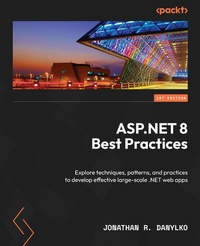
ASP.NET 8 Best Practices
Explore techniques, patterns, and practices to develop effective large-scale .NET web apps
1st Edition
Published on 29. December 2023
256 pages
978-1-83763-480-4 (ISBN)
Description

Improve your ASP.NET skills with industry-proven techniques and practices to make your code efficient and maintainable throughout the software development lifecycleKey Features - Get to grips with standard guidelines for every phase of the SDLC, encompassing pre-coding, coding, and post-coding stages
- Build high-quality software by employing industry best practices throughout the development process
- Apply proven techniques to improve your coding, debugging, and deployment processes for websites
- Purchase of the print or Kindle book includes a free PDF eBook
Book DescriptionAs.NET 8 emerges as a long-term support (LTS) release designed to assist developers in migrating legacy applications to ASP.NET, this best practices book becomes your go-to guide for exploring the intricacies of ASP.NET and advancing your skills as a software engineer, full-stack developer, or web architect. This book will lead you through project structure and layout, setting up robust source control, and employing pipelines for automated project building. You'll focus on ASP.NET components and gain insights into their commonalities. As you advance, you'll cover middleware best practices, learning how to handle frontend tasks involving JavaScript, CSS, and image files. You'll examine the best approach for working with Blazor applications and familiarize yourself with controllers and Razor Pages. Additionally, you'll discover how to leverage Entity Framework Core and exception handling in your application. In the later chapters, you'll master components that enhance project organization, extensibility, security, and performance. By the end of this book, you'll have acquired a comprehensive understanding of industry-proven concepts and best practices to build real-world ASP.NET 8.0 websites confidently.What you will learn - Explore the common IDE tools used in the industry
- Identify the best approach for organizing source control, projects, and middleware
- Uncover and address top web security threats, implementing effective strategies to protect your code
- Optimize Entity Framework for faster query performance using best practices
- Automate software through continuous integration/continuous deployment
- Gain a solid understanding of the.NET Core coding fundamentals for building websites
- Harness HtmlHelpers, TagHelpers, ViewComponents, and Blazor for component-based development
Who this book is forThis book is for developers who have working knowledge of ASP.NET and want to advance in their careers by learning best practices followed in developer communities or corporate environments. Beginners can use this book as a springboard for integrating best practices into their learning journey, and as a reference to gain clarity on advanced ASP.NET topics at a later time.
- Build high-quality software by employing industry best practices throughout the development process
- Apply proven techniques to improve your coding, debugging, and deployment processes for websites
- Purchase of the print or Kindle book includes a free PDF eBook
Book DescriptionAs.NET 8 emerges as a long-term support (LTS) release designed to assist developers in migrating legacy applications to ASP.NET, this best practices book becomes your go-to guide for exploring the intricacies of ASP.NET and advancing your skills as a software engineer, full-stack developer, or web architect. This book will lead you through project structure and layout, setting up robust source control, and employing pipelines for automated project building. You'll focus on ASP.NET components and gain insights into their commonalities. As you advance, you'll cover middleware best practices, learning how to handle frontend tasks involving JavaScript, CSS, and image files. You'll examine the best approach for working with Blazor applications and familiarize yourself with controllers and Razor Pages. Additionally, you'll discover how to leverage Entity Framework Core and exception handling in your application. In the later chapters, you'll master components that enhance project organization, extensibility, security, and performance. By the end of this book, you'll have acquired a comprehensive understanding of industry-proven concepts and best practices to build real-world ASP.NET 8.0 websites confidently.What you will learn - Explore the common IDE tools used in the industry
- Identify the best approach for organizing source control, projects, and middleware
- Uncover and address top web security threats, implementing effective strategies to protect your code
- Optimize Entity Framework for faster query performance using best practices
- Automate software through continuous integration/continuous deployment
- Gain a solid understanding of the.NET Core coding fundamentals for building websites
- Harness HtmlHelpers, TagHelpers, ViewComponents, and Blazor for component-based development
Who this book is forThis book is for developers who have working knowledge of ASP.NET and want to advance in their careers by learning best practices followed in developer communities or corporate environments. Beginners can use this book as a springboard for integrating best practices into their learning journey, and as a reference to gain clarity on advanced ASP.NET topics at a later time.
All prices
More details
Other editions
Additional editions
Jonathan R. Danylko
ASP.NET 8 Best Practices
Explore techniques, patterns, and practices to develop effective large-scale .NET web apps
Book
12/2023
Packt Publishing
€46.80
Shipment within 3-4 weeks
Content
- Cover
- Title Page
- Copyright and Credits
- Dedication
- Contributors
- Table of Contents
- Preface
- Chapter 1: Taking Control with Source Control
- Technical requirements
- Branching Strategies
- GitFlow
- Hotfix branches
- GitHub Flow
- GitLab Flow
- Creating short-lived branches
- Understanding Common Practices
- Rebase when Private, Merge when Public
- Always "Get Latest" Before Committing
- Always Build and Test Before Committing
- Avoid Committing Binaries
- Use tags for versioning
- Summary
- Chapter 2: CI/CD - Building Quality Software Automatically
- Technical requirements
- What is CI/CD?
- Preparing your Code
- Building Flawlessly
- Avoiding Relative Path Names with File-based Operations
- Confirming that your Unit Tests are Unit Tests
- Creating Environment Settings
- Understanding the Pipeline
- Pulling Code
- Building the application
- Running Unit Tests/Code Analysis
- Creating Artifacts
- Creating a Container
- Deploying the software
- The Two "Falling" Approaches
- Falling Backward (or fallback)
- Falling Forward
- Deploying Databases
- Backing up Before Deploying
- Creating a Strategy for Table Structures
- Creating a Database Project
- Using Entity Framework Core's Migrations
- The three Types of Build Providers
- CI/CD Providers
- Microsoft Azure Pipelines
- GitHub Actions
- Amazon CodePipeline
- Google CI
- Walkthrough of Azure Pipelines
- Preparing the Application
- Introducing Azure Pipelines
- Identifying the Repository
- Creating the Build
- Creating the Artifacts
- Creating a Release
- Deploying the Build
- Summary
- Chapter 3: Best Approaches for Middleware
- Technical requirements
- Using Middleware
- Understanding the Middleware Pipeline
- Using Request Delegates - Run, Use, and Map
- Common Practices for Middleware
- Defer to Asynchronous
- Prioritizing the Order
- Consolidating existing Middleware
- Encapsulating your Middleware
- Creating an Emoji Middleware Component
- Encapsulating the Middleware
- Examining the Component's Pipeline
- Summary
- Chapter 4: Applying Security from the Start
- Technical requirements
- Developing Security
- Do I have any sensitive data to protect?
- Am I exposing anything through the application?
- Am I sanitizing user input?
- Securing Access
- Common Security Practices
- Logging
- Keep your Framework and Libraries Current
- Always Force SSL
- Never Trust the Client
- Always Encode User Input
- Securing Your Headers
- Securing Entity Framework Core
- Use Microsoft Entra for Securing Applications
- Protecting Your Pages with Anti-Forgery
- Safeguarding Against the Top 3 Security Threats
- Broken Access Control
- Cryptographic Failures
- Injection
- Summary
- Chapter 5: Optimizing Data Access with Entity Framework Core
- Technical requirements
- Entity Framework Core Implementations
- Repository/Unit of Work
- The Specification Pattern
- Extension Methods
- Common Entity Framework Core Practices
- Confirming Your Model
- Using Async/Await
- Logging Your Queries
- Using Resources for Large Seed Data
- Understanding Deferred Execution
- Using a Read-Only State with .AsNoTracking()
- Leveraging the Database
- Avoiding the Manual Property Mapping
- Implementing the Theme Park Example
- Overview
- Creating the Database
- Adding an Asynchronous Read-Only Mode
- Including Child Entities
- Extending your Model
- Summary
- Chapter 6: Best Practices with Web User Interfaces
- Technical requirements
- Using a task runner
- What is a task runner?
- Setting up the Task Runner
- Structure of a gulpfile
- Running automatically
- Creating a workflow structure
- Defining our workflow paths
- Transpiling TypeScript
- Bundling and minifying
- Implementing additional tasks
- Applying standards to UIs
- Centralizing your site links
- Keeping controllers/pages small
- Using ViewComponents
- Using Tag Helpers instead of HTML Helpers
- Creating SEO-friendly URLs
- Introducing Buck's coffee shop project
- Setting up Buck's website
- Updating the links
- Creating an OffCanvas Tag Helper
- Summary
- Chapter 7: Testing Your Code
- Technical requirements
- Understand testing concepts
- Unit tests
- Integration tests
- Regression tests
- Load testing
- System testing (end-to-end or E2E)
- UI testing
- Best approaches for testing
- Why do we write tests?
- The "100% test coverage" myth
- Using AAA
- Avoid writing unit test code for your code
- Avoid large unit tests
- Avoid unnecessary mocks, fakes, or stubs
- Using tests as documentation
- Identifying slow integration tests
- Find a bug, write a test
- Avoid testing .NET
- Testing data access
- Adding the SQLite provider
- Creating the AttractionService test
- Creating the LocationService test
- Summary
- Chapter 8: Catching Exceptions with Exception Handling
- Technical requirements
- Using exception handling
- What is exception handling?
- When to use exception handling
- Handling global exceptions
- Performance considerations
- Common exception handling techniques
- Prevention before exception
- Use logging
- Apply a unit testing methodology
- Avoid empty catch statements
- Use exception filtering and pattern matching
- Use finally blocks for cleanup
- Knowing when to throw
- Summary
- Chapter 9: Creating Better Web APIs
- Technical requirements
- Creating APIs quickly
- Using Visual Studio
- Why minimal APIs?
- Designing APIs
- Disconnecting from existing schemas
- Identifying the resources
- Relating HTTP verbs to resources
- Returning HTTP status codes
- Testing Web APIs
- Visual Studio Endpoints Explorer
- Integration testing APIs
- Standardized Web API techniques
- Using the right HTTP verbs and status codes
- Beware dependent resources
- Pagination in API results
- Versioning APIs
- Use DTOs, not entities!
- Avoid new instances of HttpClient
- Summary
- Chapter 10: Push Your Application with Performance
- Technical requirements
- Why Performance Matters
- Establishing Baselines
- Using Client-Side Tools
- Using Server-Side Tools
- Databases
- Applying Performance Best Practices
- Optimizing client-side performance
- Common Server-side Practices
- Understanding caching
- Summary
- Chapter 11: Appendix
- Technical requirements
- Programming guidelines
- DRY
- YAGNI
- KISS
- Separation of concerns
- Refactoring as a process
- SOLID principles
- Project structure
- Understanding the project landscape
- Creating project layers
- Summary
- Thank you!
- Index
- About Packt
- Other Books You May Enjoy
