

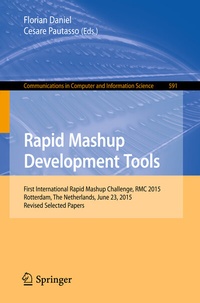
Rapid Mashup Development Tools
Description

This book constitutes the refereed proceedings of the First International Rapid Mashup Challenge, RMC 2015, held on June 23, 2015, in Rotterdam, The Netherlands, in conjunction with the 15th International Conference on Web Engineering, ICWE 2015.
The 2015 edition of the challenge is the first installment of a series of challenges that aim to engage researchers and practitioners in a competition for the best mashup approach. The 6 thoroughly reviewed contributions contained in this volume are extended versions of the initial proposals that served the authors to express their interest to participate in the challenge. The initial proposals have been used by the challenge organizers to select participants based on the interestingness and maturity of the proposals.
More details
Other editions
Additional editions
Content
- Intro
- Preface
- Jury Members
- Contents
- ICWE 2015 Rapid Mashup Challenge: Introduction
- 1 Context and Objective
- 2 Participation Requirements and Organization
- 2.1 Call for Participation and Requirements
- 2.2 Structure of Challenge
- 3 Feature Checklist
- 3.1 Mashup Features
- 3.2 Mashup Tool Features
- 4 Participants
- References
- FlexMash -- Flexible Data Mashups Based on Pattern-Based Model Transformation
- 1 Context and Goals
- 2 Basic Concepts
- 2.1 Mashup Plans
- 2.2 TOSCA
- 3 Related Work
- 4 Flexible Data Mashups Based on Pattern-Based Model Transformation
- 4.1 Step 2: Transformation Pattern Selection
- 4.2 Step 3: Pattern-Based Transformation
- 4.3 Step 4: TOSCA-Based Deployment and Execution
- 5 FlexMash -- Level of Maturity
- 6 FlexMash -- Feature Checklist
- 7 ICWE Rapid Mashup Challenge -- Mashup Scenario
- 8 Demo Flow
- 9 Challenge Preparations
- 10 Discussion and Findings
- 11 Summary and Outlook
- References
- Interactive, Live Mashup Development Through UI-Oriented Computing
- 1 Introduction
- 2 UI-Oriented Computing
- 3 UI-Oriented Computing Infrastructure
- 4 The Challenge: Scenario and Preparation
- 4.1 Mashup Scenario
- 4.2 Preparation of Challenge
- 5 The Challenge: Live Mashup Development
- 6 Related Work
- 7 Discussion and Future Work
- References
- SmartComposition: Extending Web Applications to Multi-screen Mashups
- 1 Introduction
- 2 Context and Goals of the SmartComposition Approach
- 3 Related Work
- 4 The SmartComposition Approach
- 4.1 Structure of SmartComponents
- 4.2 Inter-Component Communication
- 4.3 Inter-Device Communication
- 5 Feature Checklist
- 6 Mashup Challenge
- 6.1 The Presented Mashup
- 6.2 Preparation of the Challenge
- 6.3 The Demo Flow
- 7 Conclusion
- References
- EFESTO: A Platform for the End-User Development of Interactive Workspaces for Data Exploration
- Abstract
- 1 Introduction
- 2 The EFESTO Composition Paradigm
- 3 Architecture and Feature Checklist
- 3.1 Interaction Layer
- 3.2 Logic Layer
- 3.2.1 The Mashup Engine
- 3.2.2 The Event Manager
- 3.2.3 The Annotation Engine and the Polymorphic Data Source
- 3.3 Service and Data Layer
- 4 Level of Maturity
- 5 Related Work
- 6 ICWE 2015 Rapid Mashup Challenge
- 7 Conclusions
- Acknowledgment
- References
- Web Mashups with WebMakeup
- 1 Context and Goals
- 2 A Mod Scenario
- 3 A Session with WebMakeup
- 3.1 Widget Creation
- 3.2 Widget Mining
- 3.3 Widget Handling
- 3.4 Widget Animation
- 4 The Mod Lifecycle
- 5 Level of Maturity and Discussion
- 6 Related Work
- References
- Mashup Development with Web Liquid Streams
- 1 Introduction
- 2 Related Work
- 3 Web Liquid Streams Framework
- 3.1 Startup and Discovery of the Devices
- 3.2 Commands
- 3.3 Topology
- 3.4 Script API
- 3.5 Extended Remote Script API
- 4 Rapid Mashup Challenge
- 4.1 Motivation
- 4.2 Scripts
- 5 Demo
- 5.1 Slides Presentation
- 5.2 Startup and Connection
- 5.3 Topology Creation and Deployment
- 5.4 Topology Development
- 5.5 Live Demo and Migration
- 6 Conclusions
- References
- Challenge Outcome and Conclusion
- 1 Challenge Organization
- 2 The ASQ Voting System
- 3 Evaluation Criteria
- 4 Results
- 5 Limitations
- 6 Outlook
- References
- Author Index
