

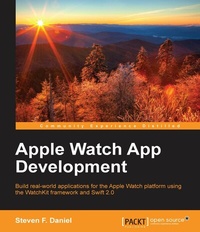
Apple Watch App Development
Build real-world applications for the Apple Watch platform using the WatchKit framework and Swift 2.0
Published on 8. July 2025
358 pages
978-1-78588-366-8 (ISBN)
Description

Build real-world applications for the Apple Watch platform using the WatchKit framework and Swift 2.0
Key Features
[*]Find out how to download and install the Xcode development tools before learning about Xcode playgrounds and the Swift programming language
[*]Discover everything you need to know about the WatchKit platform architecture, its classes, as well its limitations
[*]This book introduces you to the very latest mobile platform with hands-on instructions so you can build your very own Apple Watch apps
Book DescriptionWith the increasing amount of new wearable devices hitting the market, wearables are the next wave of mobile technology. With the release of Apple's WatchKit SDK, a whole new world of exciting development possibilities hasopened up. Apple Watch App Development introduces you to the architecture and limitations of the Apple Watch platform, followed by an in-depth look at how to work with Xcode playgrounds. Here, we'll introduce you to the Swift programming language so you can quickly begin developing apps for the Apple Watch platform with the WatchKit framework and the Xcode Development IDE. We then discuss more advanced topics such as Notifiations, Glances, Closures, Tuples, Protocols, Apple pay, and using Swift playgrounds, with each concept backed up with example code that demonstrates how to properly execute it. We also show you how to package and deploy your Watch application to the Apple AppStore. By the end of this book, you will have a good understanding of how to develop apps for Apple Watch platform using the WatchKit framework and Swift 2.0. What you will learn
[*] Navigate within the WatchKit interface using page-based, modal, and hierarchical navigation techniques
[*] Work with context menus to interact with the Apple Watch Taptic Engine and respond to their actions by integrating Haptic feedback
[*] Use the MapKit framework to display a map within the WatchKit interface
[*] Build effective user interfaces for the WatchKit platform and integrate HealthKit capabilities to synchronize data between the iOS app and the WatchKit UI
[*] Design your apps for the Apple Watch platform with the UI design guidelines
[*] Reinforce image compression and caching to display animations within the Apple Watch user interface
[*] Explore WatchKit tables to purchase products and pay for them using Apple Pay
[*] Analyze the new layout system to ensure that your Apple Watch apps work with various screen sizes
Who this book is forThis book is intended for developers who are interested in creating amazing apps for the Apple Watch platform. Readers are expected to have some experience using Swift.
Key Features
[*]Find out how to download and install the Xcode development tools before learning about Xcode playgrounds and the Swift programming language
[*]Discover everything you need to know about the WatchKit platform architecture, its classes, as well its limitations
[*]This book introduces you to the very latest mobile platform with hands-on instructions so you can build your very own Apple Watch apps
Book DescriptionWith the increasing amount of new wearable devices hitting the market, wearables are the next wave of mobile technology. With the release of Apple's WatchKit SDK, a whole new world of exciting development possibilities hasopened up. Apple Watch App Development introduces you to the architecture and limitations of the Apple Watch platform, followed by an in-depth look at how to work with Xcode playgrounds. Here, we'll introduce you to the Swift programming language so you can quickly begin developing apps for the Apple Watch platform with the WatchKit framework and the Xcode Development IDE. We then discuss more advanced topics such as Notifiations, Glances, Closures, Tuples, Protocols, Apple pay, and using Swift playgrounds, with each concept backed up with example code that demonstrates how to properly execute it. We also show you how to package and deploy your Watch application to the Apple AppStore. By the end of this book, you will have a good understanding of how to develop apps for Apple Watch platform using the WatchKit framework and Swift 2.0. What you will learn
[*] Navigate within the WatchKit interface using page-based, modal, and hierarchical navigation techniques
[*] Work with context menus to interact with the Apple Watch Taptic Engine and respond to their actions by integrating Haptic feedback
[*] Use the MapKit framework to display a map within the WatchKit interface
[*] Build effective user interfaces for the WatchKit platform and integrate HealthKit capabilities to synchronize data between the iOS app and the WatchKit UI
[*] Design your apps for the Apple Watch platform with the UI design guidelines
[*] Reinforce image compression and caching to display animations within the Apple Watch user interface
[*] Explore WatchKit tables to purchase products and pay for them using Apple Pay
[*] Analyze the new layout system to ensure that your Apple Watch apps work with various screen sizes
Who this book is forThis book is intended for developers who are interested in creating amazing apps for the Apple Watch platform. Readers are expected to have some experience using Swift.
All prices
More details
Edition
Digital original
Language
English
Place of publication
Birmingham
United Kingdom
Target group
US School Grade: College Graduate Student
Edition type
Digital original
File size
28,14 MB
ISBN-13
978-1-78588-366-8 (9781785883668)
Copyright in bibliographic data and cover images is held by Nielsen Book Services Limited or by the publishers or by their respective licensors: all rights reserved.
Schweitzer Classification
Other editions
Additional editions
Steven F. Daniel
Apple Watch App Development
Book
04/2016
Packt Publishing
€56.60
Shipment within 3-4 weeks
Person
Daniel Steven F. :
Steven F. Daniel is the CEO and founder of GENIESOFT STUDIOS, a software development company based in Melbourne, Victoria, that focuses primarily on developing games and business applications for the iOS, Android, and Mac OS X platforms. He is an experienced software engineer with more than 17 years' experience and is extremely passionate about making people employable by helping them use their existing skills in iOS, Android, and Xamarin to get the job done. He is a member of the SQL Server Special Interest Group (SQLSIG), CocoaHeads, and the Java Community. He was the co-founder and Chief Technology Officer (CTO) at SoftMpire Pty Ltd., a company focused primarily on developing business applications for the iOS and Android platforms.
Steven F. Daniel is the CEO and founder of GENIESOFT STUDIOS, a software development company based in Melbourne, Victoria, that focuses primarily on developing games and business applications for the iOS, Android, and Mac OS X platforms. He is an experienced software engineer with more than 17 years' experience and is extremely passionate about making people employable by helping them use their existing skills in iOS, Android, and Xamarin to get the job done. He is a member of the SQL Server Special Interest Group (SQLSIG), CocoaHeads, and the Java Community. He was the co-founder and Chief Technology Officer (CTO) at SoftMpire Pty Ltd., a company focused primarily on developing business applications for the iOS and Android platforms.
Content
Table of Contents
Introducing the Swift Programming Language
Understanding the Apple Watch
Exploring Watchkit controls
Understanding WatchKit Layouts
Navigating around in WatchKit
Implementing tables in your app
Adding Menus to your app
Incorporating Glance interface in your app
Adding Notifications to your app
Image caching and animation
Testing, debugging and deploying your app
Introducing the Swift Programming Language
Understanding the Apple Watch
Exploring Watchkit controls
Understanding WatchKit Layouts
Navigating around in WatchKit
Implementing tables in your app
Adding Menus to your app
Incorporating Glance interface in your app
Adding Notifications to your app
Image caching and animation
Testing, debugging and deploying your app

