

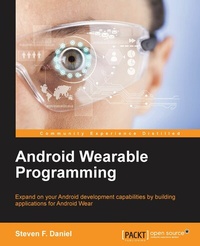
Android Wearable Programming
Expand on your Android development capabilities by building applications for Android Wear
Published on 7. October 2025
224 pages
978-1-78528-129-7 (ISBN)
Description

Key Features
Book DescriptionIf you are an Android developer who wants to learn how to build applications for the Android Wear platform, then this is the book for you. This book only requires a basic knowledge of Android programming. Familiarity with development IDEs such as Android Studio, IntelliJ IDEA, or Eclipse will be helpful.What you will learn
Get introduced to the Android Wear and Google Glass SDK
Create your own basic and custom notifications for Android Wear by using Android notifications
Develop custom Android wearable watch faces and debug them over Bluetooth prior to packaging
Deploy your application to the handheld device or the Google Play Store
Develop apps that have the ability to send and receive binary blobs of data from the handheld device to the wearable device
Create custom layouts for the Android TV platform conforming to the Android TV design principles
Build effective user interfaces for the Google Glass platform
Incorporate voice and input features into your Android wearable app
Who this book is for
Book DescriptionIf you are an Android developer who wants to learn how to build applications for the Android Wear platform, then this is the book for you. This book only requires a basic knowledge of Android programming. Familiarity with development IDEs such as Android Studio, IntelliJ IDEA, or Eclipse will be helpful.What you will learn
Get introduced to the Android Wear and Google Glass SDK
Create your own basic and custom notifications for Android Wear by using Android notifications
Develop custom Android wearable watch faces and debug them over Bluetooth prior to packaging
Deploy your application to the handheld device or the Google Play Store
Develop apps that have the ability to send and receive binary blobs of data from the handheld device to the wearable device
Create custom layouts for the Android TV platform conforming to the Android TV design principles
Build effective user interfaces for the Google Glass platform
Incorporate voice and input features into your Android wearable app
Who this book is for
All prices
More details
Edition
Digital original
Language
English
Place of publication
Birmingham
United Kingdom
Target group
Professional and scholarly
US School Grade: College Graduate Student
Edition type
Digital original
File size
10,57 MB
ISBN-13
978-1-78528-129-7 (9781785281297)
Copyright in bibliographic data and cover images is held by Nielsen Book Services Limited or by the publishers or by their respective licensors: all rights reserved.
Schweitzer Classification
Other editions
Additional editions
Steven. F. Daniel
Android Wearable Programming
Book
07/2015
Packt Publishing
€39.50
Shipment within 3-4 weeks
Person
Daniel Steven F. :
Steven F. Daniel is the CEO and founder of GENIESOFT STUDIOS, a software development company based in Melbourne, Victoria, that focuses primarily on developing games and business applications for the iOS, Android, and Mac OS X platforms. He is an experienced software engineer with more than 17 years' experience and is extremely passionate about making people employable by helping them use their existing skills in iOS, Android, and Xamarin to get the job done. He is a member of the SQL Server Special Interest Group (SQLSIG), CocoaHeads, and the Java Community. He was the co-founder and Chief Technology Officer (CTO) at SoftMpire Pty Ltd., a company focused primarily on developing business applications for the iOS and Android platforms.
Steven F. Daniel is the CEO and founder of GENIESOFT STUDIOS, a software development company based in Melbourne, Victoria, that focuses primarily on developing games and business applications for the iOS, Android, and Mac OS X platforms. He is an experienced software engineer with more than 17 years' experience and is extremely passionate about making people employable by helping them use their existing skills in iOS, Android, and Xamarin to get the job done. He is a member of the SQL Server Special Interest Group (SQLSIG), CocoaHeads, and the Java Community. He was the co-founder and Chief Technology Officer (CTO) at SoftMpire Pty Ltd., a company focused primarily on developing business applications for the iOS and Android platforms.
Content
Table of Contents
Understanding Android Wearable?s and Building your first app
Creating Notifications
Creating, Debugging and Packaging Wearable Apps
Sending and Synching Data
Working with Google Glass
Designing and Customizing Interfaces for Android TV
Understanding Android Wearable?s and Building your first app
Creating Notifications
Creating, Debugging and Packaging Wearable Apps
Sending and Synching Data
Working with Google Glass
Designing and Customizing Interfaces for Android TV

