

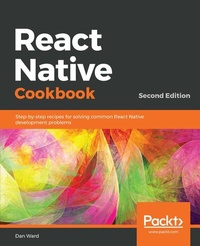
React Native Cookbook
Recipes for solving common React Native development problems
2nd Edition
Published on 23. September 2024
592 pages
978-1-78899-043-1 (ISBN)
Description

No detailed description available for "React Native Cookbook".
More details
Edition
2nd Revised edition
Language
English
Place of publication
Birmingham
United Kingdom
Target group
Professional and scholarly
US School Grade: College Graduate Student
Edition type
Revised edition
File size
15,70 MB
ISBN-13
978-1-78899-043-1 (9781788990431)
Copyright in bibliographic data and cover images is held by Nielsen Book Services Limited or by the publishers or by their respective licensors: all rights reserved.
Schweitzer Classification
Other editions
Additional editions
Book
01/2019
2nd Edition
Packt Publishing
€48.50
Shipment within 3-4 weeks
Person
Ward Daniel :
Dan Ward is a full-stack developer and web technology consultant who has a number of years of experience working on mobile applications with React Native, and developing web applications with React, Vue, and Angular. He's also a co-founder at gitconnected, and co-editor at the associated Medium publication. His professional interests include React Native development, modern web development, and technical writing. He also has a BA in English Literature from Florida State University.
Dan Ward is a full-stack developer and web technology consultant who has a number of years of experience working on mobile applications with React Native, and developing web applications with React, Vue, and Angular. He's also a co-founder at gitconnected, and co-editor at the associated Medium publication. His professional interests include React Native development, modern web development, and technical writing. He also has a BA in English Literature from Florida State University.
Content
Table of Contents
Setting Up Your Environment
Creating a Simple React Native App
Implementing Complex User Interfaces
Implementing Complex User Interfaces
Implementing Complex User Interfaces -- Section3
Adding Basic Animations to Your App
Adding Advanced Animations to Your App
Working with Application Logic and Data
Implementing Redux
App Workflow and Third-Party Plugins
Adding Native Functionality - Part I
Adding Native Functionality - Part II
Integration with Native Applications
Deploying Your App
Optimizing the Performance of Your App
Setting Up Your Environment
Creating a Simple React Native App
Implementing Complex User Interfaces
Implementing Complex User Interfaces
Implementing Complex User Interfaces -- Section3
Adding Basic Animations to Your App
Adding Advanced Animations to Your App
Working with Application Logic and Data
Implementing Redux
App Workflow and Third-Party Plugins
Adding Native Functionality - Part I
Adding Native Functionality - Part II
Integration with Native Applications
Deploying Your App
Optimizing the Performance of Your App
