

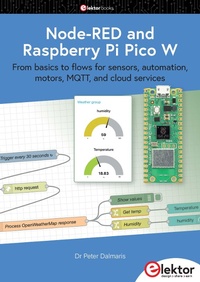
Node-RED and Raspberry Pi Pico W
From basics to flows for sensors, automation, motors, MQTT, and cloud services
1st Edition
Published on 11. January 2024
527 pages
978-3-89576-589-6 (ISBN)
Description

This book is a learning guide and a reference. Use it to learn Node-RED, Raspberry Pi Pico W, and MicroPython, and add these state-of-the-art tools to your technology toolkit. It will introduce you to virtual machines, Docker, and MySQL in support of IoT projects based on Node-RED and the Raspberry Pi Pico W.
This book combines several elements into a platform that powers the development of modern Internet of Things applications. These elements are a flow-based server, a WiFi-enabled microcontroller, a high-level programming language, and a deployment technology. Combining these elements gives you the tools you need to create automation systems at any scale. From home automation to industrial automation, this book will help you get started.
Node-RED is an open-source flow-based development tool that makes it easy to wire together devices, APIs, and online services. Drag and drop nodes to create a flowchart that turns on your lights at sunset or sends you an email when a sensor detects movement.
Raspberry Pi Pico W is a version of the Raspberry Pi Pico with added 802.11n Wi-Fi capability. It is an ideal device for physical computing tasks and an excellent match to the Node-RED.
Quick book facts
> Project-based learning approach.
> Assumes no prior knowledge of flow-based programming tools.
> Learn to use essential infrastructure tools in your projects, such as virtual machines, Docker, MySQL and useful web APIs such as Google Sheets and OpenWeatherMap.
> Dozens of mini-projects supported by photographs, wiring schematics, and source code. Get these from the book GitHub repository.
> Step-by-step instructions on everything.
> All experiments are based on the Raspberry Pi Pico W. A Wi-Fi network is required for all projects.
> Hardware (including the Raspberry Pi Pico W) is available as a kit.
More details
Other editions
Additional editions
Peter Dalmaris
Node-RED and Raspberry Pi Pico W
From basics to flows for sensors, automation, motors, MQTT, and cloud services
Book
01/2024
1st Edition
Elektor
€49.95
Available immediately
Person
Dr Peter Dalmaris is an educator, an electrical engineer, an electronics hobbyist, and a Maker. He is the creator of online video courses on DIY electronics and the author of several technical books.
Peter's mission is to explore technology and help educate the world.
Peter's mission is to explore technology and help educate the world.
Content
- Node-RED and Raspberry Pi Pico W
- All rights reserved.
- Contents
- Did you find an error?
- About the Author
- About Tech Explorations
- Requirements
- The Book Errata Reporting and Resources Web Page
- Foreword
- 1: Node-RED Getting Started
- 1.1 What is Node-RED?
- 1.2 Node-RED in IoT and Event-driven Systems
- 1.3 Communication in Node-RED: Protocols and Methods
- 1.4 Node-RED Installation Options
- 1.5 Set up Node-RED using Docker
- 5.1. Docker containers: hardware options and considerations
- 5.2. Create the Ubuntu 22.04 VM
- 5.3. Install Docker on the Server
- 5.4. Install Node-RED using Docker
- 5.5. Testing Your New Node-RED Server
- 5.6. Set up auto-start with Docker Compose
- 5.7. Set up Node-RED for Data Persistence
- 5.8. Maintaining Your Instance of Node-RED
- 5.9. Security
- 1.6 Node-RED Basics
- 6.1. Understanding the Node-RED Editor
- 6.2. Nodes
- 6.3. Creating and Deploying Flows
- 6.4. Best Practices for Working with Flows
- 6.5. The "Trigger" Node
- 6.6. The "Inject" Node
- 6.7. The "Debug" Node
- 6.8. The "Function" Node
- 6.9. The "Complete" Node
- 6.10. The "Delay" Node
- 6.11. Node-RED Settings and Confi guration
- 6.12. Node-RED Documentation and Resources
- 1.7 Node-RED Dashboard
- 7.1. Text Input and Output
- 7.2. The Button
- 7.3. The Gauge and Slider
- 7.4. The Switch
- 7.5. The Dropdown
- 7.6. The Form
- 7.7. The UI Template
- 1.8 Node-RED and MQTT
- 8.1. Installing MQTT Mosquitto on Ubuntu Server 22.04
- 8.2. Test the MQTT Service on the Command Line
- 8.3. Using Authenticated Sub and Pub
- 8.4. Test MQTT in Node-RED
- 8.5. MQTT with Raspberry Pi Pico
- 8.6. MQTT Pub Example
- 8.7. MQTT Sub Example
- 2: Node-RED & Raspberry Pi Pico Experiments
- 2.1 Frequently Used Patterns
- 1.1. Wi-Fi
- 1.2. MQTT Sub and Pub
- 1.3. Node-RED
- 2.2 Warm Up
- 2.1. Gauge and Potentiometer
- 2.2. Button
- 2.3. Sample Button with Interrupts
- 2.4. LED Control
- 2.5. LED Control without Polling
- 2.6. Combined
- 2.3 Inputs and Outputs
- 3.1. Slide Switch
- 3.2. Joystick
- 3.3. Relay
- 3.4. RFID
- 3.5. IR R eceiver and Transmitter
- 2.4 Displays and LEDs
- 4.1. I2C LCD
- 4.2. Control 8 LEDs with the 74HC595N
- 4.3. WS2812 RGB LED Strip
- 2.5 Motors
- 5.1. Servo Motor
- 5.2. DC Motor
- 2.6 Sensors
- 6.1. Temperature with DHT11
- 6.2. HC-SR04 Ultrasonic Sensor
- 6.3. Motion Sensor
- 6.4. Water Level Sensor
- 6.5. Thermistor
- 6.6. Analog Light Sensor
- 3: Raspberry Pi Pico, a Primer
- 3.1 Introduction to the Raspberry Pi Pico and Raspberry Pi Pico W
- 3.2 Getting Started with Raspberry Pi Pico and Thonny
- 3.3 MicroPython and Raspberry Pi Pico
- 3.4 Micropython, a Primer
- 4.1. An Introduction to MicroPython
- 4.2. MicroPython Language Constructs
- 4.3. MicroPython Frequently Used Commands
- 4.4. MicroPython Modules
- 4.5. MicroPython project examples
- 4.6. Troubleshooting and Best Practices
- 4.7. Glossary of MicroPython Terms
- 4.8. References and Further Reading
- 3.5 Programming Raspberry Pi Pico with MicroPython
- 3.6 Serial Communications with the Raspberry Pi Pico
- 3.7 SPI and I2C Serial Communications
- 3.8 Wi-Fi and Bluetooth with the Raspberry Pi Pico
- 3.9 Interfacing with Sensors and Actuators
- 4: More Node Red Topics
- 4.1 Other Useful Nodes and Features
- 1.1. The "catch" Node
- 1.2. The "linkout" and "linkin" nodes
- 1.3. The "switch" Node
- 1.4. The "range" Node
- 1.5. The "RBE" (Report by Exception) Node
- 1.6. The JSON Node
- 1.7. Node Groups
- 1.8. High-level review of other useful nodes by function
- 1.9. Credentials
- 1.10. Environment Variables
- 4.2 Control Structures and Loops
- 2.1. Conditional Nodes
- 2.2. Iteration Nodes
- 2.3. Conditional and iteration nodes example fl ow
- 4.3 Integrating External Services and APIs
- 3.1. Node-RED with MySQL
- 3.3. Using RESTful APIs and Web Services
- 3.4. Get Weather Information from OpenWeatherMap.org
- 3.5. Datalogging to a Google Sheet
- 3.6. Reading Data from a Google Sheet
- Index
